EasyManua.ls Logo

Samsung NX58F5500SS - User Manual

Samsung NX58F5500SS
76 pages
Print Icon
To Next Page IconTo Next Page
Loading...
Free-Standing Gas
Range
user manual
imagine the possibilities
Thank you for purchasing this Samsung product.
To receive more complete service, please register
your product at
www.samsung.com/register
1-800-SAMSUNG (726-7864)
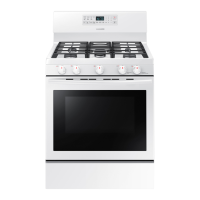
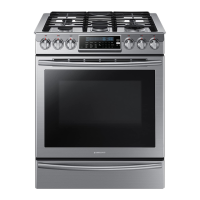
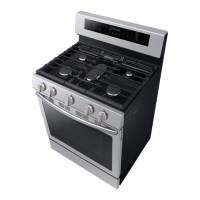
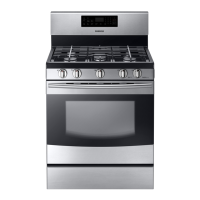
NX58F5500SS
NX58F5500SB
NX58F5500SW
NX58F5300SS
This manual is made with 100 % recycled paper.
ENGLISH
140102_(IB)NX58F5300SS_AA_DG68-00509A-01_EN.indd 1 02/01/2014 13:48:43

Other manuals for Samsung NX58F5500SS

Questions and Answers

  • G
    gtorresSep 18, 2025
    How to level my Samsung NX58F5500SS Ranges?
    • M
      Madison HolderSep 18, 2025
      If your range isn't level, it could be due to improper installation or damaged leveling legs. Ensure the floor is level, strong, and stable; if it sags or slopes, contact a carpenter. Also, make sure the kitchen cabinets are properly aligned to provide sufficient room for installation. Check and level the range.
  • S
    Sherri HuntAug 25, 2025
    What to do if all burners on my Samsung NX58F5500SS Ranges do not light?
    • K
      Kristin WolfAug 25, 2025
      If none of the burners on your Samsung Ranges are lighting, check the following: * Make sure the power cord is properly plugged into a live, grounded electrical outlet. * Check your home's fuse box or circuit breaker and replace the fuse or reset the breaker if needed. * Ensure the gas supply is properly connected and turned on. Refer to the Installation Instructions that came with your range for guidance.
  • D
    Denise RodriguezAug 25, 2025
    What to do if my Samsung NX58F5500SS Ranges oven control beeps and displays an error code?
    • D
      Dana EatonAug 26, 2025
      If your Samsung Ranges oven control is beeping and showing an error code, it indicates a function error. To resolve this: * Press the OVEN OFF pad and restart the oven. * If the problem continues, disconnect power to the range for at least 30 seconds, then reconnect it. * If the issue persists after these steps, it's best to call for service.
  • J
    Jennifer YoungAug 27, 2025
    Why Samsung NX58F5500SS Ranges oven will not Self-Clean?
    • M
      Michael BrownAug 27, 2025
      Your Samsung Ranges oven might not start the self-clean cycle for a few reasons: * Check if the oven door lock is activated (the display will show a Lock icon). Hold the oven door open and press the START/SET pad for 3 seconds to deactivate it. * Ensure the warming drawer is not in use, as the self-clean function won't operate when the warming drawer is on. * If the oven is too hot, it won't lock the door to start the self-clean cycle. Allow the oven to cool down and then reset the controls. * Also, verify that the self-cleaning oven controls are properly set.
  • J
    Jeremy GaySep 18, 2025
    Why is the oven temperature too hot or cold in my Samsung Ranges?
    • B
      boothconnorSep 18, 2025
      The oven temperature might be too hot or cold if the oven thermostat needs adjustment.
  • L
    Lisa SalazarSep 23, 2025
    How to make oven racks easier to slide in my Samsung NX58F5500SS Ranges?
    • M
      Melissa BurtonSep 23, 2025
      To make oven racks easier to slide, apply a small amount of vegetable oil to a paper towel and wipe the edges of the oven racks with it. Racks can become dull and hard to slide if they are left in the oven during a self-clean cycle.
  • M
    Michael ReedSep 9, 2025
    Why do I hear a crackling or popping sound from my Samsung Ranges?
    • D
      Dennis ScottSep 9, 2025
      If you hear a crackling or popping sound coming from your Samsung Ranges, it's normal. This is just the sound of the metal heating and cooling during cooking or cleaning.
  • L
    Lisa StoneSep 10, 2025
    Why are the oven racks difficult to slide in my Samsung Ranges?
    • L
      Laura PeckSep 10, 2025
      Apply a small amount of vegetable oil to a paper towel and wipe the edges of the oven racks with the paper towel. Racks become dull and hard to slide when they are left in the oven during a self-clean cycle.
  • D
    dana52Sep 3, 2025
    Why Samsung NX58F5500SS oven door will not open after a Self-Cleaning cycle?
    • B
      burtonjulieSep 3, 2025
      If the oven door on your Samsung Ranges won't open after a self-cleaning cycle, don't worry—this is normal. The door will remain locked until the oven temperature drops below 392 °F.
  • C
    Charles BradshawSep 1, 2025
    Why do my Samsung NX58F5500SS Ranges surface burners click during operation?
    • M
      Michelle DanielsSep 1, 2025
      If your Samsung Ranges surface burners are clicking during operation, it might be because the control knob has been left in the LITE position. After the burner lights, turn the control knob to a desired setting. If the clicking continues, contact a service technician.

Summary

Important Safety Instructions

ANTI-TIP DEVICE

Instructions and warnings for installing the anti-tip device to prevent range tipping.

GAS WARNINGS

Critical safety procedures and warnings related to gas leaks and appliance operation.

ELECTRICAL WARNINGS

Essential instructions for safe electrical connections and usage to prevent shock and fire.

INSTALLATION WARNINGS

Key warnings and guidelines for safe and correct installation of the gas range.

SURFACE BURNER WARNINGS

Safety advice for using the surface burners, including pan size and flame control.

OVEN WARNINGS

Specific safety precautions and warnings related to the oven's operation.

SELF-CLEANING OVEN WARNINGS

Precautions and safety measures for using the self-cleaning oven feature.

Surface Cooking

Operating the Oven

BAKING

Instructions on how to set the oven temperature for baking and the preheating process.

TIMED COOKING

Guide on programming the oven to cook for a specific duration with automatic shut-off.

DELAY TIMED COOKING

Instructions for setting the oven to start and stop cooking at a later time.

BROILING

How to use the broil function, including safety precautions and settings.

Maintaining Your Appliance

SELF-CLEANING OVEN

Information and precautions for using the self-cleaning oven function.

How to set the oven for self-cleaning

Step-by-step guide to initiate and set the self-cleaning cycle duration.

How to delay the start of self-cleaning

Instructions for scheduling the self-cleaning cycle to start at a later time.

Troubleshooting

TROUBLESHOOTING AND INFORMATION CODES

Explains error codes and symbols displayed by the oven control for diagnostics.

Samsung NX58F5500SS Specifications

General IconGeneral
TypeFreestanding
Fuel TypeGas
Capacity5.8 cu. ft.
Burners5
ConvectionYes
Self-CleaningYes
ColorStainless Steel
BTU18, 000

Related product manuals