EasyManua.ls Logo

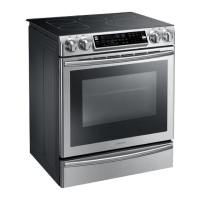
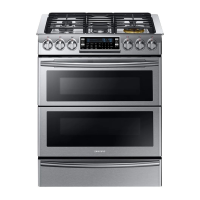
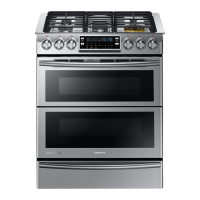
Samsung NY58J9850WS - User Manual

Samsung NY58J9850WS
200 pages
Print Icon
To Next Page IconTo Next Page
Loading...
Dual fuel Range
User manual
NY58J9850WS
NY58J9850WS_DG68-00692A-00_EN.indd 1 2015-07-07  11:45:03

Table of Contents

Other manuals for Samsung NY58J9850WS

Questions and Answers

  • D
    Dylan MooreSep 23, 2025
    Why Samsung Range surface burners light but oven burners do not light?
    • C
      colton60Sep 23, 2025
      If the surface burners light but the oven burners do not, the oven door lock may be turned on. The display will show the Lock icon. Hold the oven door open and press the START/SET button for 3 seconds. The oven will beep and the Lock icon will turn off.
  • M
    mosswendyAug 25, 2025
    Why Samsung Range surface burners do not light?
    • J
      John HernandezAug 25, 2025
      The surface burners may fail to light because the control knob is not properly set. To resolve this, push in the control knob and turn it to the LITE position. Also, check that the burner caps are correctly placed and the burner base is properly aligned. If misaligned, put the burner cap on the burner head and align the burner base. Clean the electrodes if needed.
  • M
    mario12Aug 25, 2025
    What to do if my Samsung Range all burners do not light?
    • N
      Nicholas ColeAug 26, 2025
      If all burners fail to light, the power cord might not be properly connected to the electrical outlet. Ensure the electrical plug is plugged into a live, properly grounded outlet. Additionally, check if a fuse in your home has blown or if the circuit breaker has tripped; replace the fuse or reset the circuit breaker if necessary. Finally, verify that the gas supply is properly connected and turned on.
  • K
    Kylie AlexanderAug 26, 2025
    What to do if my Samsung Range oven will not turn on?
    • A
      Antonio MeadowsAug 27, 2025
      If your oven won't turn on, first ensure that it is completely plugged into the electrical outlet, making sure the electrical plug is fully inserted into a live, properly grounded outlet. Also, check whether a fuse in your home may be blown or the circuit breaker may have tripped, and replace the fuse or reset the circuit breaker if needed.
  • B
    Benjamin BurkeSep 23, 2025
    What does it mean if the Samsung Range oven control beeps and displays an information code?
    • J
      Jay SchneiderSep 23, 2025
      If the oven control beeps and displays an information code, there may be an issue with your oven. Press the OFF/CLEAR button and restart the oven. If the problem persists, disconnect all power to the range for at least 30 seconds and then reconnect the power. If this does not solve the problem, call for service.
  • K
    kelly18Sep 13, 2025
    Why Samsung Range oven light (lamp) will not turn on?
    • N
      Nathaniel CarpenterSep 13, 2025
      If the oven light does not turn on, the oven door lock may be activated. If the display shows the Lock icon, hold the oven door open and press the START/SET button for 3 seconds. The oven will beep and the Lock icon will turn off. Alternatively, the Sabbath function may be activated. If SAb and the time of day are displayed, press and hold the Bake and Touch to Wake Up buttons simultaneously for 3 seconds to cancel the Sabbath function and reactivate the light switch and other controls.
  • P
    Pamela SteeleSep 12, 2025
    What to do if my Samsung Range oven will not self-clean?
    • H
      Heather KingSep 12, 2025
      If the oven won't self-clean, it could be due to several reasons. First, check if the oven door lock is turned on; if the display shows the Lock icon, hold the oven door open and press the START/SET button for 3 seconds to turn it off. Also, make sure the Smart Divider is removed from the oven, as self-clean will not operate with it installed. Ensure the warming drawer is not in use, and allow the oven to cool down if it's too hot. Also, check that a surface burner is not on. Self-clean will not operate if a surface burner is on.
  • W
    william03Sep 12, 2025
    Why is my Samsung Range surface burner clicking during operation?
    • E
      Erin HuertaSep 12, 2025
      If the surface burner clicks during operation, the control knob may have been left in the LITE position. After the burner lights, turn the control knob to a desired setting. If the burner continues to click, contact a service technician.
  • E
    eric51Sep 4, 2025
    Why does my Samsung NY58J9850WS oven smoke so much when broiling?
    • J
      Jerome MillerSep 4, 2025
      If your Samsung Ranges oven smokes excessively during broiling, it might be due to: * Meat or food not being properly prepared. Cut away excess fat and fatty edges that may curl. * Greasy buildup on oven surfaces. Regular cleaning is necessary when broiling frequently.
  • C
    cuevasjohnSep 2, 2025
    What to do if I smell gas from my Samsung NY58J9850WS Ranges?
    • B
      betty13Sep 2, 2025
      If you smell gas, it indicates a gas leak. Immediately evacuate everyone from the room, building, or area. Then, use a neighbor's phone to call your gas supplier. Do not use your own phone to make the call.

Summary

Essential Safety Information

General Safety

General guidelines to minimize risks of fire, electric shock, and injury.

Fire Safety

Precautions to prevent fires related to range operation and materials.

Gas Safety

Safety measures for gas connections and handling gas leaks.

Product Overview and Setup

Layout and Components

Identification of major parts and components of the range.

Control Panel Guide

Detailed description of the oven's control panel buttons and functions.

Before First Use

Initial setup steps like setting the clock and kitchen timer.

Cooktop Usage

Gas Burner Operation

Information on gas burner positions, BTU, and cooking purposes.

Burner Ignition and Flame Control

Instructions for lighting burners and adjusting flame levels safely.

Cookware Recommendations

Guidance on suitable cookware and size limitations for optimal cooking.

Oven Functions and Modes

Single Oven Mode

Step-by-step guide for cooking in a single oven cavity.

Twin Oven Mode Operation

Instructions for using the oven with a smart divider for dual cavities.

Convection Cooking Guide

Explanation of convection baking and roasting for even cooking results.

Maintenance and Troubleshooting

Cleaning Procedures

Procedures for cleaning the control panel, surfaces, and components of the appliance.

Replacing Oven Light

Step-by-step instructions for safely replacing the oven light bulb.

Troubleshooting Common Problems

Solutions for common operational issues, errors, and malfunctions.

Samsung NY58J9850WS Specifications

General IconGeneral
Styledouble oven, slide-in
Colorstainless steel
Main Capacity3.3 cubic feet
Extra Capacity2.4 cubic feet
Inductionno
Interior Lightyes
Fueldual fuel
Weight and Dimensions IconWeight and Dimensions
Depth26 7/16 inches
Height36 3/16 inches
Width29 15/16 inches
Net Weight233.2 pounds

Related product manuals