5
English
Installation
CAUTION
• Make sure to only apply paints and varnishes for resins
(ABS, HIPS) or paint thinners.
If you apply lacquers for general use on the panel, it
ma
y
lead to discoloration or erosion on the surface of
the panel.
3
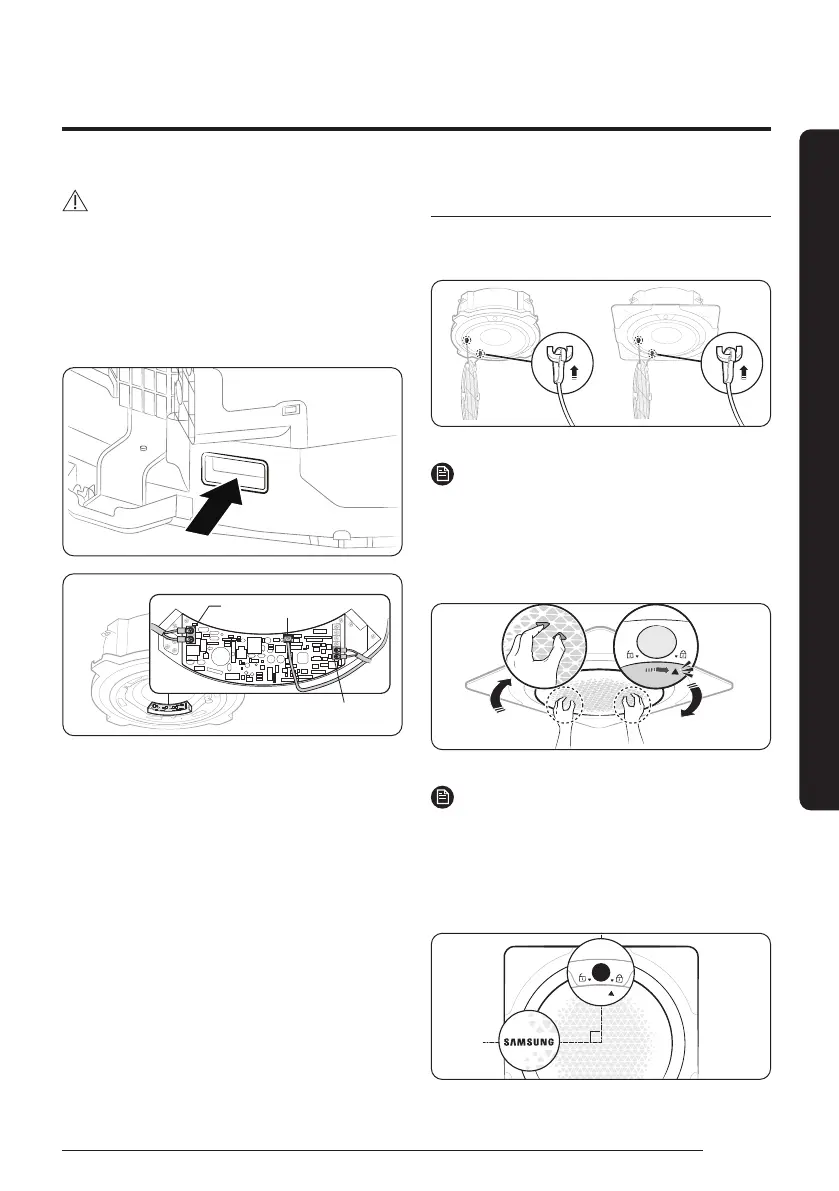
Connect the Wi-Fi wire to the PBA port inside the indoor
unit, through the power and communication cable outlet.
Power
cable
Wi-Fi cable
Communication
cable
Installing the grille
1
Make sure you connect the (two) wires on the grille to the
clip wires on the indoor unit.
NOTE
• Before installing the grille, make sure you connect the
(two) safety rings to both ends of the grille to prevent it
from falling.
2
Attach the grille by turning it clockwise until you hear a
‘click’ sound.
Closed
NOTE
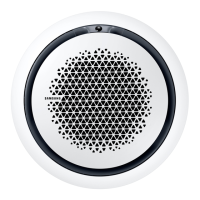
• If the grille is installed correctly, the indicator on the
indoor unit is at a 90 degree angle with the Samsung
logo on the grille and the triangle next to the lock
engraved on the indoor unit is aligned with the triangle
on the grille.
• The grille cannot be attached in anticlockwise direction.
DB68-12502A-01_IM_SYS 360 Panel WiFi_GB_EN_.indd 5DB68-12502A-01_IM_SYS 360 Panel WiFi_GB_EN_.indd 5 2023-09-26 오후 3:49:132023-09-26 오후 3:49:13



 To Next Page