• Channel: Channel "5" to "69" in sequence are displayed (depending on the country)
• Frequency: The frequency available in the Channel group is displayed.
• Bandwidth: The available bandwidths are 7 and 8 MHz.
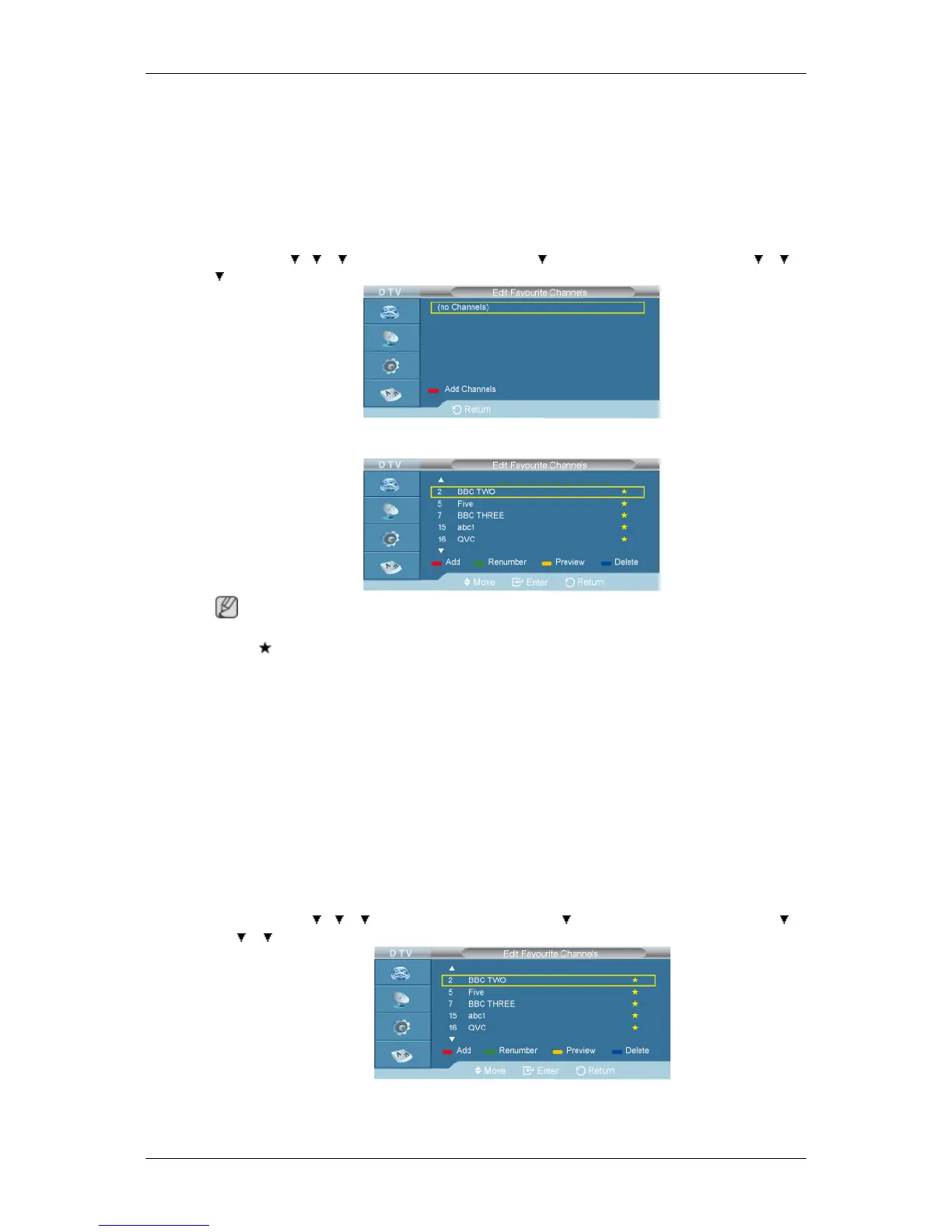
Edit Favourite Channels
D.MENU →
→ → →[Digital Menu] → ENTER→ →[Digital Channel]→ENTER → → →
→[Edit Favourite Channels] → ENTER
You can edit your favourite channels using the four colour buttons.
Note
• A " " icon is shown next to the selected channel and the channel will be added to the favourite
channel list.
• To undo, press the ENTER button again.
• Select All: Select all channels currently displayed.
• Select None: Deselect all selected channels.
• Preview: Displays (a) currently selected channel(s).
The Favorite Channels settings have been completed.
Add
• D.MENU → → → →[Digital Menu] → ENTER→ →[Digital Channel]→ENTER → →
→ →[Edit Favourite Channels] → ENTER
You can use this function when one or more favourite channels have been selected.



 To Next Page