→ ENTER
It's used to restore the number user inputs.
Channel Manager
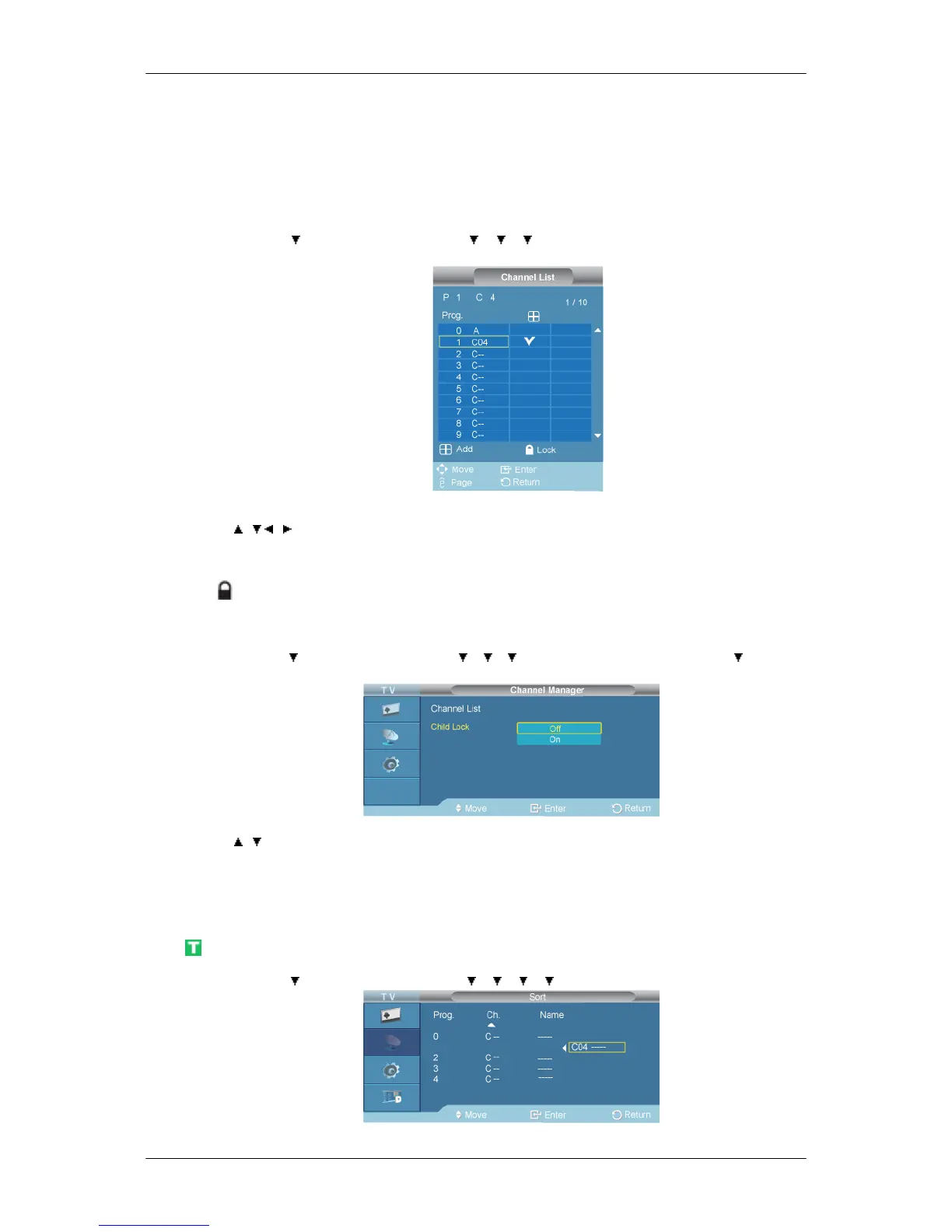
Channel List
D.MENU → →[Channel] → ENTER → → → → ENTER →[Channel Manager] →ENTER
→ [Channel List]
→ , / , → ENTER
You can add or delete a channel so only channels you want are displayed.
is active when Child Lock is selected to On.
Child Lock
D.MENU → →[Channel] → ENTER → → → → ENTER →[Channel Manager] → →ENTER
→ [Child Lock]
→ , → ENTER
Protects children from viewing inappropriate programs by blocking certain broadcast or video pro-
grams.
The Child Lock feature can be selected only from the remote.
Sort
D.MENU → →[Channel] → ENTER → → → → → ENTER →[Sort]




 To Next Page