• Preference
Picture
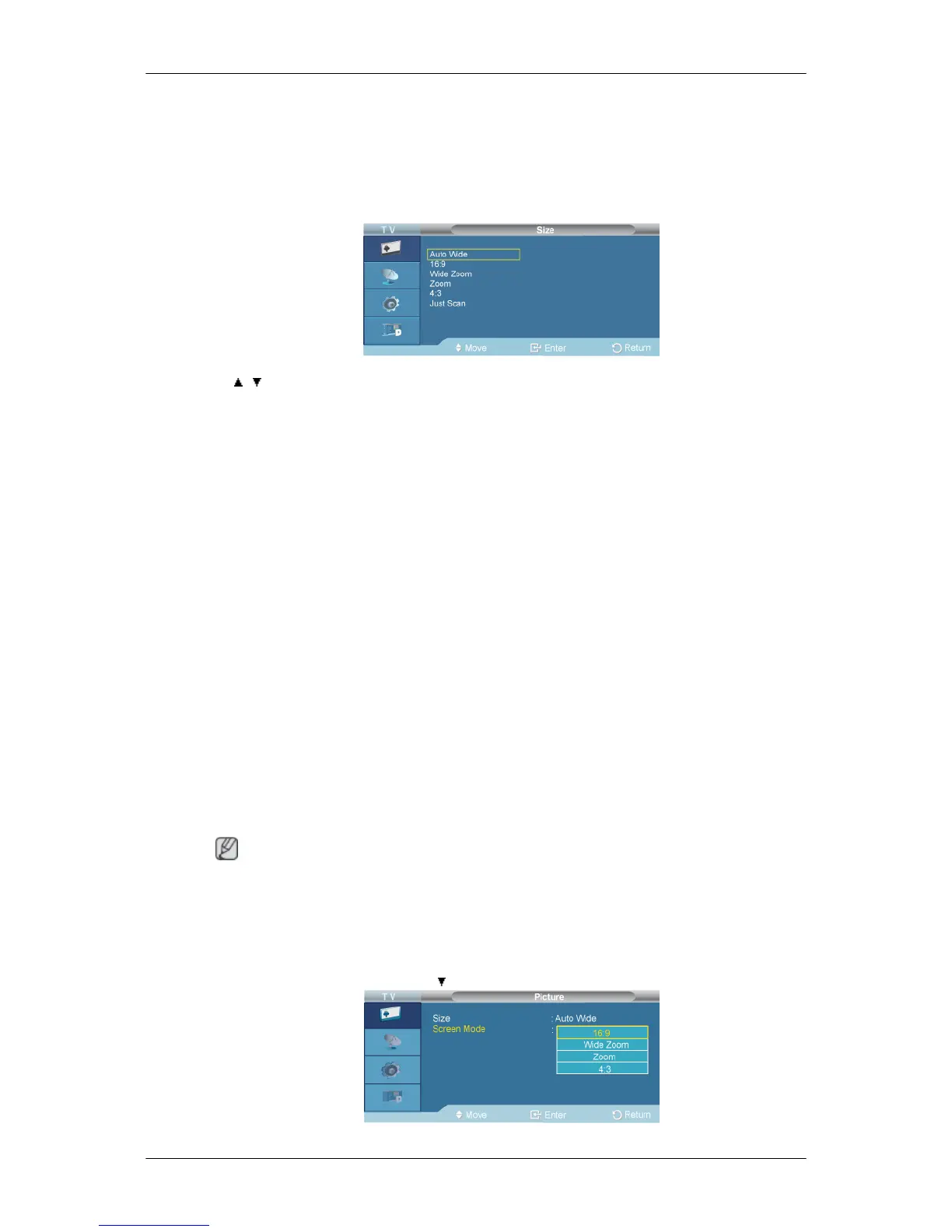
Size
D.MENU →[Picture] → ENTER → ENTER→[Size]
→ , → ENTER
Use to select PC, DVI or other external input sources connected to the LCD Display. Use to select the
screen of your choice.
1. Auto Wide
: Automatically adjusts the picture size to the "16:9" aspect ratio.
2. 16:9
: Sets the picture to 16:9 wide mode.
3. Wide Zoom
: Magnify the size of the picture more than 4:3.
4. Zoom
: Magnifies the size of the picture on the screen.
5. 4:3
: Sets the picture to 4:3 normal mode.
6. Just Scan
: Use the function to see the full image without any cutoff when HDMI (720p/1080i/1080p), DTV
(1080i) signals are input.
Note
Auto Wide function is available only in TV, DTV, AV mode.
In PC Mode, only 16:9 and 4:3 mode can be adjusted.
Screen Mode
D.MENU →[Picture] → ENTER →
→ ENTER



 To Next Page