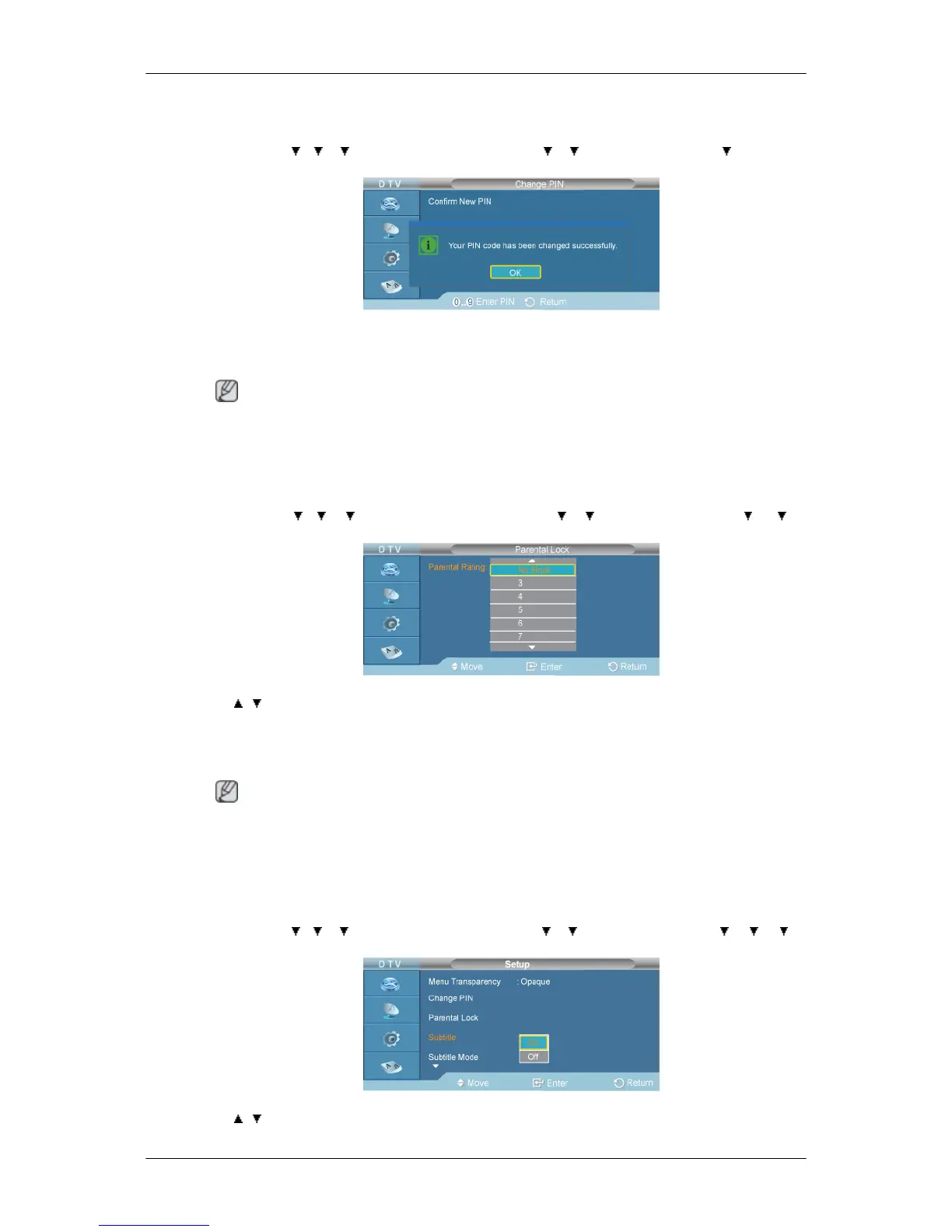
Change PIN
D.MENU → → → →[Digital Menu] → ENTER→ → →[Setup]→ENTER → → [Change
PIN] → ENTER
→[0] ∼ [9] → [0] ∼ [9] → [0] ∼ [9] → ENTER
The Your PIN code has been changed successfully message is displayed.
Note
• If you forget the PIN code, press the remote control buttons in the following sequence, which resets
the PIN to 0-0-0-0: POWER (Off), MUTE, 8, 2, 4, POWER (On).
Parental Lock
D.MENU →
→ → →[Digital Menu] → ENTER→ → →[Setup]→ENTER → → →
[Parental Lock] → ENTER → [0] ∼ [9] → ENTER
→ , → ENTER
This feature allows you to prevent unauthorized users, such as children, from watching unsuitable
programmes by a 4-digit PIN (Personal Identification Number) code that is defined by the user. The
on-screen menu will instruct you to assign a PIN code (you can change it later, if necessary).
Note
• The default PIN code for a new TV set is 0000.
• If you enter an invalid PIN code, the "Invalid PIN code. Please try again." message is displayed.
Subtitle
D.MENU → → → →[Digital Menu] → ENTER→ → →[Setup]→ENTER → → → →
[Subtitle] → ENTER
→ , → ENTER



 To Next Page