Understanding Your Phone 25
Status and Settings Icons
Icons display in the Status and Settings area of the Home
screen.
For a list of icons, see the Icon Glossary. From the Home
screen, press the
Left Soft Key
Menu
➔
Settings
➔
Phone Info
➔
Icon Glossary
.
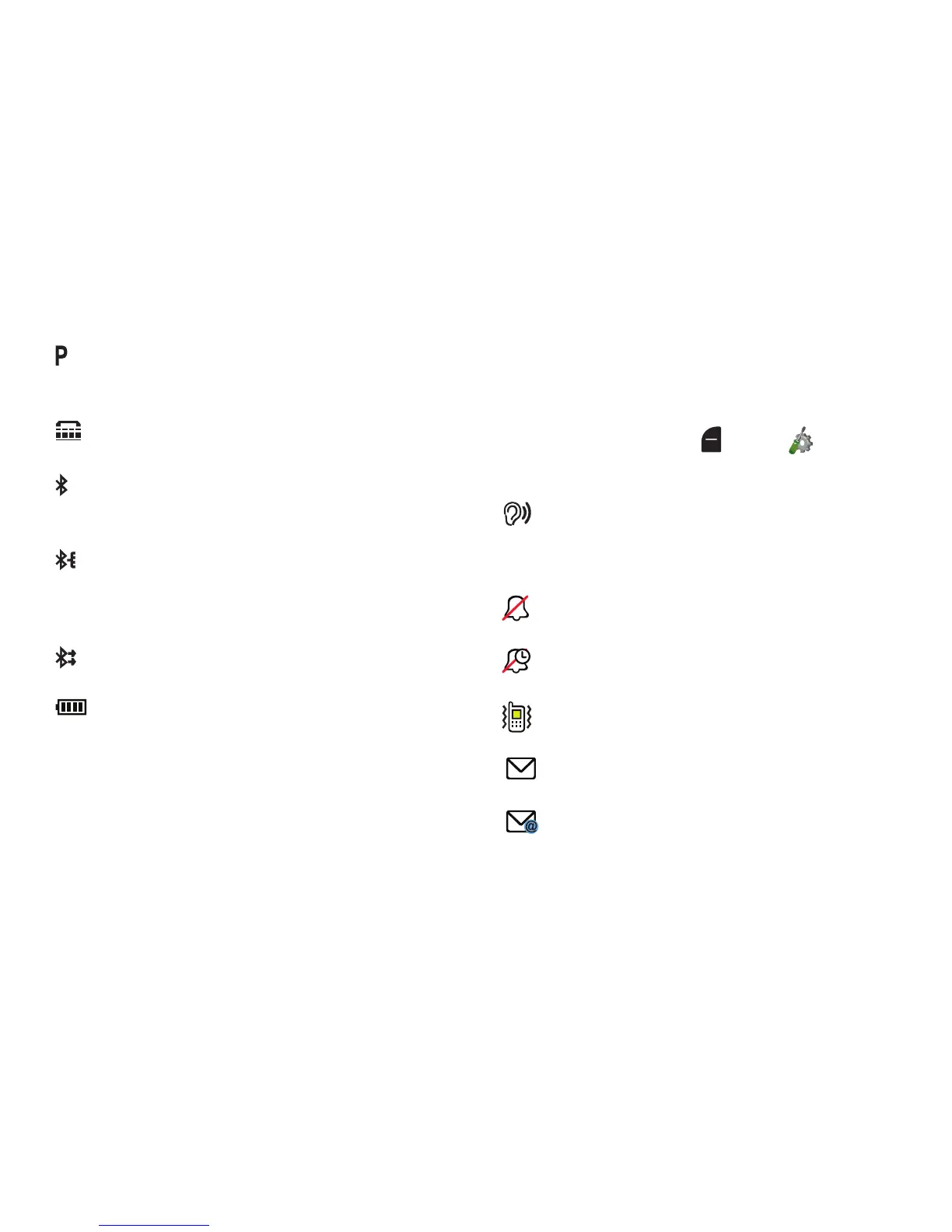
Voice Privacy
: The Voice Privacy setting is active,
to increase privacy of voice calls. For more
information, see “Voice Privacy” on page 129.
TTY
: TTY Mode is active. For more information, see
“TTY Mode” on page 129.
Bluetooth On
: Bluetooth service is On. For more
information, see “Turning Bluetooth On or Off” on
page 77.
Bluetooth Connected
: The phone is paired with
another Bluetooth device. For more information,
about pairing with Bluetooth, see “Adding a New
Device” on page 78
Bluetooth Active
: The phone is exchanging
information with another Bluetooth device.
Battery Level
: Battery charge indicator. The
number of bars show available battery power,
with more bars indicating more charge.
Sound Alert Mode On
: All alerts are made with
sound, and other information may be read out for
alerts. For more information, see “Sound Alert
Mode” on page 39.
All Sounds Off
: Volume set to All Sounds Off. No
sounds are played for calls or alerts.
Alarm Only
: Volume set to Alarm Only. The only
sounds played will be for alarms.
Vibrate Only
: Volume is set to Vibrate Only. The
phone will vibrate for calls and alerts.
Unread Msg
: You have new, unread text
message(s).
Unread Email
: You have new, unread email
message(s).














 To Next Page