Understanding Your Contacts 43
Contacts Fields
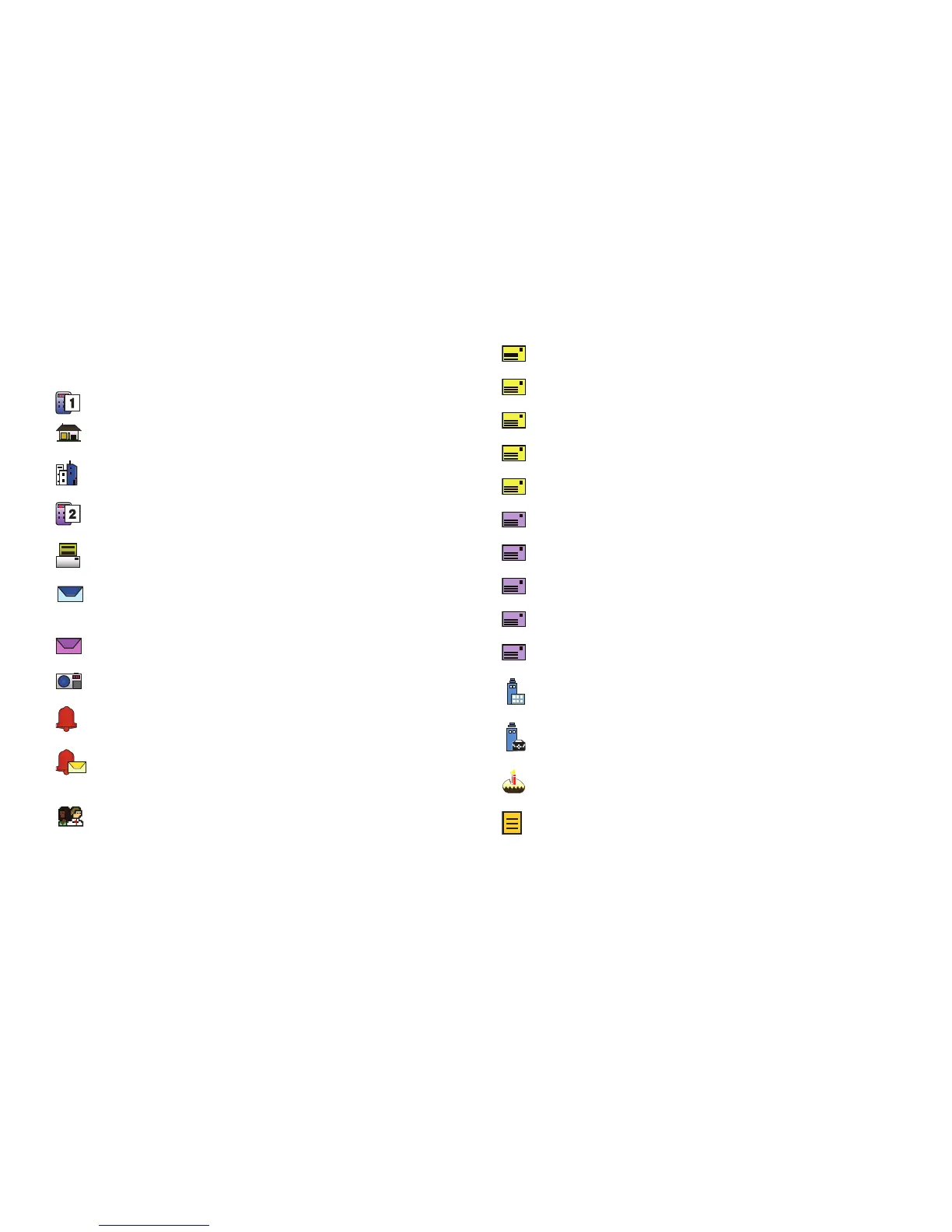
These icons represent all available fields for Contacts.
Mobile 1
: Enter the contact’s Primary mobile number.
Home
: Enter the contact’s Home number.
Business
: Enter the contact’s Work telephone number.
Mobile 2
: Enter the Secondary mobile number.
Fax
: Enter the contact’s Fax telephone number.
Personal Email
: Enter the contact’s Personal Email
address.
Business Email
: Enter a Work Email address.
Picture
: Choose a Picture ID for the contact.
Ringtone
: Choose a tone for calls from the contact.
Message Tone
: Choose a tone for new message alerts
for the contact.
Group
: Press the
Left Soft Key
Set
to assign the contact
to a Group.
Home Address Street
: Enter the Home street address.
Home Address City
: Enter the Home city.
Home Address State
: Enter the Home state.
Home Address Zip Code
: Enter the Home Zip Code.
Home Address Country
: Enter the Home country.
Work Address Street
: Enter the Work street address.
Work Address City
: Enter the Work city.
Work Address State
: Enter the Work state.
Work Address Zip Code
: Enter the Work Zip Code.
Work Address Country
: Enter the Work country.
Company
: Enter the contact’s place of employment.
Title
: Enter the contact’s job title.
Birthday
: Enter the contact’s date of birth.
Notes
: Enter Notes about the contact.














 To Next Page