Section 2: Understanding Your Phone 21
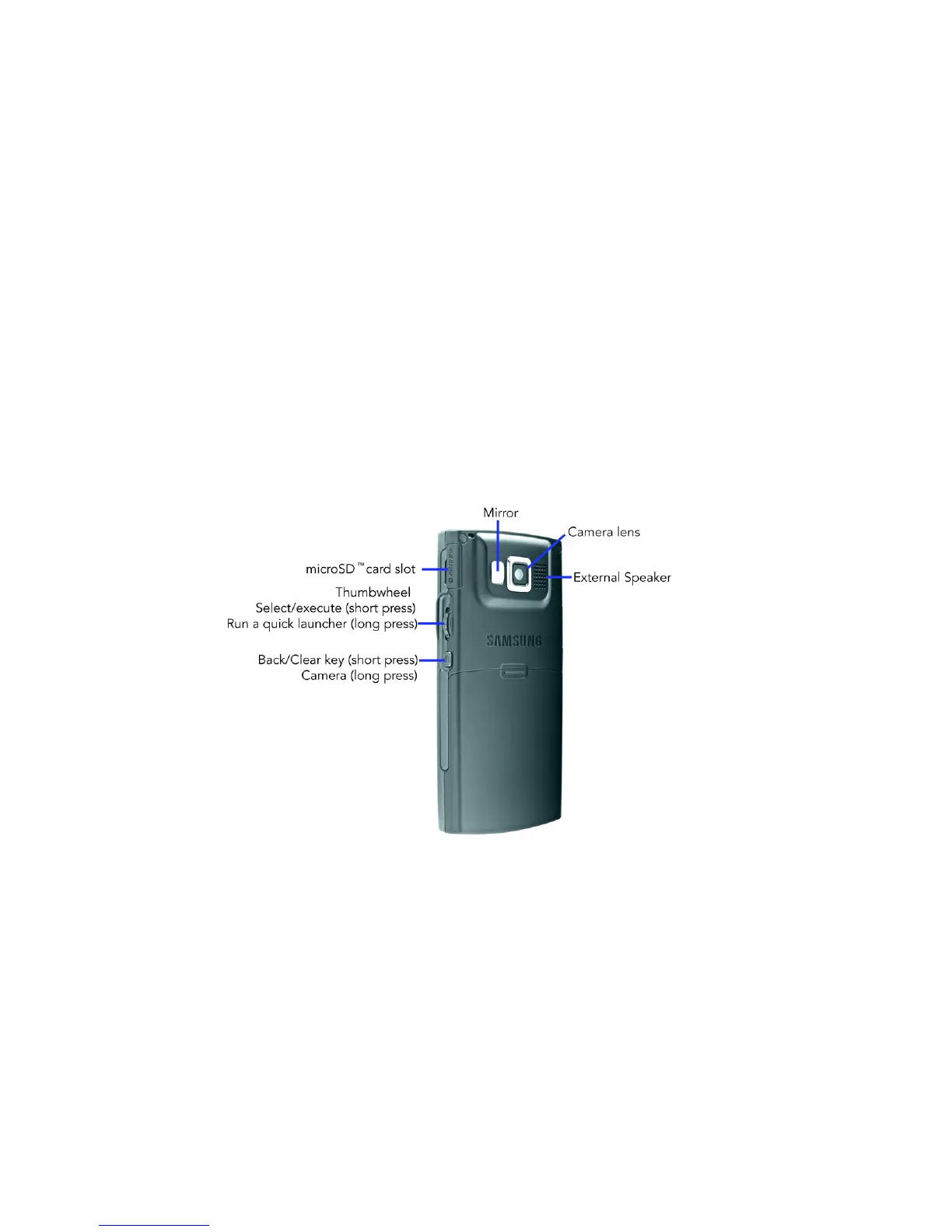
Rear View of Your Phone
15. Right Soft key (RSK): allows you to select softkey
actions or menu items corresponding to the bottom right
line on the display screen.
16. 4-Way Navigation keys: This key allows you to scroll
through phone menu options and provides a shortcut to
phone functions from standby mode.
17. Display: This screen displays all the information needed
to operate your phone.
18. Earpiece: Used to listen to audio from your phone.
Rear View of Your Phone
Keys
The following list correlates to the rear view illustration.
1. microSD™ card slot: Your phone has an external
memory port for a microSD card.











 To Next Page