EasyManua.ls Logo

Samsung SM-A146P/DSN - User Manual

Samsung SM-A146P/DSN
3 pages
Print Icon
To Next Page IconTo Next Page
Loading...
The charger should remain close to the electric
socket and easily accessible while charging.
Printed in Korea
()993ev.9.9
English. 0
/20

Package contents
Device
USB cable
Ejection pin
USB power adaptor
Quick start guide
The items supplied with the device and their
images may vary by region.
To turn on the device, press and hold the Side key for
a few seconds.
Accessing more information
7JTJU
XXXTBNTVOHDPN
UPWJFXEFWJDF
JOGPSNBUJPOUIFVTFSNBOVBMBOENPSF
t
:PVNBZJODVSBEEJUJPOBMDIBSHFTGPS
BDDFTTJOHUIF*OUFSOFU
If your device is frozen and unresponsive, press and hold the Side key and
the Volume Down key simultaneously for more than 7 seconds to restart it.
It is recommended not to use fixed graphics on part or all of the touchscreen
for extended periods. Doing so may result in afterimages (screen burn-in)
or ghosting.
To prevent possible hearing damage when using a headset, do
not listen to sound at high volume for long periods.
Depending on the region, you can view the regulatory information on the
device. To view the information, launch the Settings app.
QUICK
START
GUIDE
SM-A146P/DSN
SM-A146P/N
Question and Answer IconNeed help?

Do you have a question about the Samsung SM-A146P/DSN and is the answer not in the manual?

Overview

This document serves as a Quick Start Guide for the SM-A146P/DSN and SM-A146P/N devices, providing essential information for initial setup, safe usage, and access to further details.

Function Description

The device is a mobile electronic gadget designed for various functions, including communication, information access, and entertainment. It operates by receiving and transmitting radio frequency (RF) energy, adhering to established safety standards. The device is powered by a battery and can be charged using a Samsung-approved USB power adaptor and cable. It features a touchscreen interface for user interaction and includes an ejection pin for accessing certain components.

Usage Features

  • Initial Power-On: To turn on the device, press and hold the Side key for a few seconds.
  • Restarting a Frozen Device: If the device becomes frozen or unresponsive, it can be restarted by simultaneously pressing and holding the Side key and the Volume Down key for more than 7 seconds. This feature ensures that users can regain control of their device even in unexpected situations.
  • Accessing Information: Users can visit www.samsung.com to view comprehensive device information, including the user manual and other resources. Regulatory information specific to the region can be accessed directly on the device by launching the Settings app. This allows users to quickly find details relevant to their location and device model.
  • Charging: The device is charged using a Samsung-approved USB power adaptor and cable. It is crucial to ensure that the charger remains close to an electric socket and is easily accessible while charging for convenience and safety.
  • Headset Usage: To prevent potential hearing damage, it is advised not to listen to sound at high volume for extended periods when using a headset. This emphasizes user health and safety during multimedia consumption.
  • Touchscreen Care: It is recommended to avoid using fixed graphics on part or all of the touchscreen for prolonged durations. Continuous display of static images can lead to afterimages (screen burn-in) or ghosting, which can degrade the visual quality of the display over time.
  • Environmental Operating Conditions: The device is designed to operate within an ambient temperature range of 0 °C to 35 °C. For storage, the recommended ambient temperature range is -20 °C to 50 °C. Operating or storing the device outside these recommended ranges may potentially damage the device or reduce its battery's lifespan, ensuring optimal performance and longevity.
  • Mobile Device Usage While Driving: Users are advised to comply with all safety warnings and regulations pertaining to mobile device usage while operating a vehicle. This promotes responsible and safe driving practices.

Maintenance Features

  • Proper Disposal: The device, its electronic accessories (e.g., charger, headset, USB cable), and batteries should not be disposed of with general household waste. Specific markings on the product, accessories, literature, and battery indicate the need for correct disposal methods, which typically involve recycling or designated collection points. This practice helps protect the environment and ensures responsible end-of-life management for electronic products.
  • Use of Approved Components: To ensure safety and optimal performance, it is essential to use only Samsung-approved batteries, chargers, and cables specifically designed for the device. Using unapproved or incompatible accessories can lead to malfunctions, damage, or safety hazards such as fires or explosions.
  • Protection from Physical Impact and Damage: The device should not be exposed to physical impact or damage. This includes avoiding dropping it, striking it, or subjecting it to excessive force, which can compromise its structural integrity and internal components.
  • Preventing Contamination: The multipurpose jack and battery terminals should be protected from contact with foreign materials such as metal, liquids, or dust. Contamination can lead to short circuits, corrosion, or other damage that may impair the device's functionality or pose safety risks.
  • Handling Damaged Devices: If any part of the device, such as the glass or acrylic body, is broken, or if the device smokes or emits a burning odor, immediate cessation of use is required. The device should only be used again after it has been professionally repaired at a Samsung Service Centre. This ensures that any underlying issues are addressed and the device is safe for continued use.
  • Battery Compartment Integrity: The device should not be turned on or used if the battery compartment is exposed. An exposed battery compartment indicates potential damage or improper assembly, which could lead to safety hazards.
  • Battery Handling: Users should not disassemble or reuse the battery. Batteries are complex components that can be dangerous if tampered with. Disassembly or reuse can lead to leaks, overheating, or explosions.
  • Child and Animal Safety: Children and animals should not be allowed to chew or suck on the device. Small parts could pose a choking hazard, and the device's materials could be harmful if ingested.
  • Electromagnetic Interference (FCC Compliance): The device complies with Part 15 of the FCC Rules, meaning it is designed to operate without causing harmful interference and to accept any interference received. If the device causes TV or radio interference, users may be required to stop using it if the interference cannot be eliminated. Recommendations for resolving interference include reorienting the receiving antenna, increasing separation between equipment and receiver, connecting equipment to a different circuit, or consulting a radio/TV technician.
  • RF Exposure Guidelines: The device adheres to U.S. Federal Communications Commission (FCC) standards for human exposure to radio frequency (RF) energy. It is designed to emit only the necessary RF energy for communication, minimizing overall exposure. For body operation, the device has been tested and meets FCC RF exposure guidelines when used with any non-metal accessory that provides a minimum separation distance of 15mm between the device and the user's body. Using other accessories may not ensure compliance with these guidelines.
  • Magnet Safety: The device contains magnets that may affect medical devices such as pacemakers or implantable cardioverter defibrillators. Users with such medical devices should maintain a safe distance from the device and consult their physician before use to avoid potential interference.

Samsung SM-A146P/DSN Specifications

General IconGeneral
ModelSM-A146P/DSN
CategoryCell Phone
Network TechnologyGSM / HSPA / LTE / 5G
BuildGlass front, plastic back, plastic frame
SIMDual SIM (Nano-SIM, dual stand-by)
Display TypePLS LCD
Display Resolution1080 x 2408 pixels, 20:9 ratio (~400 ppi density)
Operating SystemAndroid 13, One UI Core 5
CPUOcta-core (2x2.2 GHz Cortex-A76 & 6x2.0 GHz Cortex-A55)
GPUMali-G57 MC2
Main Camera50 MP, f/1.8, (wide), PDAF
Main Camera FeaturesLED flash, panorama, HDR
Main Camera Video1080p@30fps
Selfie Camera13 MP, f/2.0, (wide)
Selfie Camera Video1080p@30fps
LoudspeakerYes
3.5mm jackYes
WLANWi-Fi 802.11 a/b/g/n/ac, dual-band, Wi-Fi Direct
Bluetooth5.2, A2DP, LE
PositioningGPS, GLONASS, GALILEO, BDS
NFCYes (market/region dependent)
USBUSB Type-C 2.0
SensorsFingerprint (side-mounted), accelerometer, gyro, proximity, compass
Battery TypeLi-Po 5000 mAh, non-removable
Charging15W wired
ModelsSM-A146P, SM-A146P/DSN
Memory Card SlotmicroSDXC (dedicated slot)
Announced2023, March
StatusAvailable. Released 2023, March
Dimensions167.7 x 78 x 9.1 mm
Display Size6.6 inches
Internal Memory128GB 4GB RAM
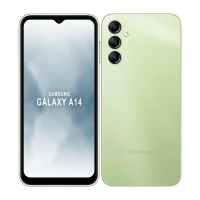
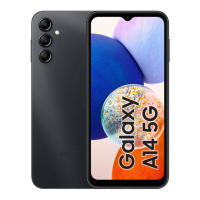
ColorsBlack, Light Green

Related product manuals