EasyManua.ls Logo

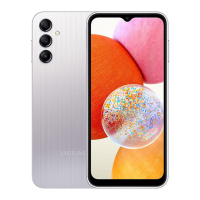
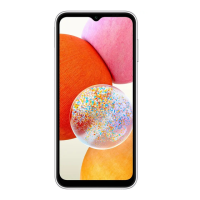
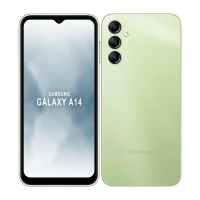
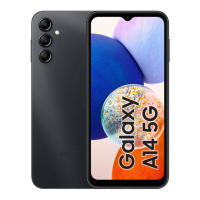
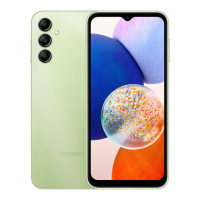
Samsung SM-A145M/DS - User Manual

Samsung SM-A145M/DS
146 pages
Print Icon
To Next Page IconTo Next Page
Loading...
www.samsung.com
USER MANUAL
English (LTN). 11/2023. Rev.1.0
SM-A145M
SM-A145M/DS
SM-A145MB
SM-A145MB/DS
SM-A146M
SM-A146M/DS
SM-A146U1/DS
SM-A245M/N
SM-A245M/DSN

Table of Contents

Question and Answer IconNeed help?

Do you have a question about the Samsung SM-A145M/DS and is the answer not in the manual?

Summary

Getting Started Guide

Device Layout and Functions

Identifies physical buttons, ports, and key components of the device.

Charging the Battery

Instructions on wired and quick charging, and battery saving tips.

Nano-SIM Card Insertion

Guide to inserting and managing SIM/USIM cards for network connectivity.

microSD Card Installation

Steps for inserting and formatting microSD cards for expandable storage.

Turning the Device On and Off

Procedures for powering the device on, off, and forcing a restart.

Initial Device Setup

Steps to follow for the first-time setup and configuration of the device.

Apps and Features Overview

Samsung Account Management

How to sign in, manage, and sign out of a Samsung account for services.

Touch Screen Interaction

Explains basic touch gestures like tapping, dragging, swiping, and pinching.

Navigation Bar and Soft Buttons

Details the functions of Recents, Home, and Back buttons on the navigation bar.

Home Screen Customization

Guides on editing panels, changing wallpaper, themes, and adding widgets.

Lock Screen Security Features

Covers screen lock types, patterns, PINs, passwords, and biometric options.

Notification Panel Usage

How to open, close, and use the notification and quick settings panels.

Entering Text and Keyboard

Explains keyboard layout, changing input languages, and text entry methods.

Phone Calls and Contacts

Making calls, using speed dial, international calls, and managing contacts.

Messages and Texting

Sending, checking, sorting, and deleting text messages.

Multi Window Functionality

How to use split screen and pop-up view for multitasking.

Samsung Internet Browsing

Using the web browser for searching, bookmarking, and secret mode.

Camera Operations and Modes

Taking photos, videos, using different modes like Portrait, Pro, and Night.

Gallery Media Management

Accessing, viewing, editing, and organizing photos and videos.

Data Transfer with Smart Switch

Transferring data from old devices to the new phone using USB or wirelessly.

Device Settings and Customization

Network Connectivity Settings

Configuring Wi-Fi, Bluetooth, NFC, Airplane mode, and Mobile networks.

Sound and Vibration Options

Adjusting ringtones, notification sounds, system sounds, and vibration settings.

Display and Screen Adjustments

Modifying brightness, dark mode, motion smoothness, font size, and screen zoom.

Battery Management Features

Power saving, battery usage limits, charging settings, and battery information.

Lock Screen and Biometric Security

Setting screen locks, face recognition, and fingerprint recognition.

Secure Folder and Samsung Pass

Protecting private content and managing secure login information.

Location and Safety Settings

Managing location permissions, emergency contacts, and SOS features.

Accounts, Backup, and Google Integration

Syncing accounts, backing up data to Samsung Cloud, and Google services.

Advanced Features and Gestures

Utilizing multi window, motions, gestures, and screenshots.

Device Care and Performance

Optimizing device performance, battery, storage, and memory.

General Management and Accessibility

Language settings, keyboard, reset options, and accessibility features.

Software Updates and Support

Updating device software and accessing remote support services.

About Phone Information

Accessing device status, legal information, software version, and IMEI.

Usage Notices and Precautions

General Device Usage Precautions

Guidelines for safe and proper use, software limitations, and data charges.

Device Overheating Management

Situations causing overheating during charging or use, and recommended actions.

Operating Environment Guidelines

Precautions for using the device in different temperature and environmental conditions.

Appendix: Troubleshooting and Support

Troubleshooting Common Issues

Solutions for device startup codes, network errors, and power issues.

Touch Screen and Device Freezes

Addressing touch screen response problems and device freezing or fatal errors.

Network and Audio Quality Issues

Resolving call connectivity, sound echoes, and poor network/audio quality.

Battery and Camera Error Messages

Solutions for battery depletion, camera errors, and poor picture quality.

Bluetooth and Connectivity Problems

Troubleshooting Bluetooth connection issues and computer connectivity.

Data Storage and Device Case Issues

Addressing lost data, gaps in the device case, and storage space issues.

Hearing Aid Compatibility (HAC)

Information on FCC regulations for hearing aid compatibility with wireless devices.

Summary

Getting Started Guide

Device Layout and Functions

Identifies physical buttons, ports, and key components of the device.

Charging the Battery

Instructions on wired and quick charging, and battery saving tips.

Nano-SIM Card Insertion

Guide to inserting and managing SIM/USIM cards for network connectivity.

microSD Card Installation

Steps for inserting and formatting microSD cards for expandable storage.

Turning the Device On and Off

Procedures for powering the device on, off, and forcing a restart.

Initial Device Setup

Steps to follow for the first-time setup and configuration of the device.

Apps and Features Overview

Samsung Account Management

How to sign in, manage, and sign out of a Samsung account for services.

Touch Screen Interaction

Explains basic touch gestures like tapping, dragging, swiping, and pinching.

Navigation Bar and Soft Buttons

Details the functions of Recents, Home, and Back buttons on the navigation bar.

Home Screen Customization

Guides on editing panels, changing wallpaper, themes, and adding widgets.

Lock Screen Security Features

Covers screen lock types, patterns, PINs, passwords, and biometric options.

Notification Panel Usage

How to open, close, and use the notification and quick settings panels.

Entering Text and Keyboard

Explains keyboard layout, changing input languages, and text entry methods.

Phone Calls and Contacts

Making calls, using speed dial, international calls, and managing contacts.

Messages and Texting

Sending, checking, sorting, and deleting text messages.

Multi Window Functionality

How to use split screen and pop-up view for multitasking.

Samsung Internet Browsing

Using the web browser for searching, bookmarking, and secret mode.

Camera Operations and Modes

Taking photos, videos, using different modes like Portrait, Pro, and Night.

Gallery Media Management

Accessing, viewing, editing, and organizing photos and videos.

Data Transfer with Smart Switch

Transferring data from old devices to the new phone using USB or wirelessly.

Device Settings and Customization

Network Connectivity Settings

Configuring Wi-Fi, Bluetooth, NFC, Airplane mode, and Mobile networks.

Sound and Vibration Options

Adjusting ringtones, notification sounds, system sounds, and vibration settings.

Display and Screen Adjustments

Modifying brightness, dark mode, motion smoothness, font size, and screen zoom.

Battery Management Features

Power saving, battery usage limits, charging settings, and battery information.

Lock Screen and Biometric Security

Setting screen locks, face recognition, and fingerprint recognition.

Secure Folder and Samsung Pass

Protecting private content and managing secure login information.

Location and Safety Settings

Managing location permissions, emergency contacts, and SOS features.

Accounts, Backup, and Google Integration

Syncing accounts, backing up data to Samsung Cloud, and Google services.

Advanced Features and Gestures

Utilizing multi window, motions, gestures, and screenshots.

Device Care and Performance

Optimizing device performance, battery, storage, and memory.

General Management and Accessibility

Language settings, keyboard, reset options, and accessibility features.

Software Updates and Support

Updating device software and accessing remote support services.

About Phone Information

Accessing device status, legal information, software version, and IMEI.

Usage Notices and Precautions

General Device Usage Precautions

Guidelines for safe and proper use, software limitations, and data charges.

Device Overheating Management

Situations causing overheating during charging or use, and recommended actions.

Operating Environment Guidelines

Precautions for using the device in different temperature and environmental conditions.

Appendix: Troubleshooting and Support

Troubleshooting Common Issues

Solutions for device startup codes, network errors, and power issues.

Touch Screen and Device Freezes

Addressing touch screen response problems and device freezing or fatal errors.

Network and Audio Quality Issues

Resolving call connectivity, sound echoes, and poor network/audio quality.

Battery and Camera Error Messages

Solutions for battery depletion, camera errors, and poor picture quality.

Bluetooth and Connectivity Problems

Troubleshooting Bluetooth connection issues and computer connectivity.

Data Storage and Device Case Issues

Addressing lost data, gaps in the device case, and storage space issues.

Hearing Aid Compatibility (HAC)

Information on FCC regulations for hearing aid compatibility with wireless devices.

Samsung SM-A145M/DS Specifications

General IconGeneral
BrandSamsung
ModelSM-A145M/DS
CategoryCell Phone
LanguageEnglish

Related product manuals