EasyManua.ls Logo

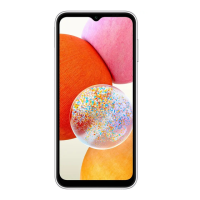
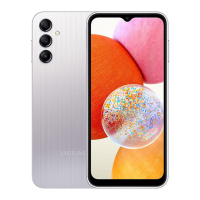
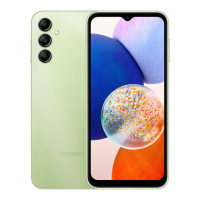
Samsung SM-A145P/DS - User Manual

Samsung SM-A145P/DS
148 pages
Print Icon
To Next Page IconTo Next Page
Loading...
www.samsung.com
USER MANUAL
English. 01/2024. Rev.1.1
SM-A145F
SM-A145F/N
SM-A145F/DS
SM-A145F/DSN
SM-A145FB/N
SM-A145FB/DS
SM-A145FB/DSN
SM-A145P/DS
SM-A145R/DSN
SM-A146B/DS
SM-A146P/N
SM-A146P/DSN
SM-A245F/N
SM-A245F/DS
SM-A245F/DSN

Table of Contents

Question and Answer IconNeed help?

Do you have a question about the Samsung SM-A145P/DS and is the answer not in the manual?

Summary

Getting Started

Device Layout and Functions

Describes the physical components and ports of the device.

Charging the Battery

Instructions for wired and quick charging, and battery saving tips.

Nano-SIM Card

How to insert and manage Nano-SIM cards for single and dual SIM setups.

microSD Card

Instructions for inserting and managing microSD cards.

Turning Device On and Off

Steps for powering the device on, off, and forcing a restart.

Initial Setup

Guide for setting up the device for the first time or after a data reset.

Apps and Features

Installing and Uninstalling Apps

Guide to downloading apps from Galaxy Store and Play Store, and managing them.

Phone

Instructions for making and receiving calls, and using speed dial.

Contacts

How to add, import, sync, search, delete, and share contacts.

Messages

How to send, check, sort, and delete messages.

Camera

Instructions on taking pictures, camera etiquette, and basic camera functions.

Settings

Samsung Account

How to sign in and manage your Samsung account.

Connections

Options for managing Wi-Fi, Bluetooth, NFC, UWB, and mobile networks.

Wi-Fi

How to turn on Wi-Fi and connect to a network.

Bluetooth

How to exchange data with Bluetooth-enabled devices and pair devices.

Display

Options for light/dark mode, brightness, motion smoothness, eye comfort, screen mode, font size, etc.

Lock Screen

How to change screen lock methods, extend unlock, and use widgets.

Security and Privacy

How to check security status, manage accounts, app security, updates, and biometrics.

Face Recognition

How to register and use face recognition for unlocking the device.

Fingerprint Recognition

How to register and use fingerprint recognition for unlocking the device.

Safety and Emergency

How to manage medical info, emergency contacts, and emergency alerts.

Accounts and Backup

How to sync, back up, and restore data using Samsung Cloud or Google Drive.

Device Care

How to check device status (battery, storage, memory) and optimise performance.

Battery

How to check battery status, power saving, and charging settings.

Usage Notices

Precautions for Using the Device

Important safety and usage guidelines, including software modification warnings.

Device Overheating Situations and Solutions

What to do when the device heats up during charging or use.

Precautions for Device Overheating

Guidelines on device temperature limits and warnings for overheating.

Appendix

Troubleshooting

Solutions for common issues like password prompts, network errors, and device not turning on.

Touch Screen and System Issues

Solutions for touch screen malfunction, freezing, or fatal problems.

Call, Network, and Charging Issues

Solutions for call connection problems, poor audio quality, and charging issues.

Summary

Getting Started

Device Layout and Functions

Describes the physical components and ports of the device.

Charging the Battery

Instructions for wired and quick charging, and battery saving tips.

Nano-SIM Card

How to insert and manage Nano-SIM cards for single and dual SIM setups.

microSD Card

Instructions for inserting and managing microSD cards.

Turning Device On and Off

Steps for powering the device on, off, and forcing a restart.

Initial Setup

Guide for setting up the device for the first time or after a data reset.

Apps and Features

Installing and Uninstalling Apps

Guide to downloading apps from Galaxy Store and Play Store, and managing them.

Phone

Instructions for making and receiving calls, and using speed dial.

Contacts

How to add, import, sync, search, delete, and share contacts.

Messages

How to send, check, sort, and delete messages.

Camera

Instructions on taking pictures, camera etiquette, and basic camera functions.

Settings

Samsung Account

How to sign in and manage your Samsung account.

Connections

Options for managing Wi-Fi, Bluetooth, NFC, UWB, and mobile networks.

Wi-Fi

How to turn on Wi-Fi and connect to a network.

Bluetooth

How to exchange data with Bluetooth-enabled devices and pair devices.

Display

Options for light/dark mode, brightness, motion smoothness, eye comfort, screen mode, font size, etc.

Lock Screen

How to change screen lock methods, extend unlock, and use widgets.

Security and Privacy

How to check security status, manage accounts, app security, updates, and biometrics.

Face Recognition

How to register and use face recognition for unlocking the device.

Fingerprint Recognition

How to register and use fingerprint recognition for unlocking the device.

Safety and Emergency

How to manage medical info, emergency contacts, and emergency alerts.

Accounts and Backup

How to sync, back up, and restore data using Samsung Cloud or Google Drive.

Device Care

How to check device status (battery, storage, memory) and optimise performance.

Battery

How to check battery status, power saving, and charging settings.

Usage Notices

Precautions for Using the Device

Important safety and usage guidelines, including software modification warnings.

Device Overheating Situations and Solutions

What to do when the device heats up during charging or use.

Precautions for Device Overheating

Guidelines on device temperature limits and warnings for overheating.

Appendix

Troubleshooting

Solutions for common issues like password prompts, network errors, and device not turning on.

Touch Screen and System Issues

Solutions for touch screen malfunction, freezing, or fatal problems.

Call, Network, and Charging Issues

Solutions for call connection problems, poor audio quality, and charging issues.

Samsung SM-A145P/DS Specifications

General IconGeneral
BrandSamsung
ModelSM-A145P/DS
CategoryCell Phone
LanguageEnglish

Related product manuals