
 Need help?
Do you have a question about the Samsung SM-A145R/DSN and is the answer not in the manual?
Identifies physical buttons, ports, and components of the device.
Explains how to charge the device using wired and quick charging methods.
Details the process of inserting a nano-SIM card into the device tray.
Instructions for powering the device on, off, and performing a force restart.
How to make and receive calls, use speed dial, and manage contacts.
Features and modes for taking photos and recording videos.
Manages network and wireless connections like Wi-Fi and Bluetooth.
Monitoring battery usage and enabling power-saving features.
Managing device security, app permissions, and privacy settings.
Creating a secure, private space for apps and data.
Optimizing device performance, battery, storage, and security.
Important safety guidelines and general usage advice.
Information on managing device temperature.
Solutions for common device problems and error messages.
 General
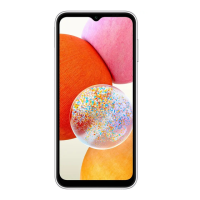
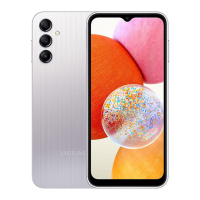
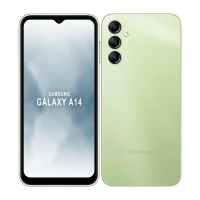
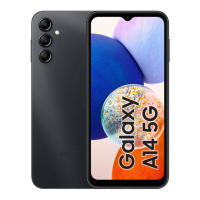
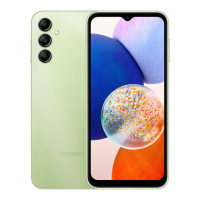
| Model | SM-A145R/DSN |
|---|---|
| Network Technology | GSM / HSPA / LTE |
| Build | Glass front, plastic back, plastic frame |
| SIM | Dual SIM (Nano-SIM, dual stand-by) |
| Type | PLS LCD |
| Main Camera Features | LED flash, panorama, HDR |
| Main Camera Video | 1080p@30fps |
| Loudspeaker | Yes |
| 3.5mm jack | Yes |
| USB | USB Type-C 2.0 |
| Battery | Li-Po 5000 mAh, non-removable |
| Charging | 15W wired |
| Expandable Storage | microSDXC (dedicated slot) |
| Status | Available. Released |
| Internal Storage | 64GB |
| RAM | 4GB |
| WLAN | Wi-Fi 802.11 b/g/n, Wi-Fi Direct |
| Bluetooth | A2DP |
| Positioning | GPS, GLONASS, GALILEO, BDS |
| Sensors | Accelerometer, proximity |
| Colors | Black |


 To Next Page