EasyManua.ls Logo

Samsung SM-A146M/DS - User Manual

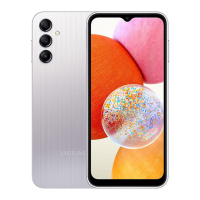
Samsung SM-A146M/DS
146 pages
Print Icon
To Next Page IconTo Next Page
Loading...
www.samsung.com
USER MANUAL
English (LTN). 11/2023. Rev.1.0
SM-A145M
SM-A145M/DS
SM-A145MB
SM-A145MB/DS
SM-A146M
SM-A146M/DS
SM-A146U1/DS
SM-A245M/N
SM-A245M/DSN

Table of Contents

Question and Answer IconNeed help?

Do you have a question about the Samsung SM-A146M/DS and is the answer not in the manual?

Summary

Getting Started with Your Device

Device Layout and Functions

Identifies physical buttons, ports, and key components of the device.

Battery Charging and Saving

Explains wired and quick charging methods and battery saving tips.

SIM and microSD Card Management

Provides step-by-step instructions for inserting SIM and microSD cards.

Device Power and Initial Setup

Details how to turn the device on/off, force restart, and perform initial setup.

Apps and Features Overview

Screen Navigation and Controls

Explains touch screen controls, navigation bar, and home/apps screens.

Core Phone Functions (Calls, Contacts, Messages)

Covers making calls, managing contacts, sending messages, and using the phone app.

Camera Operations and Modes

Guides on taking photos, videos, modes, zoom, and camera settings.

Samsung Apps and Services

Describes apps like Samsung Internet, Kids, Health, Notes, and Galaxy Wearable.

Device Settings and Management

Connectivity: Wi-Fi, Bluetooth, NFC, Hotspot

Configuration for Wi-Fi, Bluetooth, NFC, and Mobile Hotspot.

Display and Sound Customization

Customization options for display brightness, motion smoothness, sounds, and vibration.

Security, Privacy, and Biometrics

Covers screen lock, biometrics (face/fingerprint), Secure Folder, and Samsung Pass.

System Management, Updates, and Device Care

Includes accounts, backup, advanced features, device care, and software updates.

Usage Guidance and Appendix

Device Usage Precautions and Safety

Important warnings and guidelines for safe and proper device operation.

Overheating Situations and Solutions

Addresses situations causing overheating and recommended actions.

Troubleshooting Common Device Issues

Provides solutions for common problems like device not turning on or screen issues.

Hearing Aid Compatibility Information (HAC)

Information on FCC regulations for hearing aid compatibility.

Summary

Getting Started with Your Device

Device Layout and Functions

Identifies physical buttons, ports, and key components of the device.

Battery Charging and Saving

Explains wired and quick charging methods and battery saving tips.

SIM and microSD Card Management

Provides step-by-step instructions for inserting SIM and microSD cards.

Device Power and Initial Setup

Details how to turn the device on/off, force restart, and perform initial setup.

Apps and Features Overview

Screen Navigation and Controls

Explains touch screen controls, navigation bar, and home/apps screens.

Core Phone Functions (Calls, Contacts, Messages)

Covers making calls, managing contacts, sending messages, and using the phone app.

Camera Operations and Modes

Guides on taking photos, videos, modes, zoom, and camera settings.

Samsung Apps and Services

Describes apps like Samsung Internet, Kids, Health, Notes, and Galaxy Wearable.

Device Settings and Management

Connectivity: Wi-Fi, Bluetooth, NFC, Hotspot

Configuration for Wi-Fi, Bluetooth, NFC, and Mobile Hotspot.

Display and Sound Customization

Customization options for display brightness, motion smoothness, sounds, and vibration.

Security, Privacy, and Biometrics

Covers screen lock, biometrics (face/fingerprint), Secure Folder, and Samsung Pass.

System Management, Updates, and Device Care

Includes accounts, backup, advanced features, device care, and software updates.

Usage Guidance and Appendix

Device Usage Precautions and Safety

Important warnings and guidelines for safe and proper device operation.

Overheating Situations and Solutions

Addresses situations causing overheating and recommended actions.

Troubleshooting Common Device Issues

Provides solutions for common problems like device not turning on or screen issues.

Hearing Aid Compatibility Information (HAC)

Information on FCC regulations for hearing aid compatibility.

Samsung SM-A146M/DS Specifications

General IconGeneral
ModelSM-A146M/DS
Network TechnologyGSM / HSPA / LTE
BuildGlass front, plastic back, plastic frame
SIMDual SIM (Nano-SIM, dual stand-by)
Display TypePLS LCD
RAM4GB / 6GB
Macro Camera2 MP, f/2.4
Depth Camera2 MP, f/2.4
FeaturesLED flash, panorama, HDR
Video1080p@30fps
LoudspeakerYes
3.5mm jackYes
Bluetooth5.2, A2DP, LE
USBUSB Type-C 2.0
BatteryLi-Po 5000 mAh, non-removable
Charging15W wired
Expandable StoragemicroSDXC (dedicated slot)
StatusAvailable
Display Size6.6 inches, 104.9 cm2 (~80.2% screen-to-body ratio)
Resolution720 x 1600 pixels
OSAndroid 13, One UI 5.1
Internal Storage64GB
Main Camera50 MP, f/1.8, (wide)
Selfie camera8 MP, f/2.0
WLANWi-Fi 802.11 a/b/g/n/ac, dual-band, Wi-Fi Direct
PositioningGPS
NFCYes
SensorsFingerprint (side-mounted), accelerometer, proximity
ColorsBlack

Related product manuals