
 Need help?
Do you have a question about the Samsung SM-A146B/DS and is the answer not in the manual?
Identifies all physical buttons, ports, and sensors on the device for user orientation.
Explains how to charge the device using wired and quick charging methods.
Guides on inserting and managing nano-SIM cards for dual SIM functionality.
Instructions for powering the device on, off, and performing a forced restart.
Details various touch screen gestures like tapping, dragging, swiping, and pinching.
Covers making and receiving calls, using speed dial, international calls, and blocking numbers.
Instructions for sending, checking, sorting, and deleting messages.
Guides on using split screen and pop-up view for multitasking.
Explains how to take pictures, videos, use different modes, and customize camera settings.
Details on setting up and making payments using Samsung Pay.
Step-by-step guide to transfer data using USB cable or wirelessly.
Manages Wi-Fi, Bluetooth, NFC, mobile networks, and other connection settings.
Customizes screen brightness, motion smoothness, screen mode, font, and zoom.
Monitors battery usage, enables power saving, and configures charging settings.
Covers setting screen lock types, extend unlock, and always-on display features.
Manages face/fingerprint recognition, secure folder, app security, and privacy settings.
Syncs accounts, backs up data to Samsung Cloud, Google Drive, and uses Smart Switch.
Enables and configures features like motions, gestures, dual messenger, and device care.
Manages device language, keyboard, date/time, and reset options.
Important warnings and guidelines for safe and proper device operation.
Explains causes and solutions for device overheating during charging or use.
Provides solutions for common device issues like lock codes, network errors, and startup problems.
Advises contacting service centers for battery removal due to safety concerns.
 General
| Model | SM-A146B/DS |
|---|---|
| Network Technology | GSM / HSPA / LTE |
| Build | Glass front, plastic back, plastic frame |
| SIM | Dual SIM (Nano-SIM, dual stand-by) |
| Display Type | PLS LCD |
| Display Resolution | 1080 x 2408 pixels, 20:9 ratio (~400 ppi density) |
| Operating System | Android 13, One UI Core 5 |
| Chipset | Exynos 850 (8nm) |
| GPU | Mali-G52 |
| Internal Memory | 64GB 4GB RAM, 128GB 4GB RAM |
| Main Camera Features | LED flash, panorama, HDR |
| Main Camera Video | 1080p@30fps |
| Selfie Camera | 13 MP, f/2.0, (wide) |
| Selfie Camera Video | 1080p@30fps |
| Loudspeaker | Yes |
| 3.5mm jack | Yes |
| WLAN | Wi-Fi 802.11 a/b/g/n/ac, dual-band, Wi-Fi Direct |
| Bluetooth | 5.0, A2DP, LE |
| Positioning | GPS, GLONASS, GALILEO, BDS |
| USB | USB Type-C 2.0 |
| Sensors | Fingerprint (side-mounted), accelerometer, gyro, proximity, compass |
| Battery Type | Li-Po 5000 mAh, non-removable |
| Charging | 15W wired |
| Expandable Storage | microSDXC (dedicated slot) |
| Status | Available |
| Display Size | 6.6 inches, 104.9 cm2 |
| CPU | Octa-core (4x2.0 GHz Cortex-A55 & 4x2.0 GHz Cortex-A55) |
| Main Camera | 50 MP, f/1.8, (wide), PDAF |
| NFC | Yes |
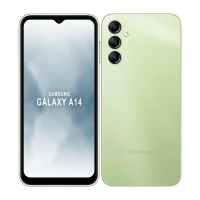
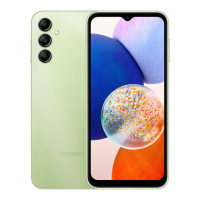
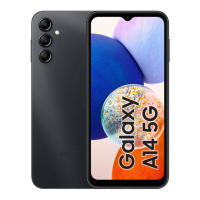
| Colors | Black, Light Green, Dark Red |


 To Next Page