Getting started
4
Button
Button Function
Button
•
Press to turn off the product alerts notification sound
when it rings.
•
Press twice to find the mobile device connected to the
product.
•
Press or press and hold to launch the automation feature
you set.
Replacing a battery
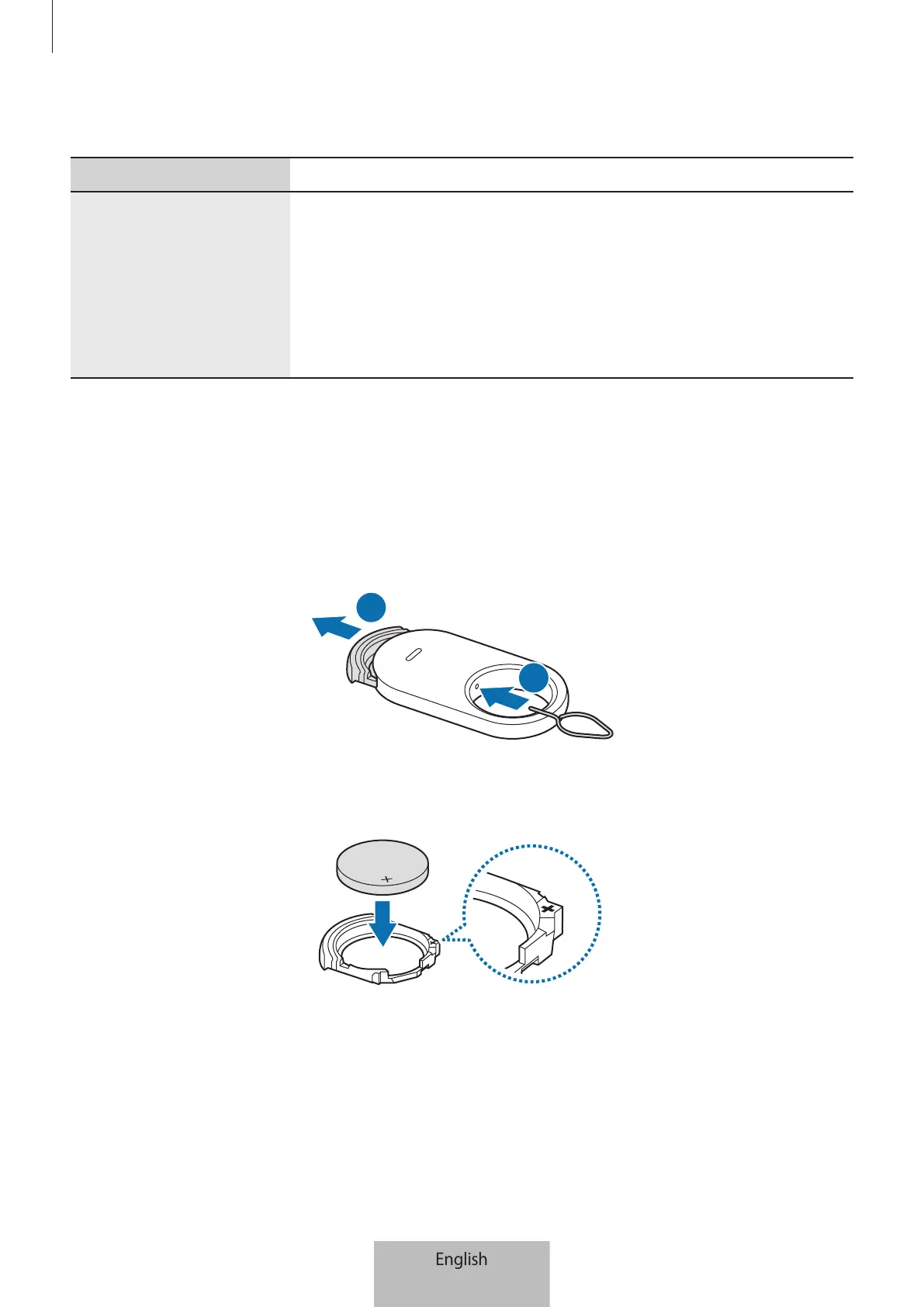
1 Insert the ejection pin supplied with the product or a clip into the battery tray hole,
and pull out the battery tray gently from the battery tray slot.
1
2 Insert the battery with the positive terminal properly aligned with the + symbol
inside the product.







 To Next Page