Using the product
8
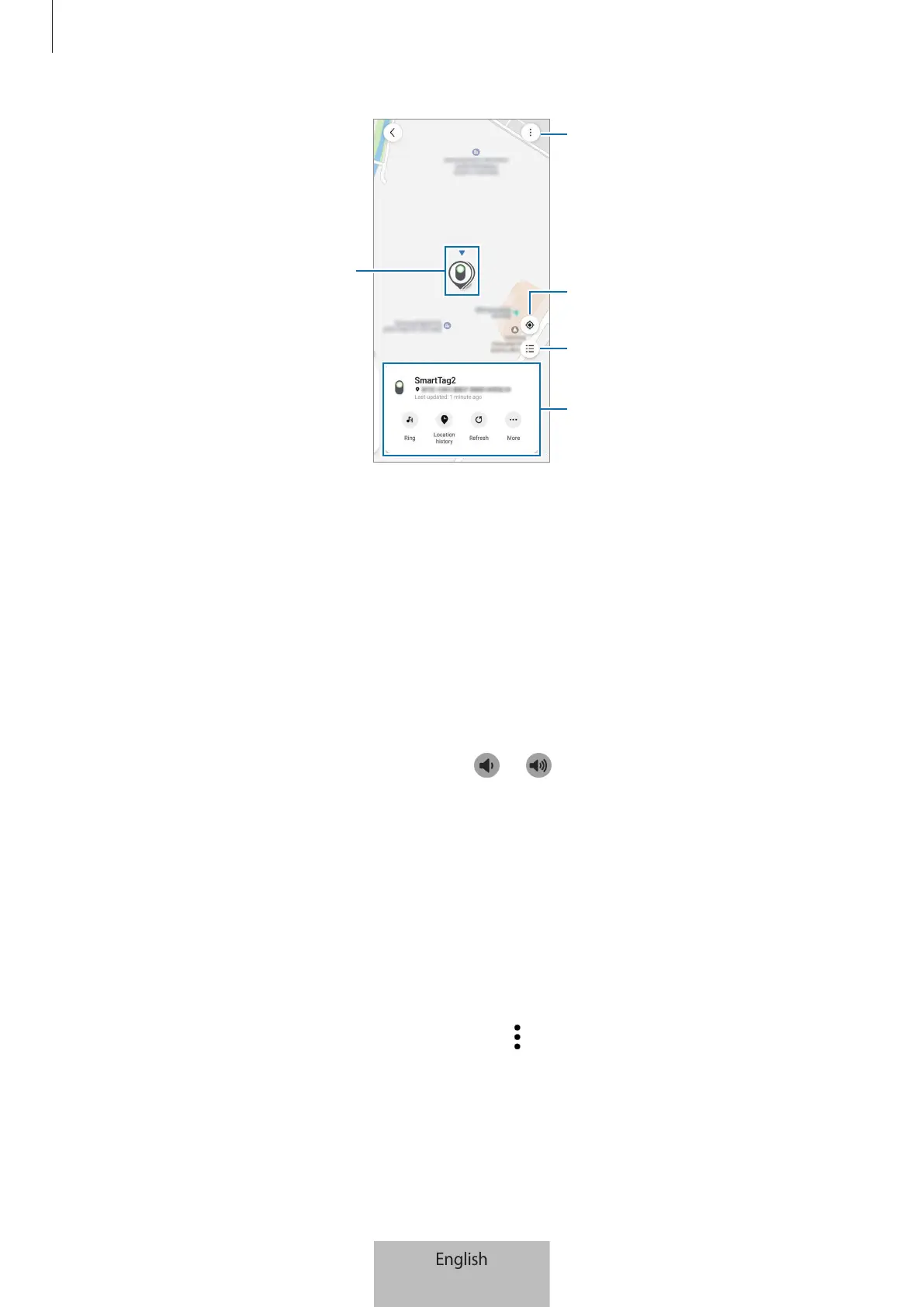
Product location
More options
List of devices to display on the
map
Current location of mobile device
Detailed location information and
access additional options
Searching for the product location with a notification sound
You can find the product’s location by triggering a notification sound.
1 Open the
SmartThings
app on your mobile device.
2 Tap
Life
→
Find
.
3 Tap
Ring
.
The product alerts notification will sound.
To adjust the notification sound’s volume, tap
or .
To turn off the notification sound, tap
Stop
or press the product’s button once.
Searching for the product location by history
You can find a product by viewing the location of the product recorded for last 7 days.
1 Open the
SmartThings
app on your mobile device.
2 Tap
Life
→
Find
→
Location history
.
To delete the product’s entire location history, tap
→
Delete history
.







 To Next Page