EasyManua.ls Logo

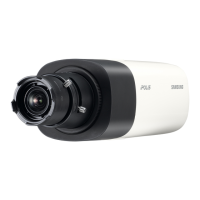
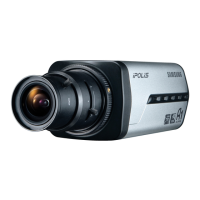
Samsung SNB-3000P - User Manual

Samsung SNB-3000P
114 pages
Print Icon
To Next Page IconTo Next Page
Loading...
NETWORK CAMERA
User Manual
SNB-3000(P)

Table of Contents

Questions and Answers

  • M
    Michele RileyAug 16, 2025
    What to do if viewer got disconnected during monitoring Samsung SNB-3000P Security Camera?
    • E
      edwardsginaAug 16, 2025
      If the viewer disconnects during monitoring, try these steps: * First, check all network connections to ensure they are stable. * If the camera uses an xDSL network, poor network conditions might be the cause of the disconnection.
  • J
    Jason PerkinsAug 22, 2025
    What to do if I cannot connect to the Samsung Security Camera system using a tab browser of Internet Explorer 7.0?
    • A
      Andrew LambAug 22, 2025
      Instead of using a tab browser, open a new browser window to connect to the system.
  • J
    James MatthewsAug 26, 2025
    Why Samsung SNB-3000P cannot record into the SD memory card?
    • A
      Aaron AustinAug 26, 2025
      If you cannot record into the SD memory card, check the following: * Verify if the memory card is defective. * Check if the write protection tab of the memory card is set to 'LOCK'.
  • J
    jacobsmichelleAug 28, 2025
    What to do if no JPEG file is transferred via FTP/ SMTP on occurrence of intelligent video analysis event of Samsung SNB-3000P?
    • D
      devin93Aug 28, 2025
      If no JPEG file is transferred via FTP/SMTP when an intelligent video analysis event occurs, verify the following settings in sequence: A. NTP must be properly configured. B. The should be set to . C. Alarm Video Transmission must be enabled. D. Check for scheduling conflict.
  • S
    stephenoliverAug 31, 2025
    What to do if my Samsung SNB-3000P Security Camera images overlap?
    • W
      walexanderSep 1, 2025
      If images overlap, check whether two or more cameras are set to a single multicast address instead of different addresses.
  • M
    manningjasonSep 3, 2025
    What to do if no signal is found at the Alarm Output port even when an intelligent video analysis event is generated on Samsung SNB-3000P?
    • V
      Victoria GalvanSep 3, 2025
      If no signal is found at the Alarm Output port when an intelligent video analysis event is generated, check the alarm output port settings.
  • S
    Steven CurtisSep 6, 2025
    Why Samsung Security Camera SD memory indicator does not turn on even when the SD memory card is inserted?
    • S
      Spencer HunterSep 6, 2025
      If the SD memory indicator does not turn on even when the SD memory card is inserted: * Check if the memory card is defective. * Check if the is checked in - - menu.
  • T
    tylercollinsSep 9, 2025
    Why Samsung Security Camera SD memory card is inserted but the camera does not operate properly?
    • E
      Eric LopezSep 9, 2025
      If the SD memory card is inserted but the camera does not operate properly: * Check if the memory card is inserted in the proper direction. * Note that the operation of a memory card formatted by other devices is not guaranteed with this camera unit. * Format the memory card again in - - menu.
  • C
    cjacksonSep 10, 2025
    What to do if Samsung SNB-3000P connected to the network is not detected in the IP installer program?
    • K
      Kevin ScottSep 12, 2025
      If the camera isn't detected in the IP installer program, turn off the firewall settings on your PC and then search for the camera again.
  • M
    morgandeniseSep 12, 2025
    Why I cannot format the SD memory card of Samsung Security Camera?
    • J
      jeremyeverettSep 12, 2025
      If you cannot format the SD memory card, check if the write protection tab of the memory card is set to 'LOCK'.

Samsung SNB-3000P Specifications

General IconGeneral
Effective Pixels752 (H) x 582 (V)
Shutter Speed1/50 ~ 1/100, 000 sec
Video Output1.0 Vp-p, 75 Ω, Composite
Power Consumption2.5 W (Max)
WeightApprox. 300 g
Image Sensor1/3" CCD
Zoom Ratio4x
Digital Zoom16x
Shutter ModeAuto / Manual
Iris ControlDC Auto
Operating Temperature-10°C ~ +50°C
Sensor Type1/3" CCD
Signal SystemNTSC / PAL
SynchronizationInternal
Lens MountCS Mount
Power SupplyDC 12V

Related product manuals