EasyManua.ls Logo

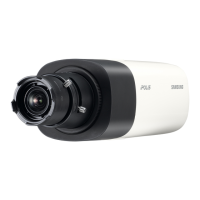
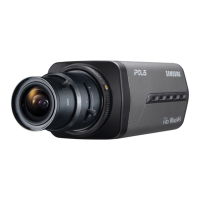
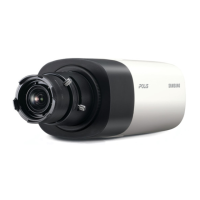
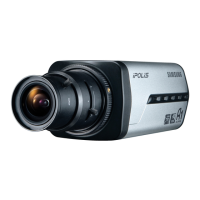
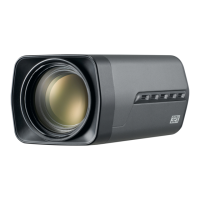
Samsung SNB-1001 - User Manual

Samsung SNB-1001
130 pages
Print Icon
To Next Page IconTo Next Page
Loading...
NETWORK CAMERA
User Manual
SNB-1001/
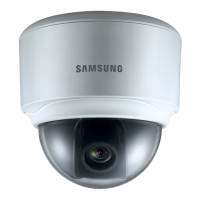
SND-1080/SNV-1080

Table of Contents

Questions and Answers

  • D
    Dylan CarterAug 20, 2025
    Why can't I access my Samsung SNB-1001 from a web browser?
    • S
      Sabrina MacdonaldAug 20, 2025
      If you're unable to access the camera from a web browser, verify the camera’s network settings are correct. Also, ensure all network cables are properly connected. If using DHCP, check that the camera obtains dynamic IP addresses without issues. If connected to a router, confirm port forwarding is correctly configured.
  • A
    Amanda HodgeAug 22, 2025
    What to do if my Samsung SNB-1001 Security Camera viewer got disconnected during monitoring?
    • C
      Chad JohnsonAug 22, 2025
      If the viewer disconnects during monitoring, especially after changes to camera or network settings, start by checking all network connections. If the camera uses a PPPoE network, viewer disconnection might occur under poor network conditions.
  • C
    crystal18Aug 25, 2025
    Why is my Samsung Security Camera not detected in the IP installer program?
    • B
      Benjamin GutierrezAug 25, 2025
      If the camera isn't detected in the IP installer program, try turning off the firewall settings on your PC and then search for the camera again.
  • A
    angela05Aug 26, 2025
    What to do if my Samsung SNB-1001 images overlap?
    • D
      Daniel StanleyAug 26, 2025
      If images overlap, check if multiple cameras are set to the same multicast address instead of unique ones. Using a single address for multiple cameras can cause image overlapping.
  • C
    Claudia KingAug 27, 2025
    Why can't I record into the SD memory card in my Samsung SNB-1001 Security Camera?
    • T
      Tanya WhiteAug 28, 2025
      If you cannot record onto the SD memory card, check if the memory card is defective or if the write protection tab on the memory card is set to “LOCK.”
  • S
    Stephanie HeathAug 29, 2025
    What to do if my Samsung SNB-1001 SD memory card is inserted but the camera does not operate properly?
    • H
      Heather WatkinsAug 30, 2025
      If the camera doesn't operate properly with the SD memory card inserted, ensure the card is inserted correctly. Note that the camera might not guarantee operation with memory cards formatted by other devices. You can format the memory card again in the camera's ? ? menu.
  • B
    Belinda CurtisSep 1, 2025
    How to fix cannot format the SD memory card on Samsung Security Camera?
    • J
      Jerry DicksonSep 1, 2025
      If you cannot format the SD memory card, check if the write protection tab of the memory card is set to “LOCK.”
  • L
    Lauren CostaSep 3, 2025
    Why am I not receiving notification emails from my Samsung SNB-1001 Security Camera?
    • K
      kgarciaSep 3, 2025
      If you're not receiving notification emails when motion detection is enabled, verify the following settings: First, check the settings. Next, ensure that is set to . Finally, confirm that the option in the menu is checked.
  • F
    fjohnsonSep 5, 2025
    Why I cannot connect to my Samsung SNB-1001 Security Camera using a tab browser of Internet Explorer 7.0?
    • K
      Kristi LopezSep 5, 2025
      When connecting to the system using a tab browser, the same cookie information is shared, which can cause errors. Instead of using a tab browser, open a new browser window to connect to the system.
  • J
    Jeffrey CamposSep 6, 2025
    What to do if Samsung SNB-1001 Security Camera is not detected in IP installer program?
    • S
      Susan NealSep 7, 2025
      If your Samsung Security Camera isn't detected by the IP installer program, try turning off the firewall settings on your PC and then search for the camera again.

Samsung SNB-1001 Specifications

General IconGeneral
Effective Pixels1280(H) x 720(V)
Video OutputCVBS : 1.0 Vp-p / 75 Ohms composite
Power ConsumptionMax. 2.5W
SynchronizationInternal
Focal Length3.6mm
Operating Temperature-10°C ~ +50°C
Power SupplyDC 12V

Related product manuals