42_ maintain
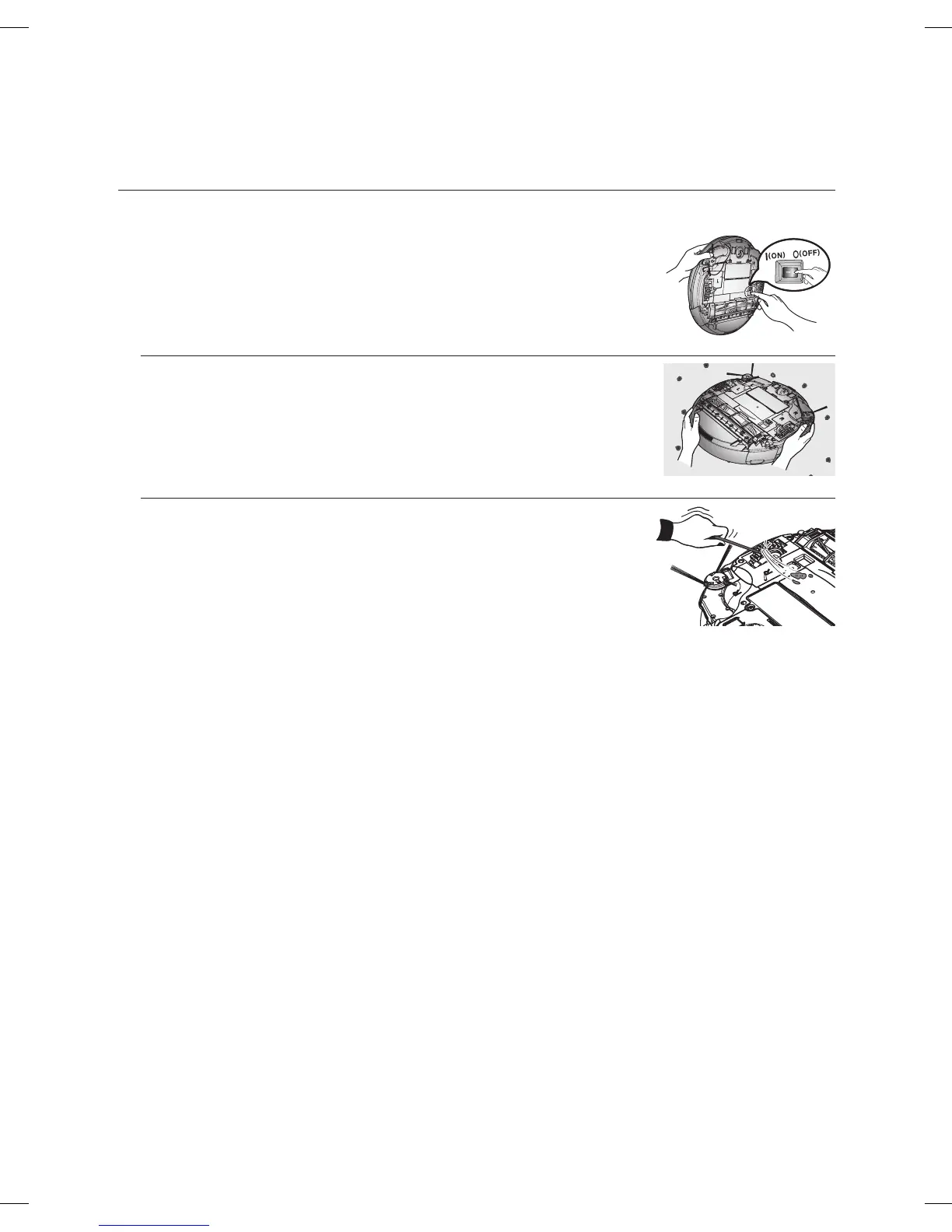
Cleaning the Driving Wheel
You must turn off the Power Switch at the bottom of the main
unit before cleaning the robot.
■
If the vacuum cleaning robot suddenly starts to zigzag, there may be
foreign substances stuck on the driving wheel.
1. When cleaning the driving wheel, place a soft cloth on the fl oor and
fl ip the main unit, placing it down carefully.
2. Check for foreign substances and remove them using a stick or a
pair of blunt nippers if necessary.
DJ68-00691B-EN.indd 42DJ68-00691B-EN.indd 42 13. 01. 30 오후 8:2313. 01. 30 오후 8:23








 To Next Page