EasyManua.ls Logo

Samsung POWERbot SR20K9350W Series - User Manual

Samsung POWERbot SR20K9350W Series
40 pages
Print Icon
To Next Page IconTo Next Page
Loading...
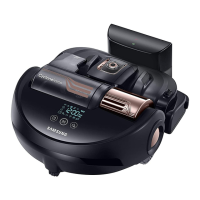
POWERbot
User manual
SR20K9350W
Series
• Beforeoperatingthisunit,pleasereadtheinstructionscarefully.
• Forindooruseonly.
SR9300K_EN_DJ68-00743E-00_EU.indd 1 2016-02-03 오후 8:23:52

Other manuals for Samsung POWERbot SR20K9350W Series

Questions and Answers

  • L
    Laura GraySep 23, 2025
    How to fix Samsung Vacuum Cleaner POWERbot location recognition?
    • J
      Jessica WoodSep 23, 2025
      To improve the location recognizing function on your Samsung POWERbot vacuum cleaner, operate the POWERbot again near the area where it previously stopped. Note that if the POWERbot can't recognize the environment or starts cleaning more than 1 meter from where it stopped, searching might be difficult.
  • A
    Anthony BauerAug 25, 2025
    How to fix Samsung POWERbot Vacuum Cleaner not working at all?
    • E
      emily14Aug 25, 2025
      If your POWERbot isn't working, check if the emergency switch is on and ensure all icons are displayed on the panel. If 'Lo' is displayed, the battery is depleted, so place it on the docking station to charge. Also, if the remote isn't working, replace the batteries (AAA type).
  • S
    Sean PetersonAug 25, 2025
    What to do if my Samsung POWERbot SR20K9350W Vacuum Cleaner POWERbot stops during cleaning?
    • B
      blewisAug 26, 2025
      If your Samsung POWERbot vacuum cleaner stops during cleaning, and the display shows "Lo", move it to the docking station for charging. If it's stuck on something like a cord, carefully lift it off the obstacle. Also, if any fabric or strings are caught in the drive wheel, turn off the emergency switch and remove them before restarting.
  • M
    Morgan MitchellAug 27, 2025
    Why is my Samsung POWERbot SR20K9350W Vacuum Cleaner POWERbot not working?
    • D
      dawnturnerAug 27, 2025
      If your Samsung POWERbot vacuum cleaner is not working, first ensure the emergency switch is on. Check that all icons are displayed on the panel. If "Lo" is displayed, the battery is low; place the POWERbot on the docking station to charge. If the remote isn't working, replace its AAA batteries.
  • K
    Kenneth Prince MDAug 27, 2025
    Why Samsung POWERbot Vacuum Cleaner cannot find the docking station?
    • E
      Earl WilliamsAug 27, 2025
      The POWERbot may fail to locate the docking station due to a few reasons. Check for a power failure or if the power plug is unplugged. Also, ensure there are no obstacles around the docking station that could prevent the POWERbot from returning. Lastly, check the charge pins for any foreign matter and clean them off.
  • E
    Ethan NavarroSep 13, 2025
    What does failure during Easy-Setup mean for Samsung POWERbot SR20K9350W Vacuum Cleaner?
    • B
      Brenda LozanoSep 13, 2025
      To address a failure during Easy-Setup with your Samsung POWERbot vacuum cleaner, the manual suggests that temporary issues may arise due to the distance from the wireless router or obstacles. Please try again after a while.
  • R
    Regina PerezSep 12, 2025
    Why is point cleaning not working on my Samsung POWERbot SR20K9350W Vacuum Cleaner POWERbot?
    • J
      Joseph YoungSep 12, 2025
      If the point cleaning function isn't working on your Samsung POWERbot vacuum cleaner, avoid pointing the red light directly at the POWERbot. Instead, point the red light on the floor within 39 inches (1 meter) around the POWERbot. Avoid using point cleaning under direct sunlight, bright light, or on dark floors.
  • E
    elizabethhodgesSep 12, 2025
    Why won't my Samsung POWERbot SR20K9350W POWERbot clean a certain area?
    • J
      Jeffrey CurrySep 12, 2025
      If your Samsung POWERbot vacuum cleaner isn't cleaning a specific area, check whether the docking station is near a narrow passage or door. If so, reinstall it in a different location. The POWERbot might not be able to navigate through narrow passages or over doorsills.
  • J
    James GillSep 4, 2025
    Why Samsung POWERbot Vacuum Cleaner moves around at the same place?
    • U
      uhollandSep 4, 2025
      The POWERbot might move around in the same area because the dust sensor mode is on by default; it focuses on cleaning dusty areas. Also, check if foreign materials are caught between the dustbin and Pet brush, and remove them if necessary.
  • J
    Jacob HughesSep 2, 2025
    Why does the Samsung Vacuum Cleaner Virtual guard battery drain fast?
    • A
      Amy CookSep 2, 2025
      If the battery life of your Samsung Virtual Guard is too short, check if you are using manganese dry cell batteries. If so, replace them with new batteries (2 type D (LR20) batteries).

Summary

Safety Information

Safety Warnings and Symbols

General safety warnings, cautionary symbols, and other symbols used in the manual.

Important Safety Instructions

Key safety instructions for general use, and for the battery charger/docking station.

POWERbot Safety Precautions

Precautions for using the POWERbot, including what not to pick up and handling potential leaks.

Power-Related and Usage Warnings

Warnings about electrical safety, usage near combustibles, and actions to take if issues arise.

Installation

Docking Station Setup

Guide on where to place the docking station and how to connect the power adapter and plug.

Charging

Initial Charging and Status Check

Details on initial charging duration, usage time, and how to check the charging status.

Installing the Virtual Guard

Using POWERbot

Powering On;Off and Auto-Clean Mode

Instructions on turning the POWERbot on/off and using the Auto clean mode.

Selecting Cleaning Modes

Auto, Spot, and Manual Clean Modes

Details on how to select cleaning modes (Auto, Spot, Manual) and their cleaning methods.

Using the Remote Control

Power, Recharging, Start;Stop, and Suction Power

Explains how to use the remote for power, recharging, starting/stopping, and adjusting suction power.

Cleaning and Maintaining

Samsung Smart Home App

Preparing the Wireless Network

Guidelines for setting up a wireless router and network requirements for the app.

Registering Product via Easy-Setup (Android)

Detailed guide for registering the POWERbot with the Smart Home app on Android devices.

Registering Product via Easy-Setup (iOS)

Detailed guide for registering the POWERbot with the Smart Home app on iOS devices.

Information Codes

Troubleshooting

POWERbot Not Working or Stopping

Steps to resolve issues like the POWERbot not working or stopping during cleaning.

Warnings About Battery

Samsung POWERbot SR20K9350W Series Specifications

General IconGeneral
ModelSR20K9350W
Bagged/BaglessBagless
Dustbin Capacity0.7 L
Suction Power20 W
Battery TypeLithium-ion
Battery Voltage14.4 V
Wi-Fi ConnectivityYes
App CompatibilitySamsung SmartThings
Remote ControlYes
Auto RechargeYes
Noise Level65 dB
TypeRobot
Battery Life/Operating Time90 minutes
Charging Time180 min
Width345 mm
Depth345 mm
Cleaning ModesAuto, Spot
Voice ControlYes
NavigationVisionary Mapping Plus

Related product manuals