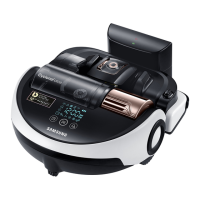
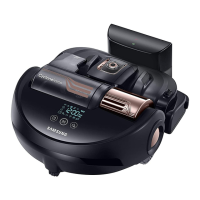
EasyManua.ls Logo

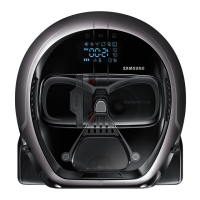
Samsung POWERbot SR10M703 Series - User Manual

Samsung POWERbot SR10M703 Series
40 pages
Print Icon
To Next Page IconTo Next Page
Loading...
POWERbot
User manual
SR10M70

, SR20M70

Series
Before operating this unit, please read the instructions carefully.
For indoor use only.
VR7000_EN_DJ68-00763D-01_SA.indd 1 2017-02-03 오후 5:48:33

Questions and Answers

  • U
    uatkinsonAug 20, 2025
    How to fix Samsung Vacuum Cleaner POWERbot when it cannot find the docking station?
    • S
      schmidtsaraAug 20, 2025
      If your Samsung Vacuum Cleaner POWERbot cannot find the docking station, first check if there's a power failure or whether the power plug is unplugged. Then, remove any obstacles around the docking station that may prevent the POWERbot from returning. Also, ensure that there is no foreign matter on the charge pins and clean the pins if necessary.
  • D
    Daniel MartinAug 22, 2025
    What to do if my Samsung Vacuum Cleaner POWERbot stops during cleaning?
    • C
      Charles RichardsonAug 22, 2025
      If your Samsung Vacuum Cleaner POWERbot stops during cleaning, it could be due to a few reasons. The POWERbot's battery might be depleted; if "Lo" is displayed on the display panel or the battery indicator is blinking, place the POWERbot on the docking station to charge it. Alternatively, the POWERbot may be immobilized by an obstacle. If this is the case, pick it up and move it away from the obstacle. Finally, if fabric or string is caught in a drive wheel, turn off the emergency switch and remove the fabric or string before using it again.
  • J
    Jeremiah HartAug 25, 2025
    Why is my Samsung Vacuum Cleaner POWERbot not working?
    • L
      Lisa TranAug 25, 2025
      If your Samsung Vacuum Cleaner POWERbot is not working, start by checking if the emergency switch is on and if all the icons are displayed on the display panel. Also, verify if the POWERbot's battery is depleted. If "Lo" is displayed, place the POWERbot on the docking station to charge it. If the battery indicator is blinking, manually place the POWERbot on the docking station to charge. If the remote control is not working, replace the batteries (AAA type).
  • H
    Heather GomezAug 26, 2025
    What to do if Samsung POWERbot SR10M703 POWERbot products don't work when the smartphone is connected?
    • R
      Roy CardenasAug 26, 2025
      If your Samsung Vacuum Cleaner POWERbot products aren't working even when your smartphone is connected, try these steps: Turn off the Samsung Smart Home app and then run it again. Disconnect the smartphone from the wireless router and then connect it again. Turn off the power supply of the POWERbot, turn it on, wait for a minute or longer, and then run the Smart Home app again.
  • N
    Nicholas CooperAug 27, 2025
    How to troubleshoot point cleaning not working on Samsung POWERbot SR10M703 Vacuum Cleaner POWERbot?
    • M
      Mr. Richard JordanAug 27, 2025
      If point cleaning is not working on your Samsung Vacuum Cleaner POWERbot, avoid pointing the red light directly at the POWERbot; instead, point it on the floor within 0.5 m of the POWERbot. Also, do not use point cleaning in direct sunlight, under bright light, or on dark floors.
  • N
    Nicholas ScottAug 29, 2025
    Why doesn't the smart clean function work on my Samsung Vacuum Cleaner POWERbot?
    • S
      shatfieldAug 29, 2025
      The smart clean function on your Samsung Vacuum Cleaner POWERbot may not work if the POWERbot cleans a carpet with short fibre and bright color, as it may recognize the carpet as a floor.
  • D
    Dawn HernandezAug 31, 2025
    Why is the edge clean master function not working on my Samsung POWERbot SR10M703 POWERbot?
    • E
      ewilliamsAug 31, 2025
      The Edge clean master function on your Samsung Vacuum Cleaner POWERbot may not work if the POWERbot cannot recognize the wall, if there is an obstacle made of reflective material in front of the wall, if the wall itself is made of reflective material, or if the wall is a dark color.
  • A
    Alejandra SmithSep 2, 2025
    Why aren't the functions of the Samsung Smart Home App working with my Samsung POWERbot SR10M703 Vacuum Cleaner POWERbot?
    • J
      Jared NicholsSep 2, 2025
      If the functions of the Samsung Smart Home App are not working with your Samsung Vacuum Cleaner POWERbot, check if the Smart control blocking function of the POWERbot is set. When Smart control is locked, the Wi-Fi indicator is turned off.
  • A
    Angela BryantSep 4, 2025
    Why is the suction power weak on my Samsung Vacuum Cleaner POWERbot?
    • J
      Jill DoyleSep 4, 2025
      If the suction power of your Samsung Vacuum Cleaner POWERbot is weak, there might be several reasons. If the filter inspection indicator is on, turn off the emergency switch and clean the dustbin. Also, if there's too much dust in the dustbin, turn off the emergency switch and empty it. A blocked intake could also be the cause; in this case, turn off the emergency switch and remove any foreign matter from the intake. Finally, if the noise suddenly increases, turn off the emergency switch and empty the dustbin.
  • S
    Stanley GallagherSep 6, 2025
    Why does my Samsung Vacuum Cleaner POWERbot suddenly clean diagonally?
    • M
      Mr. Isaac MartinezSep 6, 2025
      Your Samsung Vacuum Cleaner POWERbot may clean diagonally if the docking station is installed along the grain of wooden floors or tiles. The POWERbot might also move diagonally if it's taking the shortest route to another area, if it hit an obstacle at an angle, if it was charged at an angle at the docking station, or if the grain of the wooden/tile floor is skewed in that direction.

Summary

Safety Information

General Safety Precautions

Comprehensive safety guidelines for operation, charging, and the unit itself.

Specific Warnings and Cautions

Detailed warnings and cautions for various operational and maintenance scenarios.

Installation

Installation Site Requirements

Guidelines for selecting a suitable location for the docking station.

Charging

Charging Methods

Explains how the POWERbot charges automatically and manually.

Using POWERbot

Powering On;Off and Basic Modes

How to operate the POWERbot, including power, auto clean, spot clean, and manual recharge.

Cleaning Mode Selection

Explains how to select different cleaning modes via the unit or remote.

Special Cleaning Functions

Details on advanced cleaning modes like Smart Clean and Edge Clean Master.

Using the remote control

Setting time;schedule

Cleaning and maintaining

Dustbin and Sensor Cleaning

Steps for cleaning the dustbin, cyclone unit, sensors, and camera.

Brush and Wheel Maintenance

How to clean the main brush, auto shutter tool, and driving wheels.

Samsung Smart Home App

Information codes

Troubleshooting

Basic Operation & Power Issues

Resolving issues with power, operation, and unexpected stops.

Samsung POWERbot SR10M703 Series Specifications

General IconGeneral
BrandSamsung
ModelPOWERbot SR10M703 Series
CategoryVacuum Cleaner
LanguageEnglish

Related product manuals