EasyManua.ls Logo

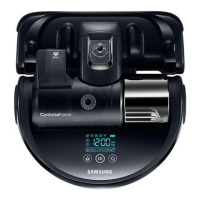
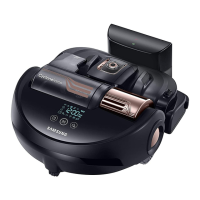
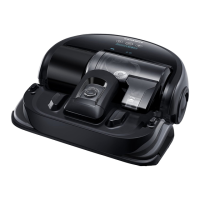
Samsung POWERbot VR2AJ9040WG - User Manual

Samsung POWERbot VR2AJ9040WG
120 pages
Print Icon
To Next Page IconTo Next Page
Loading...
SR2AJ90✴✴U Series
SR2AJ90✴✴W Series
POWERbot
user manual
imagine the possibilities
Thank you for purchasing a Samsung product.
English
Before operating this unit, please read the instructions carefully.
For indoor use only.
zyYhq`Wgg|ZWW^[WiW]|zhUGGGX YWX^TW[TW]GGG㝘䟸G_a[\aYY

Questions and Answers

  • S
    Susan HintonAug 18, 2025
    What to do if my Samsung POWERbot Vacuum Cleaner cannot find the docking station?
    • D
      David VasquezAug 18, 2025
      If your Samsung POWERbot Vacuum Cleaner is having trouble finding its docking station, try the following: * Check for a power failure or ensure the power plug is properly plugged in. * Remove any obstacles around the docking station that might be preventing the POWERbot from returning. * Clean any foreign matter off the charging pins.
  • A
    Ashley CummingsAug 21, 2025
    What to do if Samsung Smart Home App doesn't work with my POWERbot?
    • E
      Elizabeth WellsAug 21, 2025
      If the Samsung Smart Home App isn't working with your POWERbot, try these steps: 1. Turn off the Samsung Smart Home app and then run it again. 2. Disconnect your smartphone from the wireless router and then reconnect it. 3. Turn off the power to the POWERbot, turn it back on, wait a minute, and then run the Smart Home app again.
  • C
    cgarciaAug 23, 2025
    How to fix Samsung POWERbot that has stopped during cleaning?
    • D
      Diane LindseyAug 23, 2025
      If your Samsung POWERbot Vacuum Cleaner stops during cleaning: * If it's stuck on an obstacle like a cord, pick it up and move it away. * If fabric or string is caught in a drive wheel, turn off the emergency switch and remove the obstruction.
  • T
    Teresa BrownAug 26, 2025
    What to do if Samsung POWERbot is not working at all?
    • D
      Daniel SimpsonAug 26, 2025
      If your Samsung POWERbot Vacuum Cleaner isn't working at all: * Check if the emergency switch is on. * Make sure all icons are displayed on the display panel. * See if the POWERbot's battery is depleted. * If the remote isn't working, replace its batteries (AAA type).
  • M
    Mason JimenezAug 27, 2025
    How to fix functions of Samsung Smart Home App not working?
    • J
      Joyce GordonAug 28, 2025
      If the functions of the Samsung Smart Home App are not working, check if the Smart control blocking function of the POWERbot is set.
  • P
    Peter BowersAug 30, 2025
    Why is my Samsung POWERbot VR2AJ9040WG suction power weak?
    • J
      Janet AnthonyAug 30, 2025
      Weak suction power in your Samsung Vacuum Cleaner can occur due to several reasons: * The dustbin may be too full; in this case, turn off the emergency switch and empty it. * The intake on the bottom of the vacuum may be blocked; if so, turn off the emergency switch and remove any foreign matter. * The dustbin might be assembled incorrectly; if that's the case, turn off the emergency switch and reassemble it correctly.
  • L
    Leslie CruzSep 1, 2025
    How to fix Samsung POWERbot cleaning diagonally?
    • N
      ngallagherSep 1, 2025
      Your Samsung POWERbot Vacuum Cleaner might clean diagonally because: * The docking station could be installed along the grain of wooden floors or tiles; check its placement. * The POWERbot may clean in a diagonal direction if it is moving to another area using the shortest route or if it made contact with an obstacle at that angle. * It was charged at the charger at an angle, or if the grain of the wooden/tile floor skewed is in that direction.
  • N
    Nathan BlackwellSep 4, 2025
    How to fix Samsung POWERbot not connecting to Wi-Fi?
    • D
      Denise CortezSep 4, 2025
      If your Samsung POWERbot Vacuum Cleaner isn't connecting to Wi-Fi, check the setting status of the wireless router.
  • S
    Sara McintyreSep 6, 2025
    Why Samsung POWERbot not cleaning a certain area?
    • J
      John FloresSep 6, 2025
      If your Samsung POWERbot Vacuum Cleaner isn't cleaning a specific area, it could be because the charger is installed near a narrow passage or door. In this case, reinstall it in another area. If the charger is installed near a narrow passage or door, the POWERbot cannot pass through the passage or threshold.
  • N
    Nancy CoxSep 8, 2025
    How to fix Samsung Smart Robot Vacuum App fails to get started?
    • A
      andersenaliciaSep 8, 2025
      If the Samsung Smart Robot Vacuum App fails to start, check if the POWERbot is connected to the wireless router.

Samsung POWERbot VR2AJ9040WG Specifications

General IconGeneral
ModelVR2AJ9040WG
ColorWhite
Battery TypeLithium-ion
Battery LifeUp to 90 minutes
Operating TimeUp to 90 minutes
ConnectivityWi-Fi
TypeRobot Vacuum Cleaner
Cleaning ModesAuto, Spot
Charging Time3 hours
Width345mm
Depth345mm
NavigationVisionary Mapping Plus
Dimensions345 x 92 x 345mm

Related product manuals