English - 47
OPERATING
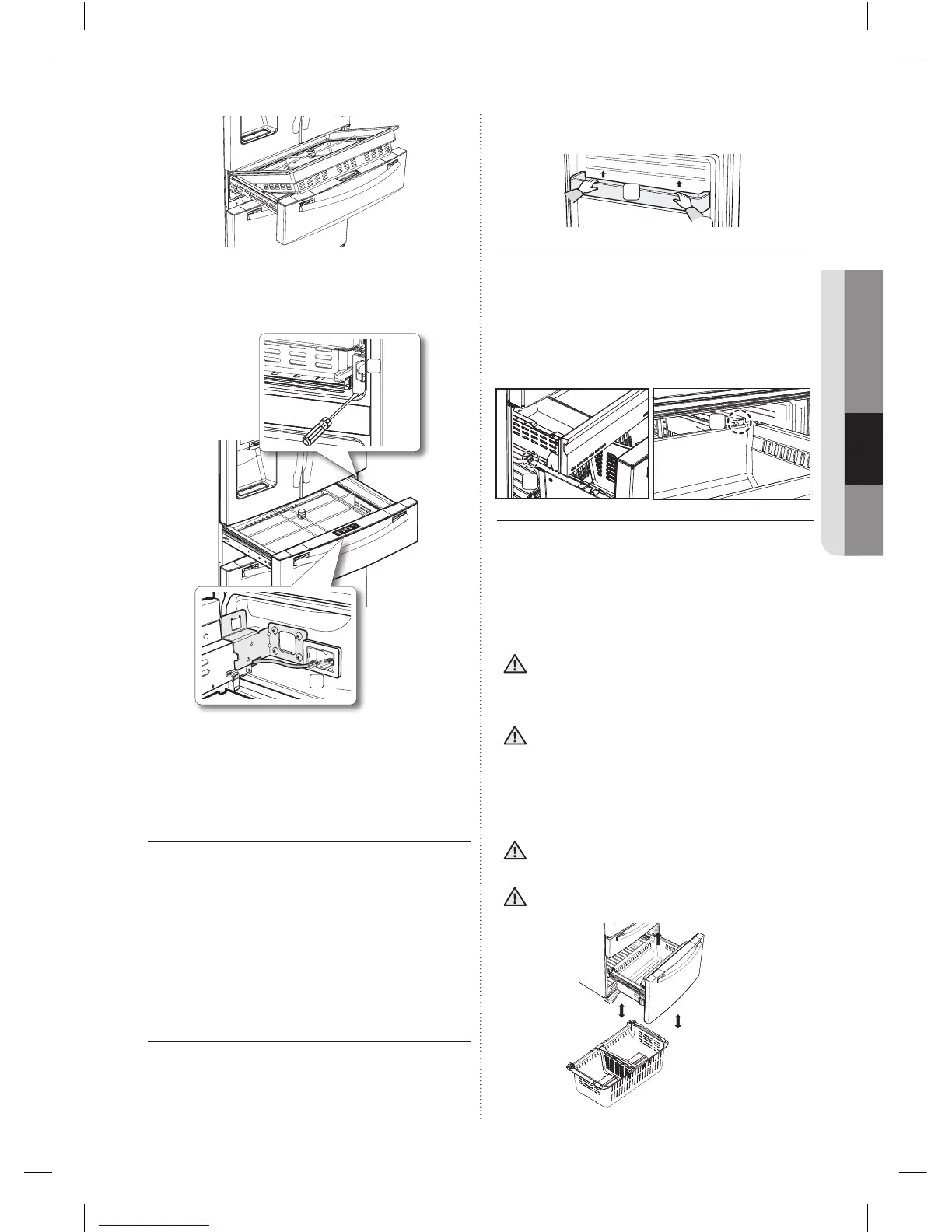
When the Flex Zone or LED lighting is not
working, check the connectors [ ( 1 ), ( 2 )
shown below ] for cracks or leaks.
1
2
1. Refertopage19fordisassembly
instructions.
2. Openthecapcoverrailwithaat-bladescrew
driver.
Using the doors
Ensurethatthedoorscloseallthewayandare
securelysealed.
Whentherefrigeratordoorisonlypartiallyopen,it
willautomaticallyclose.Ifthethedoorisopened
morethanitsautocloserange,itwillremainopen.
Youmustcloseitmanually.
REMOVING THE FREEZER
ACCESSORIES
1. Freezer Room Guard
To remove-Removethefreezerroomguard(1)
byliftingtheguardup.
To re-install-Pushdownuntiltheguard(1)
locksintoplace.
1
2. Super Extended Drawer
To remove -Pullthedrawerouttofullextension.
Tiltuptherearofthedrawerandliftstraightout.
To re-install -Placethedrawerontotherails(4)
bytiltingitup.Lowerthedrawerintoplaceuntilit
ishorizontalandslidetheDrawer(3)in.
3
4
3. Freezer Drawer
To remove the freezer drawer -Pullthefreezerdrawer
outfully.Tiltuptherearofthebinandliftitouttoremove.
To re-install the freezer drawer -Placethebin
intotherailassembly.
Youcanscratchthesideofthebinifyou
twistitleftorrightwhendisassemblingor
re-assemblingit.
Donotallowbabiesorchildrengoinside
thefreezerdrawer.Theycoulddamage
therefrigeratorandseriouslyinjure
themselves.Donotsitonthefreezerdoor.
Thedoormaybreak.Donotallowchildren
toclimbintothefreezerdrawer.
Donotremovethedivider.
Iftrappedinside,childrenmaybeinjured
orsuffocatetodeath.
CAUTION
CAUTION
CAUTION
WARNING
DA68-02915A-11.indd 47 2015. 5. 8. �� 8:52













 To Next Page