English - 17
English
Adjusting Your Monitor
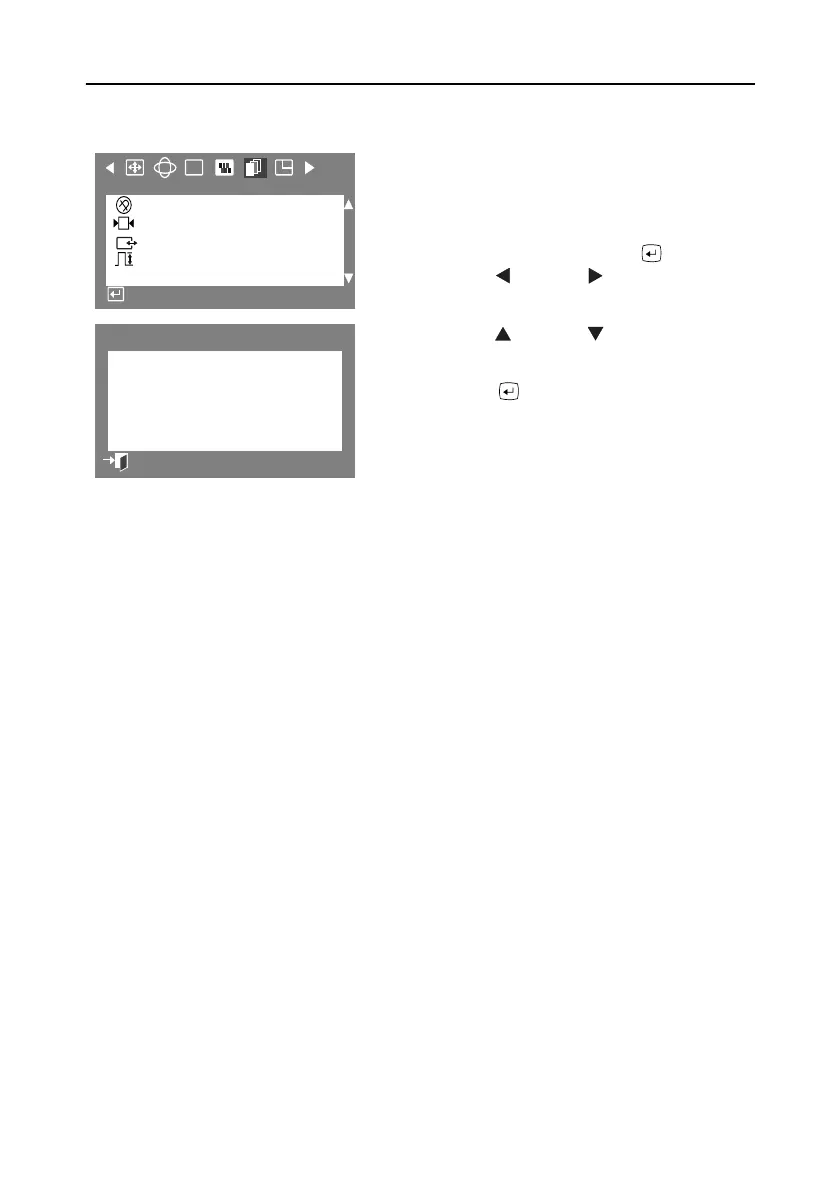
Degauss
The Degauss feature will remove color impurities
caused by magnetic fields. Do not use the Degauss
feature moré than once within a 30-minute period.
1
With the menu off, push the button.
Push the button or button until the
Advanced” screen is displayed.
2
Push the button or button to select
Degauss
.
3
Push the
button to execute the degauss
function. The degaussing screen will appear.
NOTE: The monitor may buzz momentarily, the
image colors may change and the image will
jiggle for a few seconds. These effects are
normal.
4
After a few seconds, the degauss main
menu will return.
RGB
:
+++
G
Advanced
Degauss
Recall
Sync. Input Type
Video Input Level
Access Function
:
Degauss
Degaussing...
Previous Menu
9550eApp.book Page 17 Thursday, December 30, 1999 10:19 AM









 To Next Page