33
Connecting and Using a Source Device
3
3 Connecting and Using a Source Device
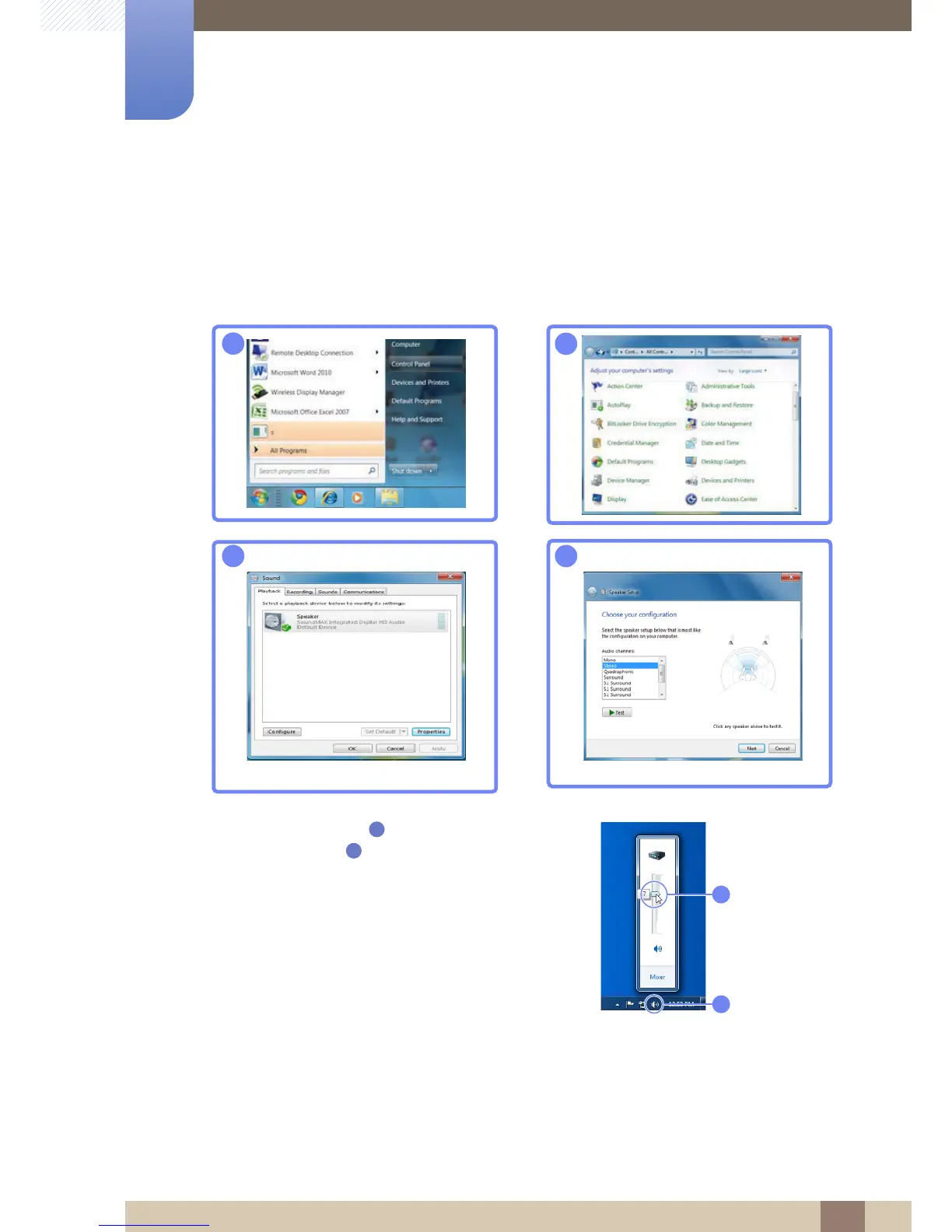
Changing the sound settings on Windows
z Check that the HDMI or stereo cable is properly connected.
z Adjust the sound output port settings according to the conditions where the product is used.
Control Panel Audio Speaker Speaker Setup
z Click the volume icon [ ] on the Windows taskbar to
adjust the volume [ ].



 To Next Page