42
Screen Setup
4
4 Screen Setup
4.4 SAMSUNG MAGIC Bright
This menu provides an optimum picture quality suitable for the environment where the product will be
used.
z Not available if Eco Saving is set to On.
z This menu is not available when Angle is enabled.
You can customize the brightness to suit your preferences.
4.4.1 Configuring SAMSUNG MAGIC Bright
1 Press any button on the front of the product to display the Key guide. Next, press [ ] to display
the corresponding menu screen.
2 Press [ ] to move to Picture and press [ ] on the product.
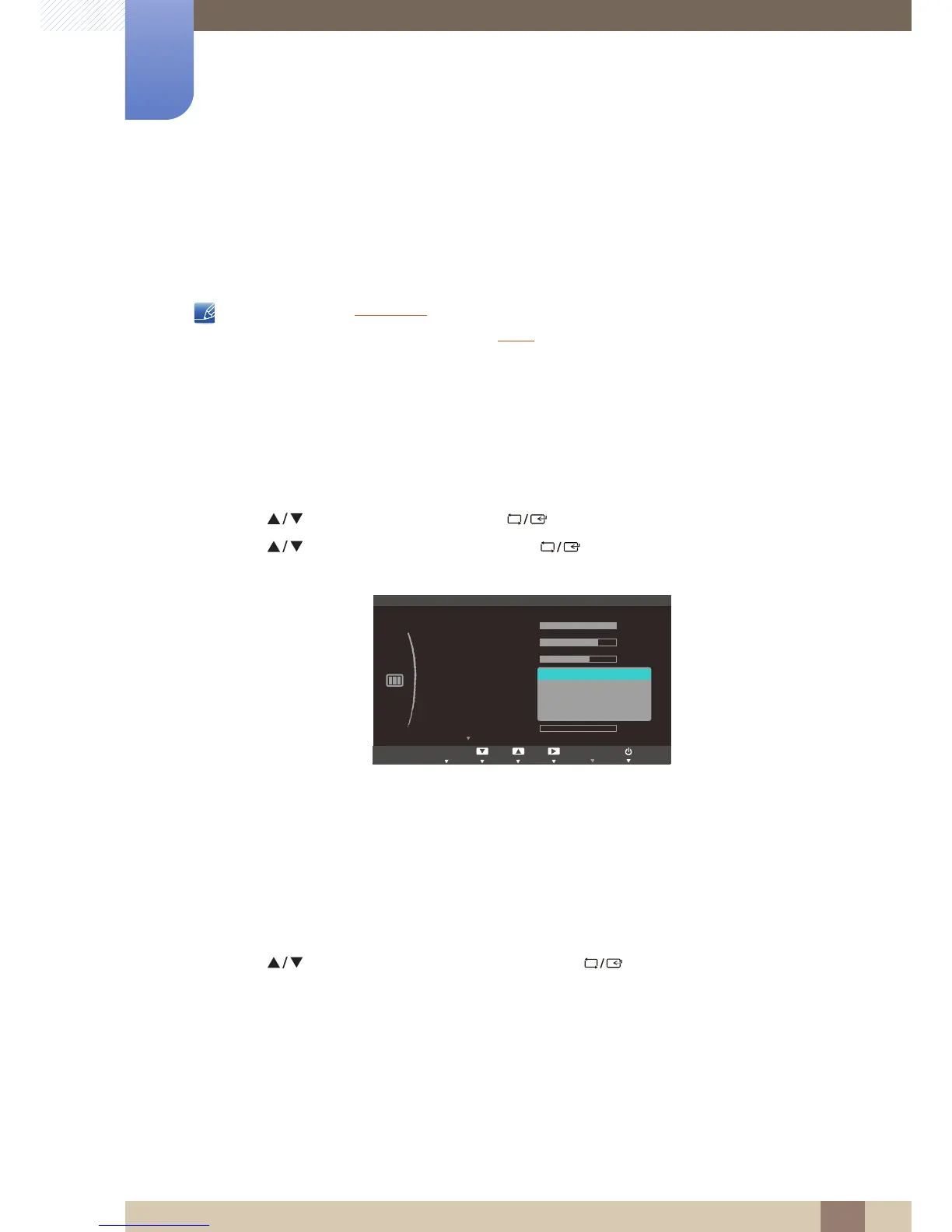
3 Press [ ] to move to Bright and press [ ] on the product. The following screen will
appear.
z Custom: Customize the contrast and brightness as required.
z Standard: Obtain a picture quality suitable for editing documents or using Internet.
z Game: Obtain a picture quality suitable for playing games that involve many graphic effects and
dynamic movements.
z Cinema: Obtain the brightness and sharpness of TVs suitable for enjoying video and DVD
content.
z Dynamic Contrast: Obtain balanced brightness through automatic contrast adjustment.
4 Press [ ] to move to the option you want and press [ ].
5 The selected option will be applied.



 To Next Page