EasyManua.ls Logo

Samsung T24D310ES - User Manual

Samsung T24D310ES
86 pages
Print Icon
To Next Page IconTo Next Page
Loading...
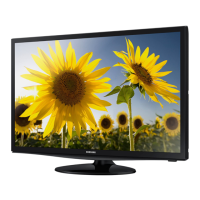
LED TV
user manual
Thank you for purchasing this Samsung product.
To receive more complete service, please register
your product at
www.samsung.com/register
Model _____________ Serial No. _____________
T24D310ES
T24D310EW
T24D310EX
T28D310ES
T28D310EW
T28D310EX
T31D310EW
T31D310EX
TD310

Table of Contents

Questions and Answers

  • P
    Patricia RaymondAug 10, 2025
    How to stop Samsung T24D310ES resetting settings?
    • H
      Heather LopezAug 10, 2025
      If your Samsung TV is in Store Demo mode, it will reset audio and picture settings every 5 minutes. To switch to Home Use, press the SOURCE button to select TV mode, then go to MENU ? Support ? Use Mode.
  • M
    Mrs. Jennifer PorterAug 16, 2025
    Why does my Samsung TV say 'This file may not be playable properly'?
    • H
      Heather SpearsAug 16, 2025
      The message “This file may not be playable properly” on your Samsung TV appears because of a high bit rate of the content. The content will generally play but could experience some playability issues.
  • J
    James EnglishAug 22, 2025
    Why is the PIP menu not available on my Samsung TV?
    • H
      hernandezmichaelAug 22, 2025
      PIP functionality on your Samsung TV is only available when you are using an HDMI or component source.
  • M
    Mary ScottAug 28, 2025
    How to protect furniture from Samsung T24D310ES TV stand?
    • H
      hstanleyAug 28, 2025
      To prevent a reaction between the rubber cushion pads on the base stand of your Samsung TV and the top finish of some furniture, use felt pads on any surface of the TV that comes into direct contact with furniture.
  • S
    Sara ParksSep 3, 2025
    Why do I see small particles on the edge of my Samsung T24D310ES TV frame?
    • C
      Carl EvansSep 3, 2025
      These small particles that you see when you look closely at the edge of the frame of your Samsung TV are part of the product’s design and are not a defect.

Summary

Digital TV Notice

Digital TV Broadcast Information

Information about DVB-T, DVB-C, compatibility, and regional availability.

Still Image Warning

Preventing Screen Burn-in

Guidance on preventing screen burn-in from static images and recommended practices.

Getting Started

Safety Precautions Overview

General safety warnings, including icons for warnings, cautions, and mandatory actions.

Electrical Safety Practices

Safety measures for unplugging, using supplied cords, and handling electrical connections.

Product Operation Safety Precautions

Safety measures for product operation, including noise, children, and environmental factors.

Component and Electrical Safety Precautions

Precautions for handling components, batteries, adapters, and electrical safety.

TV Controller and Initial Setup Process

Information on using the TV's panel key controller and the initial setup process.

Standard Remote Control Button Functions

Overview of buttons on the standard remote control and their functions.

Power Safety Guidelines

Warnings and precautions related to power cords, plugs, and electrical connections.

Installation Environment Safety

Warnings against installing the product in poorly ventilated or unstable locations to prevent fire or damage.

Getting Started

Environmental and Handling Safety Guidelines

Precautions for environmental factors and safe handling/movement of the product.

Cleaning and General Usage Safety Advice

Safety advice for cleaning the product and general usage precautions like disassembly.

Product Usage and Viewing Safety Guidelines

Safety guidelines for placement, viewing distance, eye rest, and handling accessories.

Accessing and Navigating the e-Manual

Guide on accessing and navigating the TV's built-in e-Manual.

Navigating On-Screen Display Menus

Explanation of how to navigate the main on-screen display (OSD) menus using the remote.

Power, Aerial, Cable Connections, and Setup

Steps for connecting power/aerial/cable and overview of initial setup.

Connections

Connecting AV Devices via HDMI

Instructions for using HDMI cables for HD connections with AV devices.

Connecting a PC to the TV

Methods for connecting a PC using HDMI, DVI, or D-sub cables.

Connections

Connecting AV Devices via Component;AV or Scart Cables

Guidance on using component, AV, and Scart cables for connecting devices.

Basic Features

Adjusting Picture Settings

Details on adjusting Backlight, Contrast, Brightness, Sharpness, Colour, and Tint.

Basic Features

Preference Features

Setting the TV Time

Configuring the TV clock, clock modes (Auto/Manual), date, time zone, and offset.

Support Menu and Self Diagnosis Tools

Using the support menu for self-diagnosis, picture test, sound test, signal info, and reset.

Software Update Procedures

Instructions for updating TV firmware via USB or channel, and auto update settings.

Preference Features

Advanced Features

Advanced Features

Other Information

Troubleshooting Picture Quality Issues

Solutions for common picture quality problems like poor image, distortion, and color issues.

Troubleshooting Sound and Video Issues

Solutions for sound quality problems, no picture/video, and automatic TV turn-off.

Other Information

Securing the TV to the Wall with Anti-Fall Device

Instructions and safety precautions for installing an anti-fall device to secure the TV.

Warranty Card

Warranty Conditions and Exclusions

Terms and conditions for product warranty, including validity, limitations, and exclusions.

Contact SAMSUNG WORLDWIDE

Samsung T24D310ES Specifications

General IconGeneral
Screen Size24 inches
Resolution1366 x 768
Display TypeLED
Aspect Ratio16:9
Brightness200 cd/m²
Contrast Ratio1000:1
Response Time5 ms
HDMI Ports2
USB Ports1
Weight3.5 kg
Refresh Rate60 Hz
Built-in SpeakersYes
Power Consumption30 W

Related product manuals