Do not mount the tablet in front of an open AC or heater. If unable to install elsewhere, close the vent in front of
which the tablet is installed.
Do not mount the tablet near windows and vents which may pass rain water.
Avoid mounting the tablet in an area that may limit leg room or where the tablet may likely be used as a foot or
elbow rest, etc.
Do not mount the tablet below a beverage holder.
Cable Pre-Assembly
1. Connect the male and the female 9-pin serial cables together using a flat head screwdriver.
2. Attach one end of the 6-pin Molex cable to the power/serial dock adaptor (Part# 81656) and make sure it seats
completely.
3. Attach the 2-pin Molex connection from the serial cable assembly (Part# A100478) to the power/serial dock adaptor
(Part# 81656).
4. Attach the 8-pin Molex connection of the serial cable assembly (Part# A100478)to the 8-pin Molex connection of
power adaptor cable (Part# A100486).
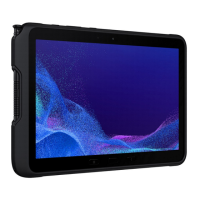
Samsung Tab Active Dock Installation
1. Use the four hex socket cap head screws to mount the ball mount to the back of the dock.
a. Insert the screws through the dock, then through the ball mount.
b. Place a M4 flat washer onto the threads of the screw.
c. Thread the M4 nylon lock nut onto the screw. Do not tighten until you attach the last three screws.
d. Tighten all four M4 nylons nuts with a 7mm socket and a metric number 3 hex bit, until the ball mount is firmly
secured to the new dock.
e. Verify that no screw heads are protruding through the front of the dock. This can interfere with correct operation of
the tablet.







 To Next Page