10
•
Close any applications that may be running in the background (such as
Music Player).
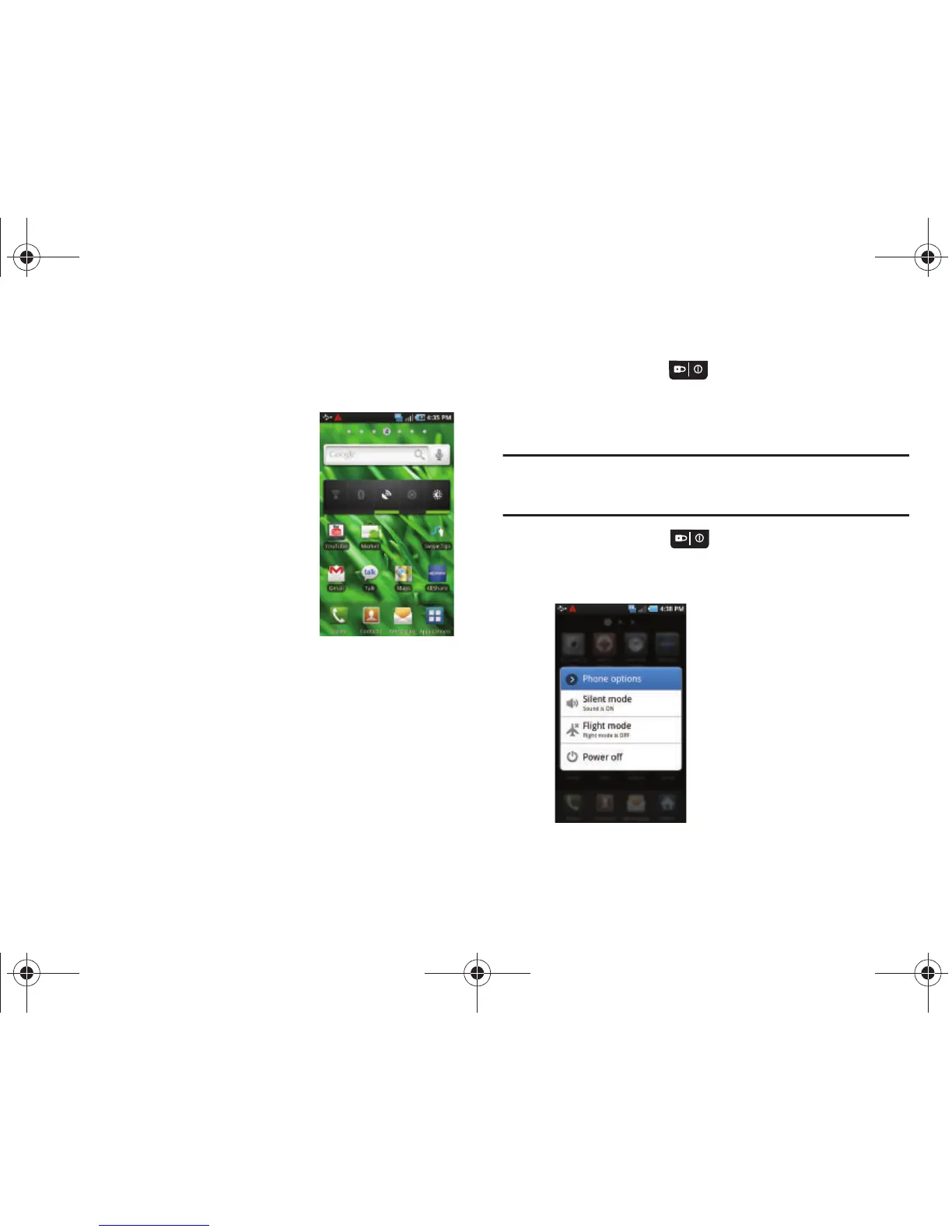
To use the Power Control shortcut bar:
1. From the Home screen, touch
and hold an empty area until
the
Add to Home screen
menu
displays.
2. Touch
Android Widgets
➔
Power
Control
. The Power Control
shortcut is added to the second
panel of the Home screen.
3. Touch one of the icons on the
Power Control shortcut bar to
activate the application. A green bar displayed beneath the
icon means the application was activated (turned on).
4. Touch one of the icons a second time to deactivate the
application. The green bar is removed from beneath the
icon which means the application was deactivated
(turned off).
Switching the Phone On or Off
1. Press and hold the key until the phone switches on.
The phone searches for your network and after finding it,
you can make or receive calls.
Note:
The display language is preset to English at the factory. To change the
language, use the Language menu. For more information, refer to
“Language & Keyboard Settings” on page 146.
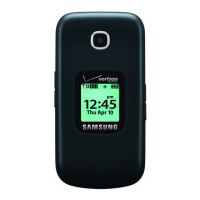
2. Press and hold the key until the Power-off image
displays when you wish to switch the phone off.
3. Touch
Power Off
.
T959 Supersonic.book Page 10 Thursday, August 5, 2010 4:13 PM









 To Next Page