Understanding Your Phone 21
Adding and Deleting Home Pages
Your phone comes with seven Home screens. You can delete
Home screens and then add Home screens later if you want.
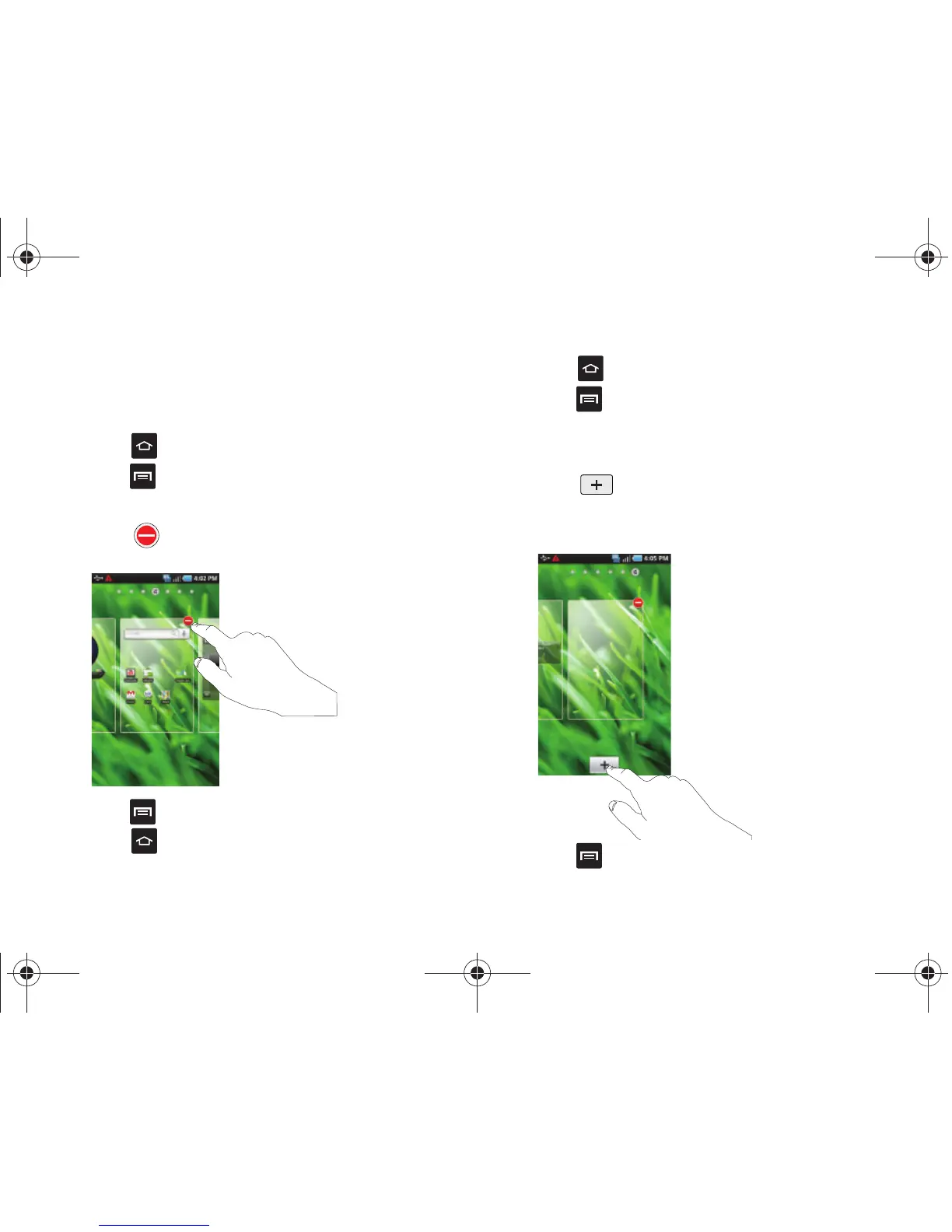
To delete a Home screen, follow these steps:
1. Press to display the Home screen.
2. Press ➔
Edit
.
3. Scroll to the Home screen you want to delete.
4. Touch to delete the screen.
5. Press ➔
Save
.
6. Press to return to the main Home screen.
To add a Home screen, follow these steps:
1. Press to display the Home screen.
2. Press ➔
Edit
.
3. Scroll to the Home screen to the right of the location where
you would like to add the new Home screen.
4. Touch to add a new blank Home screen.
A new Home screen is inserted to the left.
5. Press ➔
Save
.
T959 Supersonic.book Page 21 Thursday, August 5, 2010 4:13 PM









 To Next Page