80
• Metering
: allows you to set how the camera measures or meters
the light source: Centre weighted, Spot, or Matrix.
•Anti-Shake
: allows you to touch On to activate Anti-Shake, or Off
to deactivate it.
• Auto contrast
: automatically sets the contrast.
• Blink detection
: camera detects the user's blinks and adjusts to
capture the subject perfectly.
• Image quality
: allows you to set the image quality to: Superfine,
Fine, or Normal.
• Adjust
: allows you to adjust the Contrast, Saturation and Sharpness
for this photo.
General settings
:
• Guidelines
: displays alignment or framing guidelines to perfectly
set up each shot.
•Review
: displays the photo for review. Selections are: Off, 2 sec, or
On.
•GPS
: allows you to activate (turn On) or deactivate (turn Off) the GPS
tracking feature.
• Shutter sound
: allows you to select a tone to play when the
camera’s shutter opens and closes. Sound selections are Off,
Sound3, Sound2, or Sound1.
•Storage
: determines whether photos are saved to the Phone or
Memory card.
•Reset
: resets the camera settings to the default settings.
6.
Camera button
: takes a photo when pressed in Camera
mode.
7.
Quick view
: displays the photo for quick viewing.
Camcorder Options
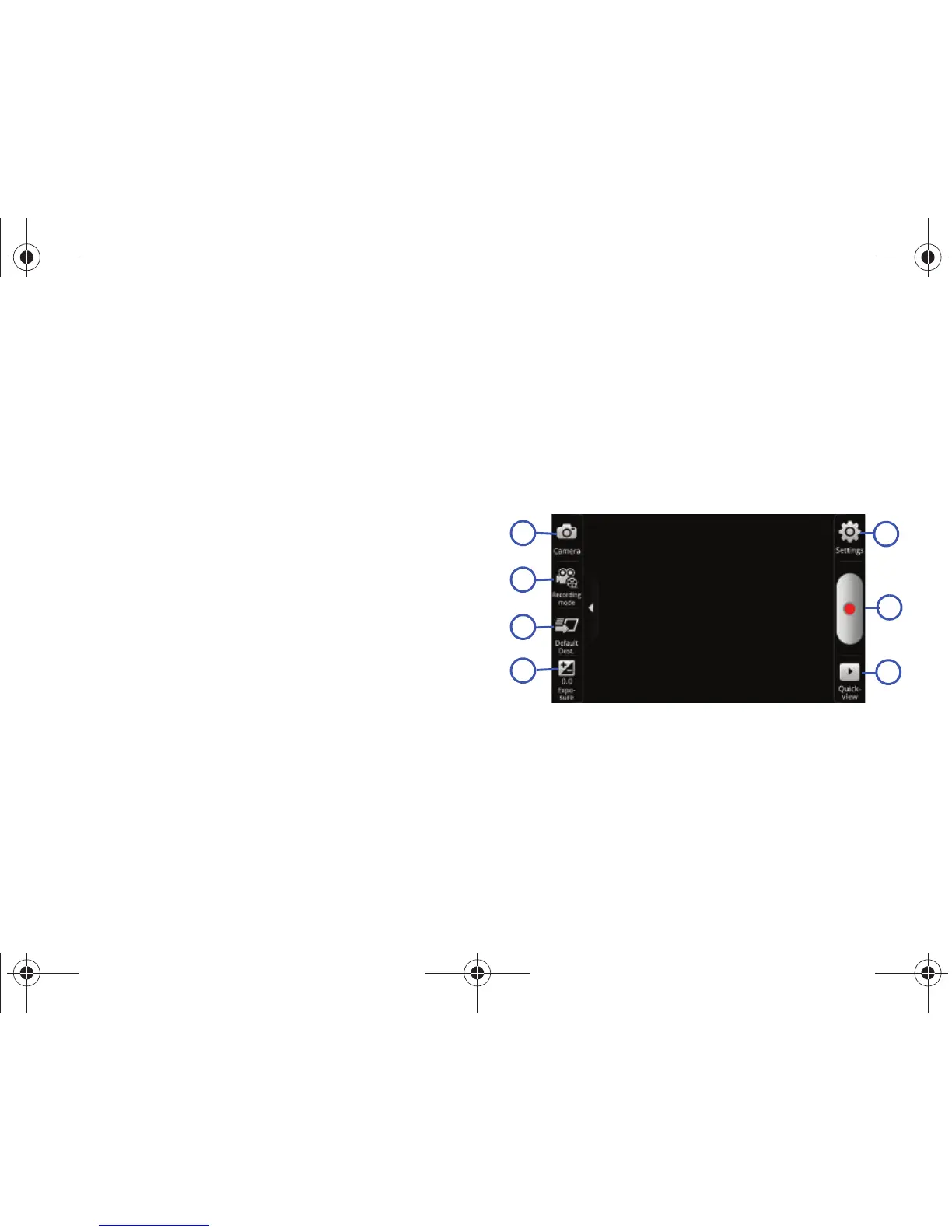
You can change options using your keypad in capture mode. The
following short cuts are available:
1.
Camcorder / Camera Mode
: allows you to record a video
various modes. Once you change the mode, the
corresponding indicator appears at the top left of the
display. Choose from Camcorder or Camera.
2.
Recording mode
: Normal or Limit for MMS.









 To Next Page