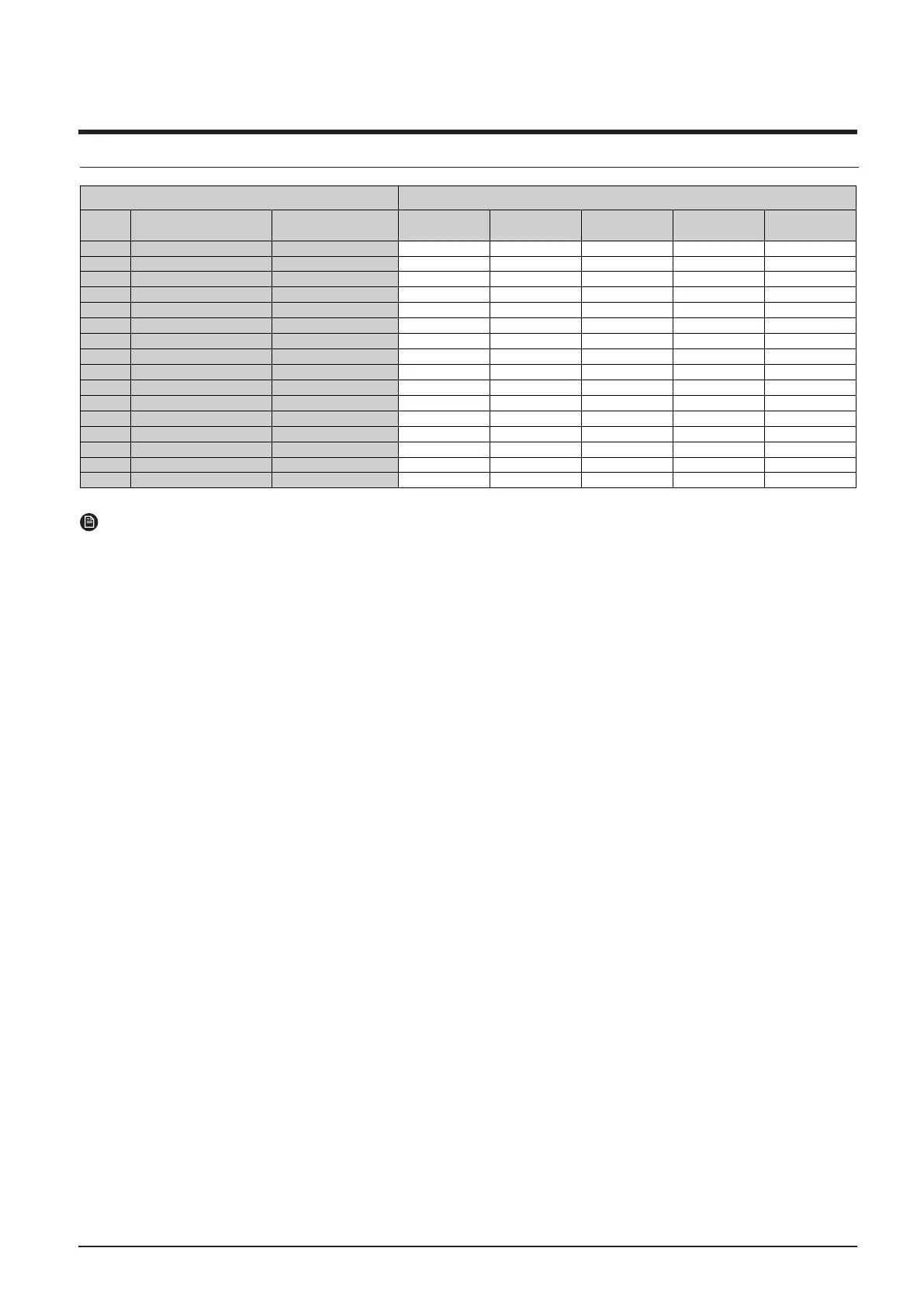
1. Combination Table
NOTE
• Ma
ke sure to use an indoor unit that is compatible with DVM S.
•Indoor units can be connected within the range indicated in following table.
•If the total capacity of the connected indoor units exceeds the indicated maximum capacity, cooling and heating
capacity of the indoor unit may decrease.
•Total capacit
y of the connected indoor units can be allowed from 50% to 130% of the total outdoor unit capacity.
0.5 × Σ( Outdoor unit capacity) ≤ Total capacity of the connected indoor units ≤ 1.3 × Σ( Outdoor unit capacity)
※ You can connect maximum 64 indoor units to the outdoor unit. Maximum quantity of connectable indoor unit is set to 64
since outdoor unit only support up to 64 communication address. Indoor unit address can be
assigned from 0~63. If the indoor unit address was assigned from 64~79, E201 error will occur.
※ Maximum 32 Wall-mount type indoor units with EEV (AM∗∗∗∗NQDEH∗∗∗, AM∗∗∗JNVDKH∗∗∗) can be connected.
Essential
Capa Model Name
Number of
individual outdoor
units
10 12 14 16 18
10HP AM100AXVDGH/EU 1 1
12HP AM120AXVDGH/EU 1 1
14HP AM140AXVDGH/EU 1 1
16HP AM160AXVDGH/EU 1 1
18HP AM180AXVDGH/EU 1 1
20HP AM200AXVDGH1EU 2
22HP AM220AXVDGH1EU 1 1
24HP AM240AXVDGH1EU 1 1
26HP AM260AXVDGH1EU 1 1
28HP AM280AXVDGH1EU 2 1 1
30HP AM300AXVDGH1EU 2 1 1
32HP AM320AXVDGH1EU 2 2
34HP AM340AXVDGH1EU 2 1 1
36HP AM360AXVDGH1EU 2 2
38HP AM380AXVDGH1EU 3 1 1 1
40HP AM400AXVDGH1EU 3 1 1 1
System Model Capacity
(HP)
2
2
2
2



 To Next Page