EasyManua.ls Logo

Samsung WA52A5500AV - User Manual

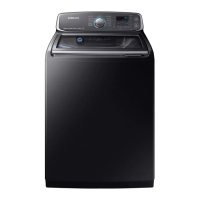
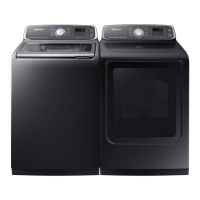
Samsung WA52A5500AV
144 pages
Print Icon
To Next Page IconTo Next Page
Loading...
Washer
User manual
WA5*A730*A*/WA5*A550*A*
Untitled-6 1Untitled-6 1 2021-05-25  8:26:152021-05-25  8:26:15

Table of Contents

Questions and Answers

  • S
    Steven HermanAug 10, 2025
    What to do if my Samsung Washer does not start?
    • A
      Andrew MarshAug 10, 2025
      If your Samsung Washer doesn't start, ensure the door is fully closed. Also, check that the water taps are open. Remember to press or tap the Start/Pause button to initiate the cycle. Confirm that the Child Lock feature is deactivated. If the door was opened during a spin cycle, close it and press Start/Pause to continue. The machine may be in Standby, paused, or in a soaking cycle, so allow it to proceed. Finally, inspect the fuse or reset the circuit breaker.
  • J
    Jodi SmithAug 20, 2025
    Why my Samsung WA52A5500AV does not turn on?
    • P
      patkinsAug 20, 2025
      If your Samsung Washer doesn't turn on, ensure your home's electrical system provides the correct power. Verify the power cord is fully plugged in. Check the fuse or reset the circuit breaker. If you used the Active Waterjet function and turned off the power to drain water, the power will not turn on until the water is completely drained.
  • U
    uedwardsAug 30, 2025
    How to fix a Samsung WA52A5500AV Washer that does not turn on?
    • A
      Amy MooreAug 30, 2025
      If your Samsung Washer does not turn on, ensure your home electrical system provides the correct power. Make sure the power cord is fully plugged in and check the fuse or reset the circuit breaker. If you turned off the power to drain water added by the Active Waterjet function, power will not turn on until the water is completely drained.

Summary

Safety Information

Important Safety Precautions

Essential precautions to reduce the risk of fire, electric shock, or injury during appliance use.

Critical Installation Warnings

Specific warnings related to the safe installation of the washing machine.

Critical Usage Warnings

Critical warnings regarding safe operation and use of the washing machine.

Critical Cleaning Warnings

Critical warnings to ensure safe cleaning procedures for the washing machine.

Installation

Installation Requirements

Details on electrical supply, grounding, and water supply needed for proper installation.

Step-by-Step Installation Guide

Comprehensive guide detailing the process of installing the washing machine.

Before You Start

Laundry Guidelines

Steps for sorting laundry, emptying pockets, using bags, pre-washing, and determining load capacity.

Operations

Control Panel Overview

Detailed explanation of the washer's control panel buttons and display functions.

Troubleshooting

Drain, Spin, and Leakage Problems

Solutions for draining, spinning, leakage, and excessive suds issues.

Information Codes and Errors

Explanation of error codes displayed by the washer and their meanings.

Samsung WA52A5500AV Specifications

General IconGeneral
TypeTop Load Washer
Capacity5.2 cu. ft.
Energy Star CertifiedYes
Control TypeDigital
Steam FunctionYes
Smart FeaturesNo
Water Level Options5
Voltage120V
ColorFingerprint Resistant Black Stainless Steel

Related product manuals