EasyManua.ls Logo

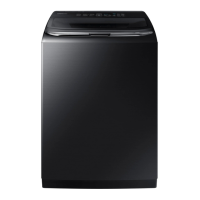
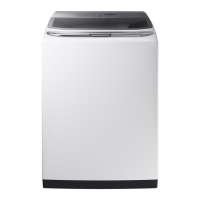
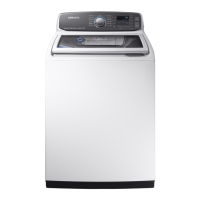
Samsung WA52M7750AW - User Manual

Samsung WA52M7750AW
76 pages
Print Icon
To Next Page IconTo Next Page
Loading...
Washer
User manual
WA52M7750A*/ WA52M7755A*
WA7700M_DC68-03774D-00_EN+CFR+MES.indb 1 2016-12-13  1:21:23

Questions and Answers

  • Y
    yolanda13Jul 29, 2025
    How to fix a Samsung WA52M7750AW Washer that does not turn on?
    • J
      Jordan MoranJul 30, 2025
      If your Samsung Washer doesn't turn on, ensure it's receiving the correct power supply. Check that the power cord is fully plugged in. Also, inspect the fuse or reset the circuit breaker.
  • R
    Robert DavidsonAug 5, 2025
    What to do if my Samsung WA52M7750AW Washer does not start?
    • T
      Tracy AguilarAug 5, 2025
      If your Samsung Washer isn't starting, be sure the door is completely closed and the water taps are open. Press the Start/Pause button. Confirm that Child Lock isn't activated. Note that the washer makes clicking sounds and does a quick drain before filling. If the door was opened during spinning, close it and press Start/Pause. The machine may be in Standby or soaking. Finally, check the fuse or reset the circuit breaker.
  • M
    Michael PetersonAug 12, 2025
    Why is no water being supplied to my Samsung WA52M7750AW?
    • A
      Anne MooreAug 13, 2025
      If water isn't being supplied to your Samsung Washer, first, ensure you've pressed Start/Pause after selecting the water supply and that the water taps are open. Straighten any kinks in the water supply hoses. Open and close the door, then press Start/Pause. If the water pressure is low, the wash cycle will take longer to start. Adjust the water level using the level selector if it's lower than expected. Also, if the water supply is cut off, close the tap and power off the machine. If the filter net at the water supply hose connector is clogged, clean it with a toothbrush.
  • J
    James CraneAug 20, 2025
    What to do if detergent remains in the dispenser of my Samsung WA52M7750AW Washer after a cycle?
    • J
      Jennifer OlsenAug 21, 2025
      If detergent remains in the dispenser of your Samsung Washer after a cycle, ensure the washing machine is running with sufficient water pressure. Also, check that the detergent drawer is properly inserted. Try removing and cleaning the detergent drawer before trying again.

Summary

Safety Information

What You Need to Know About Safety Instructions

Provides essential information on understanding and adhering to safety guidelines for the washer.

Important Safety Precautions

Details critical precautions to reduce risks of fire, electric shock, and injury during appliance use.

Critical Installation Warnings

Highlights essential warnings and precautions related to the safe installation of the washing machine.

Critical Usage Warnings

Outlines crucial warnings for safe operation, covering potential hazards during the washer's use.

Installation

Unpacking Your Washer

Instructions for safely unpacking the washing machine and checking for shipping damage.

Basic Location Requirements

Specifies essential electrical, grounding, and water requirements for the installation location.

Connecting the Water Supply Hose

Guides on properly connecting the hot and cold water supply hoses to the washer.

Leveling Your Washer

Step-by-step instructions to ensure the washer is level for optimal performance.

Operating Instructions

Loading Your Washer

Guidance on how to properly load laundry into the washer for efficient washing.

Getting Started

Step-by-step process for starting a wash cycle, including adding detergent.

Washing a Load of Laundry

Detailed explanation of the control panel and how to select cycles and options for washing.

Detergent Use

Information on the type of detergent to use and how to use it for best cleaning results.

Maintaining Your Washer

Cleaning the Exterior

Instructions for cleaning the external surfaces of the washing machine.

Cleaning the Interior

Guidelines for periodically cleaning the inside of the washer to prevent odors and residue.

Self Clean Cycle

Details on using the self-cleaning cycle to remove mold and maintain the drum.

Troubleshooting

Checkpoints

A guide to common washer problems and their suggested solutions.

Information Codes

Explanation of error codes displayed by the washer and their meanings.

Specifications

Fabric Care Chart

Symbols and guidelines for garment care, including wash, bleach, and dry instructions.

Specification Sheet

Technical details and dimensions of the washing machine model.

Cycle Chart

A chart detailing available cycles and their compatible options for different laundry types.

Warranty (U.S.A)

Limited Warranty to Original Purchaser

Details the terms and conditions of the limited warranty for the product in the USA.

Warranty (CANADA)

Limited Warranty to Original Purchaser

Details the terms and conditions of the limited warranty for the product in Canada.

Samsung WA52M7750AW Specifications

General IconGeneral
Capacity5.2 cu. ft.
ColorWhite
Energy Star CertifiedYes
Steam FunctionYes
Vibration Reduction Technology (VRT)Yes
Number of Wash Cycles12
Self CleanYes
Weight134 lb
Smart ConnectivityYes
TypeTop Load

Related product manuals