EasyManua.ls Logo

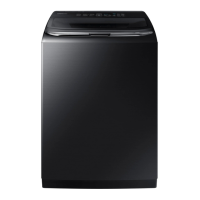
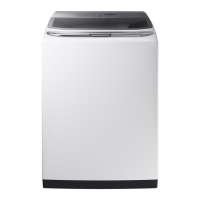
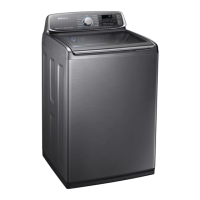
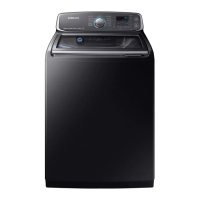
Samsung WA52M7750A series - User Manual

Samsung WA52M7750A series
236 pages
Print Icon
To Next Page IconTo Next Page
Loading...
Washer
User manual
WA52M7750A*/ WA52M7755A*
WA7700M_DC68-03774D-00_EN+CFR+MES.indb 1 2016-12-13  1:21:23

Table of Contents

Questions and Answers

  • W
    William GriffithAug 19, 2025
    Why is my Samsung WA52M7750A Washer leaking water?
    • S
      Sara SmithAug 19, 2025
      If your Samsung Washer is leaking water, ensure all hose connections are tightened properly and that the water supply hose's rubber packing is correctly positioned. Also, verify that the drain hose is correctly inserted and secured to the drain system. Avoid overloading the machine and ensure the water supply hose isn't kinked. If necessary, slightly close the water tap.
  • S
    Sherri MooreAug 21, 2025
    What to do if my Samsung Washer does not start?
    • J
      Jason LoweAug 21, 2025
      If your Samsung Washer does not start, ensure that the door is fully closed and the water taps are open. Press the Start/Pause button to initiate the washing machine. Verify that the Child Lock feature is not activated. If the cycle was interrupted, close the door and press Start/Pause to resume. You may also want to check the fuse or reset the circuit breaker.
  • P
    Peter WalkerAug 23, 2025
    Why does my Samsung WA52M7750A not drain and/or spin?
    • C
      Carl AcostaAug 25, 2025
      If your Samsung Washer doesn't drain and/or spin, check the fuse or reset the circuit breaker. Ensure the electrical voltage is normal and that the washing machine is properly plugged in. Make sure the drain hose is pointed downward and is free from clogs or kinks. Straighten the drain hose if necessary.
  • L
    Laura SanchezAug 26, 2025
    How to fix a Samsung Washer that does not turn on?
    • E
      edwardsdonnaAug 26, 2025
      If your Samsung Washer does not turn on, ensure you are using the rated power for the product and that the power cord is completely plugged in. Also, check the fuse or reset the circuit breaker.
  • A
    Amber GreenAug 28, 2025
    Why is water not being supplied to my Samsung WA52M7750A?
    • J
      Joseph LamAug 28, 2025
      If water is not being supplied to your Samsung Washer, make sure you press the Start/Pause button after selecting the water supply. Ensure the water taps are fully open. Clean the filter net using a toothbrush. You may also need to straighten the water supply hoses. Try opening and closing the door, then pressing Start/Pause. Use the level selector to adjust the water level.
  • J
    Jay TerryAug 29, 2025
    Why is the load still wet after my Samsung WA52M7750A cycle?
    • J
      julia20Aug 30, 2025
      If your Samsung Washer load is wet at the end of the cycle, use the High or Extra High spin speed. Use high-efficiency (HE) detergent to reduce oversudsing. Note that a load that is too small can cause this issue.
  • J
    jonathonmooreSep 1, 2025
    Why does my Samsung WA52M7750A Washer vibrate so much and make noise?
    • T
      Travis JonesSep 1, 2025
      To resolve excessive vibrations or noise with your Samsung Washer, ensure it is placed on a level floor and isn't touching any nearby objects. Also, make sure the laundry load is balanced. If needed, evenly spread out the laundry and restart the machine. Additionally, ensure the area around the washer is clear of any obstructions. Remove any objects from the washing machine after the cycle is complete.
  • E
    edwardsjamesSep 3, 2025
    Why does my Samsung Washer keep stopping?
    • J
      Jordan SchroederSep 3, 2025
      If your Samsung Washer stops mid-cycle, ensure the power cord is plugged into a live electrical outlet. Check the fuse or reset the circuit breaker. Close the door and press Start/Pause to restart the washing machine. It may also be a temporary issue due to low voltage and will resolve when power recovers. You can also periodically clean the screens.
  • R
    rebecca68Sep 5, 2025
    How to reduce suds in my Samsung Washer?
    • A
      ashleydavisSep 5, 2025
      To address excessive suds in your Samsung Washer, use high-efficiency (HE) detergent to prevent oversudsing. If you have soft water, small loads, or lightly soiled loads, reduce the amount of detergent used.
  • C
    Cassandra RochaSep 7, 2025
    Why is my Samsung WA52M7750A filling with the wrong temperature water?
    • M
      Michael SanchezSep 7, 2025
      If your Samsung Washer is filling with water of the wrong temperature, fully open both water taps. Ensure the temperature selection is correct and that the hoses are connected to the correct water taps. You may also need to flush the water lines or disconnect the hoses and clean the screens.

Summary

Safety Information

Understanding Safety Instructions

Guidance on reading and understanding safety instructions for safe operation.

Important Safety Symbols

Explanation of warning, caution, and note icons used in the manual.

Key Safety Precautions

Essential precautions to reduce risks of fire, electric shock, or injury during use.

Critical Installation Warnings

Warnings regarding electrical connections and proper installation for safety.

Installation Cautions

Cautions related to appliance placement, grounding, and cord handling for safe operation.

Critical Usage Warnings

Warnings about potential hazards during operation, such as flooding, gas leaks, or misuse.

Usage Cautions

Cautions concerning contamination, lid handling, and general usage for safety.

Critical Cleaning Warnings

Warnings about safe cleaning methods and precautions to avoid damage or shock.

Installation

Unpacking Your Washer

Steps and precautions for safely unpacking the washing machine.

Overview of Your Washer

Identification of main parts and components of the washing machine.

Basic Location Requirements

Essential electrical and grounding requirements for installing the washer.

Location Considerations

Guidance on choosing a suitable location, considering freezing, ventilation, and support.

Alcove or Closet Installation

Minimum clearance requirements for installing the washer in an alcove or closet.

Required Dimensions for Installation

Detailed measurements and spacing requirements for proper washer installation.

Important Note to Installer

Key instructions and recommendations for professional or self-installation.

Step 1: Selecting a Location

Choosing the correct placement for the washer, considering environmental factors.

Step 2: Connecting the Water Supply Hose

Instructions and cautions for connecting the water supply hoses.

Step 3: Connecting the Drain Hose

Methods and guidelines for properly connecting the drain hose.

Step 4: Leveling Your Washer

Procedure for ensuring the washer is level using adjustable feet.

Step 5: Powering Your Washer

Instructions for connecting the power cord and preparing for the first run.

Step 6: Running a Test Cycle

Performing a test cycle to verify correct installation and operation.

Step 7: Calibration Mode

Running calibration mode for accurate weight detection and optimal performance.

Operating Instructions

Loading Your Washer

Guidelines for loading clothes properly for efficient washing and best results.

Getting Started

Basic steps to begin operating the washer after loading and adding detergent.

Control Panel Overview

Overview and explanation of buttons and indicators on the washer's control panel.

Cycle Overview

Description of available wash cycles and their intended uses.

Options

Explanation of additional settings and functions like Child Lock.

Washing Clothes Using the Cycle Selector

Using the cycle selector to choose and customize wash programs.

ATC (Auto Temperature Control)

Explanation of the automatic temperature control function for optimal washing.

Washing Basics

Introduction to basic washing features like Water Jet and Built-in sink.

Detergent Use

Guidance on selecting and using High Efficiency (HE) detergents.

Features

Automatic Dispenser

How to use and clean the automatic detergent dispenser.

Loading the Bleach Compartment

Instructions for adding liquid chlorine bleach to the designated compartment.

Loading the Fabric Softener Compartment

Instructions for adding liquid fabric softener to the correct compartment.

Maintaining Your Washer

Cleaning the Exterior

Steps for cleaning the outside of the washer, including the control panel.

Cleaning the Interior

How to clean the inside of the washer to remove dirt, odor, and residue.

Storing Your Washer

Procedure for preparing the washer for storage, including draining and unplugging.

Preserving the Top Cover and Front Frame

Advice on protecting the washer's exterior finish from scratches and damage.

Cleaning Mesh Filter

Instructions for cleaning the mesh filter in the water hose connection.

Cleaning the Dispensers

Steps for cleaning the detergent and fabric softener dispensers.

Self Clean Cycle

Using the Self Clean cycle to remove mold and keep the drum clean.

Troubleshooting

Checkpoints

Common washer problems and suggested actions to resolve them.

Information Codes

Explanation of error codes displayed by the washer and their meanings.

Specifications

Fabric Care Chart

Guide to garment care symbols for washing, drying, and bleaching.

Helping the Environment

Information on recycling, disposal, and eco-friendly usage of the washer.

Declaration of Conformity

Statement confirming the appliance's compliance with relevant standards.

Specification Sheet

Technical details including dimensions, weight, and electrical ratings.

Cycle Chart

Chart detailing available cycles, temperature, spin, and soil level settings.

Warranty (U.S.A)

Limited Warranty to Original Purchaser

Details of the limited warranty coverage, terms, and conditions for US customers.

Warranty (CANADA)

Limited Warranty to Original Purchaser

Details of the limited warranty coverage, terms, and conditions for Canadian customers.

Samsung WA52M7750A series Specifications

General IconGeneral
BrandSamsung
ModelWA52M7750A series
CategoryWasher
LanguageEnglish

Related product manuals