EasyManua.ls Logo

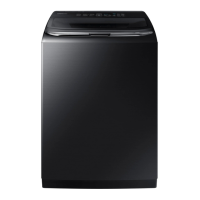
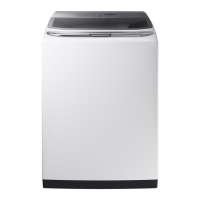
Samsung WA52M8650A Series - User Manual

Samsung WA52M8650A Series
216 pages
Print Icon
To Next Page IconTo Next Page
Loading...
Washer
User manual
WA52M8650A*
WA8600M_DC68-03774C-04_EN.indd 1 2019-02-14  5:36:22

Table of Contents

Questions and Answers

  • S
    shubbardSep 15, 2025
    Why does my Samsung Washer fill with the wrong temperature water?
    • A
      Angela YoungSep 16, 2025
      If your Samsung washer is filling with the wrong temperature water: * Fully open both water taps. * Ensure the temperature selection is correct. * Make sure the hoses are connected to the correct water taps and flush the water lines. * Disconnect the hoses and clean the mesh filters. * Note that the water temperature may change as the automatic temperature control checks incoming water temperature, which is normal. * You may notice just hot or cold water going through the dispenser when cold or warm temperatures are selected; this is normal for the automatic temperature control.
  • A
    Alexandra WilliamsAug 25, 2025
    What to do if Samsung WA52M8650A does not start?
    • C
      Christopher RyanAug 25, 2025
      If your Samsung washer isn't starting, consider the following: * Ensure the door is completely closed. * Confirm that the water taps are open. * Press or tap the START/PAUSE button to initiate the washing machine. * Verify that Child Lock is not activated. * Note that before filling, the washing machine makes clicking noises to check the door lock, followed by a quick drain. * If the door was opened during the spinning cycle, close it and press START/PAUSE to resume. * The machine may be in Standby or a soaking cycle; please wait. * Check the fuse or reset the circuit breaker.
  • K
    Kimberly HallAug 25, 2025
    What to do if Samsung WA52M8650A Washer does not drain and/or spin?
    • R
      Richard RobertsAug 26, 2025
      If your Samsung washer is not draining and/or spinning, try the following: * Check the fuse or reset the circuit breaker. * Ensure the electrical voltage is normal. * Make sure the washing machine is properly plugged in. * Ensure the drain hose is pointed downward (for natural drain models only). * Verify that the drain hose is not clogged or kinked; straighten it if necessary. If there is a drain restriction, call for service. * Close the door, and then press or tap START/PAUSE. For your safety, the washing machine will not spin unless the door is closed.
  • N
    Nicole LawrenceAug 27, 2025
    How to fix Samsung Washer not turning on?
    • M
      maria00Aug 27, 2025
      If your Samsung washer isn't turning on: * Ensure your home electrical system provides the correct electrical power. * Make sure the power cord is completely plugged in. * Check the fuse or reset the circuit breaker.
  • N
    nicole12Sep 16, 2025
    Why does my Samsung WA52M8650A have odors?
    • M
      Monica Vasquez MDSep 16, 2025
      Odors in your Samsung washer can be due to: * Excessive suds collecting in recesses. * Run a Self Clean cycle to sanitize periodically. * Dry the washing machine interior after a cycle has finished.
  • G
    gsmithSep 23, 2025
    How do I thaw a frozen spin basket or drain/supply hose on my Samsung Washer?
    • S
      Scott PorterSep 23, 2025
      To thaw a frozen spin basket or drain/supply hose on your Samsung washer, use warm water to disconnect the water supply hose and drain hose and soak them in warm water. Fill the spin basket with warm water and wait about 10 minutes. Put a hot towel on the drain hose connector. Reconnect the water supply hose and drain hose, and check if water is supplied properly.
  • S
    scott51Sep 8, 2025
    Why does water drain out immediately from my Samsung WA52M8650A?
    • C
      Christopher WalkerSep 8, 2025
      If water drains out immediately from your Samsung washer: * Make sure the drain hose is not clogged and is hung over the drain hose hook. Fill the spin basket halfway with water, and try spinning again. * Lift the end of the drain hose to prevent water from draining. Fill the spin basket halfway with water, and then run the Spin cycle after releasing the drain hose. * Ensure the drain hose is installed correctly.
  • B
    bradychristineSep 9, 2025
    What to do if water is not supplied to my Samsung WA52M8650A Washer?
    • K
      Karen PowersSep 9, 2025
      If water is not being supplied to your Samsung Washer, first, ensure you press the START/PAUSE button after selecting your cycle and options, and that the water taps are fully open. Straighten any kinks in the water supply hoses. Open and close the door, then press START/PAUSE. If the water pressure is low, the start of the wash may be delayed. Adjust the water level using the level selector if it's lower than expected. If the water supply is cut off, close the tap and power off.
  • L
    lopezjosephSep 2, 2025
    Why is my Samsung WA52M8650A Washer vibrating excessively or making noise?
    • H
      Holly StewartSep 2, 2025
      Excessive vibration or noise in your Samsung washer can be attributed to several factors: * Ensure the washing machine is placed on a level floor. * Verify that the washing machine isn't in contact with any other object. * Make sure the laundry load is balanced and spread evenly inside the washing machine. Spread out the laundry evenly and start again. * Confirm that the space around the washing machine is free of objects. * Keep in mind that humming is normal during operation. * Objects like coins can cause noise; remove them after washing.
  • F
    fharrisAug 31, 2025
    What to do if my Samsung WA52M8650A does not drain or spin?
    • R
      Reginald CaseSep 1, 2025
      If your Samsung washer isn't draining or spinning, check the fuse or reset the circuit breaker. Ensure the electrical voltage is normal and that the machine is plugged in. Make sure the drain hose is pointed downward, is not clogged or kinked, and is straightened. Close the door, and press Start/Pause.

Summary

Safety Information and Warnings

Important Safety Precautions

Essential guidelines to prevent fire, electric shock, or injury during operation.

Critical Usage and Installation Warnings

Vital safety warnings for operating and installing the washer to avoid accidents.

Regulatory and Compliance Notices

Official statements on FCC compliance and radiation exposure limits.

Installation and Setup Guide

Location and Preparation

Guidelines for choosing a suitable location and preparing for washer installation.

Step-by-Step Installation Process

Detailed instructions for connecting, leveling, powering, and testing the washer.

Connecting Water Supply and Drain

Procedures for correctly connecting water supply and drain hoses.

Leveling and Powering the Washer

Steps to ensure proper leveling and electrical connection for safe operation.

Operating Your Washer

Loading and Starting Your Washer

Guidelines for loading clothes and initiating the washing process.

Wash Cycle and Option Selection

Comprehensive guide to selecting cycles, temperatures, spin speeds, and options.

Control Panel Features

Explanation of the control panel buttons, indicators, and display functions.

Detergent and Additive Usage

Instructions for using HE detergents and loading fabric softener and bleach into dispensers.

Washer Maintenance and Troubleshooting

Routine Cleaning Procedures

Methods for cleaning the washer's exterior, interior, and dispensers.

Filter Cleaning and Self Clean Cycle

Guidance on cleaning the mesh filter and performing the Self Clean cycle for maintenance.

Troubleshooting Common Issues

A guide to identifying and resolving typical problems using checkpoints and information codes.

Specifications and Warranty

Technical Specifications and Cycle Chart

Details on washer dimensions, performance, and a chart of wash cycles and settings.

Limited Warranty Information

Terms and conditions of the manufacturer's warranty for U.S.A. and Canada.

Samsung WA52M8650A Series Specifications

General IconGeneral
TypeTop Load Washer
Capacity5.2 cu. ft.
Energy Star CertifiedYes
Wash Cycles12
Steam WashYes
Vibration Reduction Technology (VRT)Yes
Smart FeaturesSmartThings App
ColorWhite

Related product manuals