EasyManua.ls Logo

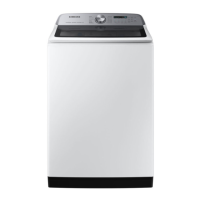
Samsung WA55CG7500 Series - User Manual

Samsung WA55CG7500 Series
76 pages
Print Icon
To Next Page IconTo Next Page
Loading...
Washer
User manual
WA55CG7500**/WA54CG7550**
Untitled-1 1 2023-04-28  6:00:58

Questions and Answers

  • L
    Lori SullivanAug 8, 2025
    What to do if my Samsung WA55CG7500 does not start?
    • M
      Ms. Debra Williams DDSAug 8, 2025
      If your Samsung Washer does not start, ensure the following: * The door is fully closed. * The water taps are open. * You have pressed or tapped Start/Pause (Hold to Start). * Child Lock is not activated. Also, the washer may make clicking noises and do a quick drain before filling. If the door was opened during the spin cycle, close it and press Start/Pause. The machine might be in Standby, paused, or in a soaking cycle, so wait. Finally, check the fuse or reset the circuit breaker.
  • M
    Michael LeeAug 15, 2025
    How to fix Samsung WA55CG7500 that does not turn on?
    • P
      Peggy CurtisAug 15, 2025
      If your Samsung Washer isn't turning on, try these steps: * Ensure your home's electrical system provides the correct power. * Make sure the power cord is fully plugged in. * Check the fuse or reset the circuit breaker. * If you used the Active Waterjet function, wait until the water is completely drained before attempting to power on the washer.
  • L
    lisathomasAug 23, 2025
    What to do if water is not supplied to Samsung WA55CG7500?
    • J
      Jared WilsonAug 23, 2025
      If water is not being supplied to your Samsung Washer, consider the following: * Ensure you press Start/Pause after selecting the cycle and options. * Verify that the water taps are fully open. * Check and clean the mesh filters in the water inlets. * Make sure the water supply is not cut off; if it is, close the tap and power off the machine. * Straighten any kinks in the water supply hoses. * Try opening and closing the door, then press Start/Pause. Also, low water pressure can extend the start time. Adjust the water level using the level selector if it's lower than expected.
  • T
    Tony BrownAug 31, 2025
    Why does detergent remain in the dispenser after cycle in my Samsung Washer?
    • P
      Pamela SimsAug 31, 2025
      If detergent remains in the automatic dispenser of your Samsung Washer after a cycle, ensure the washing machine is running with sufficient water pressure. Also, make sure the detergent drawer is properly inserted. If the issue persists, remove and clean the detergent drawer before trying again.

Summary

Safety Information

Safety Instructions and Precautions

General safety instructions, symbols, and precautions for safe washer operation.

Specific Warnings (Installation, Usage, Cleaning)

Critical warnings related to installation, usage, and cleaning procedures for the washer.

California Proposition 65 Warning

A specific warning about cancer and reproductive harm as required by California law.

Regulatory Notice

FCC and IC Compliance Statements

Details FCC and IC notices regarding radio frequency energy and compliance.

Open Source Software Information

Information regarding open source software used in the product.

Installation

Unpacking and Parts Check

Guidance on unpacking the washer and verifying all included parts.

Installation Requirements

Requirements for electrical, water supply, drain, flooring, and clearances for proper installation.

Step-by-Step Installation Guide

Detailed instructions for installing the washer, including connecting hoses and leveling.

Before You Start

Initial Settings and Calibration

Steps for initial setup, including recommended tub calibration for accurate weight detection.

Laundry Preparation Guidelines

Guidelines for sorting laundry, emptying pockets, and preparing items for washing.

Detergent and Softener Drawer Usage

Instructions on using the detergent/softener drawer, including compartment details and recommended detergents.

Operations

Control Panel Functions

Explanation of the washer's control panel, buttons, and display indicators.

Starting and Changing Cycles

Step-by-step guide to start a wash cycle and change cycles during operation.

Cycle Selection and Chart

Description of available wash cycles and a chart to select the best cycle and options.

Special Features Overview

Details on special functions like Active Waterjet, Delay End, Child Lock, Smart Control, and Smart Care.

Maintenance

Self-Cleaning Cycle

Instructions on performing the SELF CLEAN cycle to maintain the washer tub.

Cleaning Exterior Surfaces

Guidelines for cleaning the washer's exterior surfaces.

Cleaning Interior and Filters

Instructions for cleaning the washer's interior tub, pet hair filter, and mesh filters.

Detergent Drawer Cleaning

Steps for cleaning the detergent drawer and its compartments to prevent residue buildup.

Troubleshooting

Common Problems and Solutions (Checkpoints)

A table listing common washer problems and suggested actions to resolve them.

Information Codes and Meanings

Explanations of error codes displayed by the washer and troubleshooting steps.

Specifications

Fabric Care Symbols Guide

Explanation of garment care symbols for washing, drying, and bleaching.

Environmental Impact and Disposal

Guidance on environmentally responsible disposal and usage of the washer.

Technical Specification Sheet

Sheet detailing model names, water pressure, spin revolution, and power consumption.

LIMITED WARRANTY (U.S.A.)

U.S. Warranty Terms and Exclusions

Details of the limited warranty, coverage, exclusions, and remedies for the U.S. market.

Warranty Limitations and Rights

Specific exclusions from warranty coverage and limitations on implied warranties and consumer rights.

Warranty (CANADA)

Canadian Warranty Overview

Summary of the limited warranty terms and conditions for the Canadian market.

QUESTIONS OR COMMENTS?

Contact and Support Information

Contact details and online resources for customer support and inquiries.

Samsung WA55CG7500 Series Specifications

General IconGeneral
Capacity5.5 cu. ft.
Energy Star CertifiedYes
ColorWhite
SmartThingsYes
Wi-Fi ConnectivityYes
SteamYes
DispenserYes
Wash Cycles12
Vibration Reduction TechnologyYes
Wash Programs14
Digital DisplayYes
Child LockYes
Delay StartYes
Quick WashYes
Weight (kg)68 kg
TypeFront Load Washer

Related product manuals