EasyManua.ls Logo

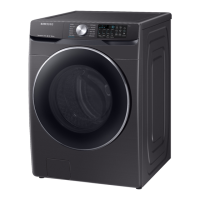
Samsung WF45R6300A Series - User Manual

Samsung WF45R6300A Series
132 pages
Print Icon
To Next Page IconTo Next Page
Loading...
Washer
User manual
WF45R6300A*
Untitled-18 1 2019-01-23  3:36:02

Questions and Answers

  • J
    Jessica MontgomerySep 2, 2025
    Why does detergent remain in the detergent drawer of my Samsung Washer after a cycle?
    • V
      Victoria SanchezSep 2, 2025
      If your Samsung Washer leaves detergent in the drawer after a cycle, ensure the washer is running with sufficient water pressure. Use the liquid detergent container for liquid detergent and remove it for powdered detergent. Clean the detergent drawer.
  • T
    Tyler MillerAug 31, 2025
    Why is the water supply insufficient in my Samsung WF45R6300A?
    • M
      Michael BrownAug 31, 2025
      If your Samsung Washer has insufficient water supply, fully open the faucet. Ensure the door is properly closed. Check that the water supply hose is not frozen, kinked, or clogged. Make sure there is sufficient water pressure.
  • D
    Debra SmithAug 29, 2025
    Why is my Samsung WF45R6300A making excessive vibrations or noise?
    • E
      Erica RyanAug 29, 2025
      If your Samsung Washer is making excessive vibrations or noise, ensure it's on a level, solid, and non-slippery floor. Adjust the leveling feet if needed. Remove the shipping bolts and make sure the washer isn't touching anything. Balance the laundry load. Note that the motor and metal objects like coins can cause noise during operation. Remove any such objects from the drum or filter case after washing.
  • J
    jeffreygarciaAug 27, 2025
    What to do if my Samsung WF45R6300A Washer stops mid-cycle?
    • J
      James SmithAug 28, 2025
      If your Samsung Washer stops, plug the power cord into a live electrical outlet. Check the fuse or reset the circuit breaker. Close the door and press Start/Pause to start the washer. Note that there may be a pause or soak period in the cycle. Check the mesh filter of the water supply hose at the faucets and clean it if clogged. If the washer isn't supplied with sufficient power, it will temporarily halt.
  • J
    Joseph ClarkAug 26, 2025
    Why is my Samsung WF45R6300A leaking water?
    • W
      William SmithAug 27, 2025
      If your Samsung Washer is leaking water, make sure the door is properly closed and all hose connections are tight. Ensure the drain hose is correctly inserted and secured to the drain system. Avoid overloading the washer and use high efficiency (HE) detergent to prevent excessive suds.
  • J
    Jacob TaylorAug 25, 2025
    What to do if the door on my Samsung WF45R6300A Washer does not open?
    • B
      Brian JacksonAug 25, 2025
      If your Samsung Washer door won't open, press Start/Pause to stop the washer. Wait a few moments for the door lock to disengage, as it may take up to 3 minutes after the washer stops or the power is turned off. Ensure all water is drained from the drum. Check if the door lock light is off, which indicates it has drained. If paused after water supply, wait one minute before opening.
  • L
    Lisa ColemanAug 22, 2025
    What to do if my Samsung WF45R6300A Washer does not drain and/ or spin?
    • M
      Matthew FosterAug 22, 2025
      If your Samsung Washer isn't draining or spinning, ensure the drain hose isn't kinked or obstructed. Check that the debris filter isn't clogged. Make sure the door is closed and press Start/Pause. Also, check if the drain hose is frozen or connected to a clogged drain system. If the washer lacks sufficient power, it will temporarily halt draining or spinning until power is restored.

Summary

Understanding Safety Information

Safety Instructions Overview

Explains the meaning of safety icons and the importance of following instructions.

Key Safety Symbols

Explains the meaning of various warning icons used throughout the manual.

Essential Safety Precautions

Lists crucial precautions to reduce risks of fire, electric shock, and injury during appliance use.

Proposition 65 Warning

A mandatory warning regarding cancer and reproductive harm as per California law.

Installation Safety Warnings

Highlights critical safety warnings related to the proper installation of the washer.

Installation Cautions

Provides cautions to ensure safe installation and prevent product damage or injury.

Usage Safety Warnings

Details critical warnings for safe operation and usage of the washing machine.

Usage Cautions

Offers important cautions for the everyday use of the washing machine to prevent issues.

Cleaning Safety Warnings

Lists critical warnings to follow when cleaning the washer to avoid damage or hazards.

Regulatory Information

FCC Compliance

Information regarding FCC compliance, rules, and statements for radio frequency emissions.

IC Compliance

Details Industry Canada compliance, technical specifications, and statements.

Open Source Software Notice

Information on obtaining source code for open-source software included in the product.

Washer Installation Guide

Unpacking the Washer

Step-by-step instructions for unpacking the washing machine and checking for damage.

Included Components

Lists all the parts and accessories that should be included with the washer.

Parts and Tools for Installation

Identifies supplied parts, parts not supplied, and tools required for installation.

Installation Site and Utility Requirements

Details electrical supply, grounding, and water supply requirements for proper installation.

Drainage and Flooring

Guidance on drain hose setup, flooring suitability, and water temperature considerations.

Installation Clearance Guidelines

Specifies required clearances for different installation types, including alcoves and closets.

Washer Installation Types

Illustrates various installation configurations such as undercounter, pedestal, and stacked setups.

Step-by-Step Washer Installation

Selecting Installation Location

Guidelines for choosing an appropriate location for installing the washer.

Removing Shipping Bolts

Instructions on safely removing shipping bolts from the new washer.

Adjusting Leveling Feet

Steps for adjusting the washer's leveling feet to ensure stability and proper operation.

Connecting Water Hoses

Detailed instructions for connecting the water supply hoses correctly.

Connecting the Drain Hose

Guidance on properly connecting the drain hose to a standpipe or laundry tub.

Removing Door Film

Instructions to remove protective film from the inside of the washer door before use.

Final Power Connection

Steps to connect the power cord and turn on the washing machine.

Preparing for Washer Use

Initial Setup and Calibration

Covers initial settings, including the recommended drum calibration process.

Laundry Sorting and Preparation

Provides guidance on sorting laundry, emptying pockets, and preparing items for washing.

Laundry Load and Detergent Guidelines

Details using laundry nets, determining load capacity, and selecting the correct detergent type.

Detergent Dispenser Usage

Explains the detergent dispenser compartments and usage for main wash, softener, and bleach.

Adding Detergents and Additives

Step-by-step guide for adding liquid and powdered detergents, and fabric softener to the dispenser.

Using Special Detergents and Bleach

Instructions for using powdered detergent, bleach, and oxygen boosters correctly.

Operating Your Washing Machine

Control Panel Functions

Explains the functions of each button and dial on the washer's control panel.

Understanding Control Panel Icons

Clarifies the meaning of various icons displayed on the control panel.

Basic Washing Operation

A quick guide to starting a wash cycle, including changing settings and starting the machine.

Wash Cycle Descriptions

Describes the standard wash cycles available on the washer.

Steam Cycle Details

Details the specialized steam cycles and their applications.

Wash Cycle Settings Chart

A chart to help select the best cycle and options for different types of laundry.

Advanced Washer Features

Explains advanced features like Delay End, ATC, Child Lock, Alarm Off, Downloaded cycles, and SmartThings connectivity.

Washer Maintenance and Care

Drum Cleaning: Self Clean+

Instructions for running the Self Clean+ cycle to keep the drum fresh and clean.

Smart Care Diagnostics Function

How to use the Smart Care function for self-diagnosis and troubleshooting.

Emergency Water Drainage

Steps to follow to drain water from the washer in case of a power failure.

Cleaning Washer Exterior and Filters

Guidance on cleaning the exterior surface and the mesh filter of the water inlet hoses.

Pump Filter Maintenance

Instructions for cleaning the pump filter to prevent clogs and ensure proper operation.

Detergent Drawer Maintenance

Steps for removing and cleaning the detergent drawer and its components.

Door Seal Cleaning and Freeze Recovery

How to clean the door diaphragm and recover the washer from freezing conditions.

Storage and Exterior Cleaning

Advice for storing the washer long-term and cleaning its exterior surfaces.

Interior Cleaning Instructions

Guidelines for cleaning the interior of the washer to remove residue, odors, and bacteria.

Troubleshooting Washer Issues

Common Problems and Solutions

A table listing common washer problems and their corresponding troubleshooting actions.

Washer Error and Information Codes

Explains various error codes displayed on the washer and how to resolve them.

Washer Specifications and Care

Garment Care Symbols and Guidance

A chart detailing care symbols for washing, bleaching, drying, and ironing clothes.

Environmental and Compliance Information

Information on environmental impact, recyclability, and product compliance statements.

Technical Specifications

Lists detailed technical specifications of the washing machine, including dimensions and power ratings.

Warranty and Support Information

Warranty Coverage and Service Procedures

Details the warranty period, coverage, and how to obtain service for the Samsung washer.

Warranty Exclusions and Limitations

Lists specific situations and damages not covered by the warranty and limitations on remedies.

Warranty Remedies and Contact Information

Defines the exclusive remedies available under warranty and provides contact information for service.

Samsung WF45R6300A Series Specifications

General IconGeneral
BrandSamsung
ModelWF45R6300A Series
CategoryWasher
LanguageEnglish

Related product manuals