EasyManua.ls Logo

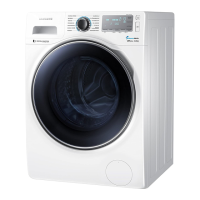
Samsung WW90J6 Series - User Manual

Samsung WW90J6 Series
60 pages
Print Icon
To Next Page IconTo Next Page
Loading...
Washing Machine
User manual
WW90J6***** / WW80J6*****
SSEC SEC
WW90J6610CW_DC68-03505D-03_EN.indd 1 2015/9/15 16:32:17

Questions and Answers

  • R
    ramirezjanetAug 9, 2025
    What to do if my Samsung WW90J6 does not start?
    • D
      Don ThompsonAug 9, 2025
      If your Samsung Washer isn't starting, try these steps: First, ensure the washer is properly plugged into a working outlet. Next, check that the door is completely closed. Also, make sure the water taps are fully open. Press the Start/Pause button to initiate the cycle. Verify that the Child Lock feature is deactivated. Note that before filling, the washer makes clicking noises to check the door lock and perform a quick drain. Finally, inspect the fuse or reset the circuit breaker.
  • J
    John MartinezAug 26, 2025
    Why is the water supply insufficient in my Samsung WW90J6?
    • M
      Michael RiveraAug 26, 2025
      If your Samsung Washer has insufficient water supply, ensure the water tap is fully open and the door is properly closed. Also, check that the water supply hose isn't frozen, kinked, or clogged. Finally, confirm that there is sufficient water pressure.

Samsung WW90J6 Series Specifications

General IconGeneral
Capacity9 kg
Spin Speed1400 RPM
Energy Efficiency ClassA+++
ColorWhite
Digital Inverter MotorYes
Eco Bubble TechnologyYes
Quick WashYes
Delay StartYes
Child LockYes
TypeFront Load

Related product manuals