26
Transferring Playlists from WMP10
Listening to Music
1
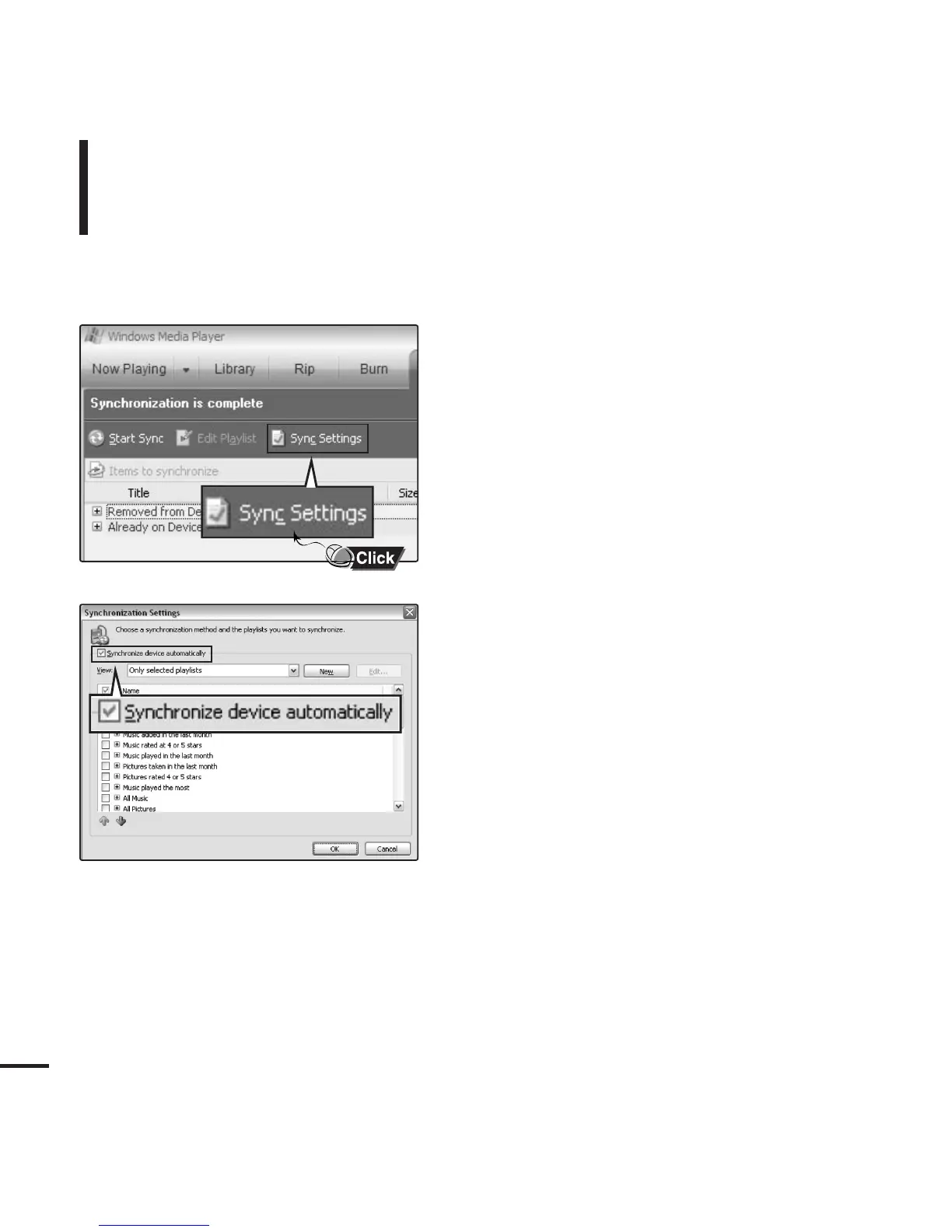
To transfer playlists from WMP10, click
on “Sync Settings” in the WMP10 menu
on your PC.
2
Select <Synchronize device automatically>.
3
Select the playlists you want to sync
(transfer) to your player.



 To Next Page