35
2) CHANNEL ON/OFF
Used to use current channel or stop the channel.
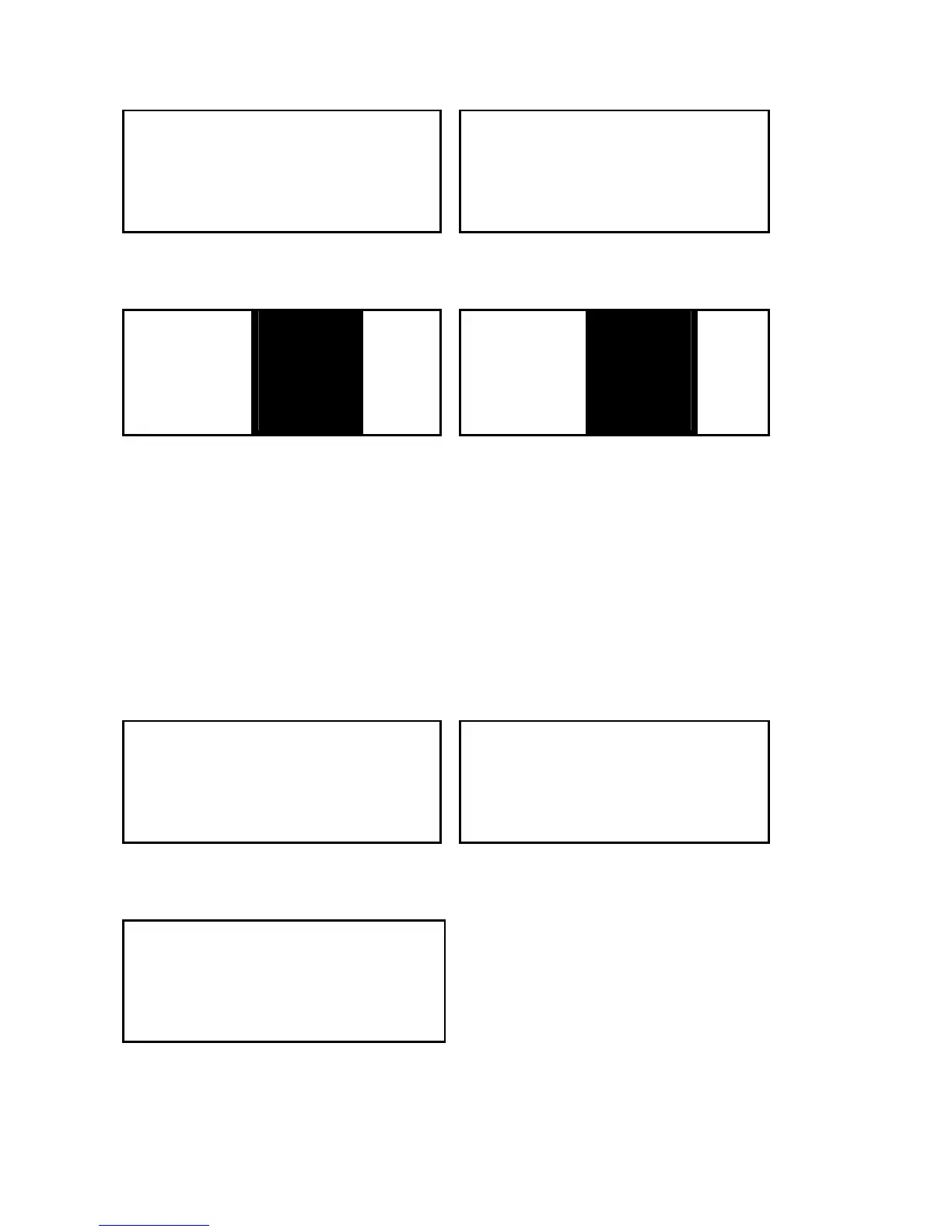
MENU SEL ITU RADIO SET ITU
〉RADIO SET CH NAME
DSC STOP TAG 〉CH ON/OFF TAG
FAC RESET
16
WX ALERT
16
① Select RADIO SET on MENU List. ② Select CH ON/OFF.
CHANNEL ITU CLOSE CH ITU
CLOSE? TELEPHO
TAG 〉YES TAG
TELEPHO
01
NO
01
③ Press the button ▲ or ▼ until
channel appears that wants to be
closed.
④ Press ENT after choosing YES.
The character of ‘C’ is displayed on
the right bottom of screen and it
means the channel was closed.
3) WX ALERT (WEATHER ALERT SET-UP)
NOAA serves various weather channels about USA and CAN channels. NOAA broadcasts
Weather Alert of 1050Hz when expected serious weather such as storm or hurricane. This
function is to be set to detect Weather Alert.
MENU SEL ITU RADIO SET ITU
〉RADIO SET CH NAME
DSC STOP TAG CH ON/OFF TAG
FAC RESET
16
〉WX ALERT
16
① Select RADIO SET on MENU List. ② Select WX ALERT.
WX ALERT ITU
〉YES
NO TAG
16
③ Press ENT after choosing YES to
set up Weather Alert.


 To Next Page