50
1) When received distress call, distress alarm is ringing. To stop alarming press any other
button except ESC and ENT. No need to transmit distress acknowledgement.
2) Channel is automatically changed to Channel 16, and it displays detail contents of
distress on screen. If wanted to connect voice communication, press PTT, then two
information related to distress is displayed on screen. Two screens are changed in about
1.5 seconds interval. First screen displays time and position. Second screen displays
USER MMSI or Name where it is registered on FRIENDS LIST.
4.6.3 DISTRESS ACK or REPLY
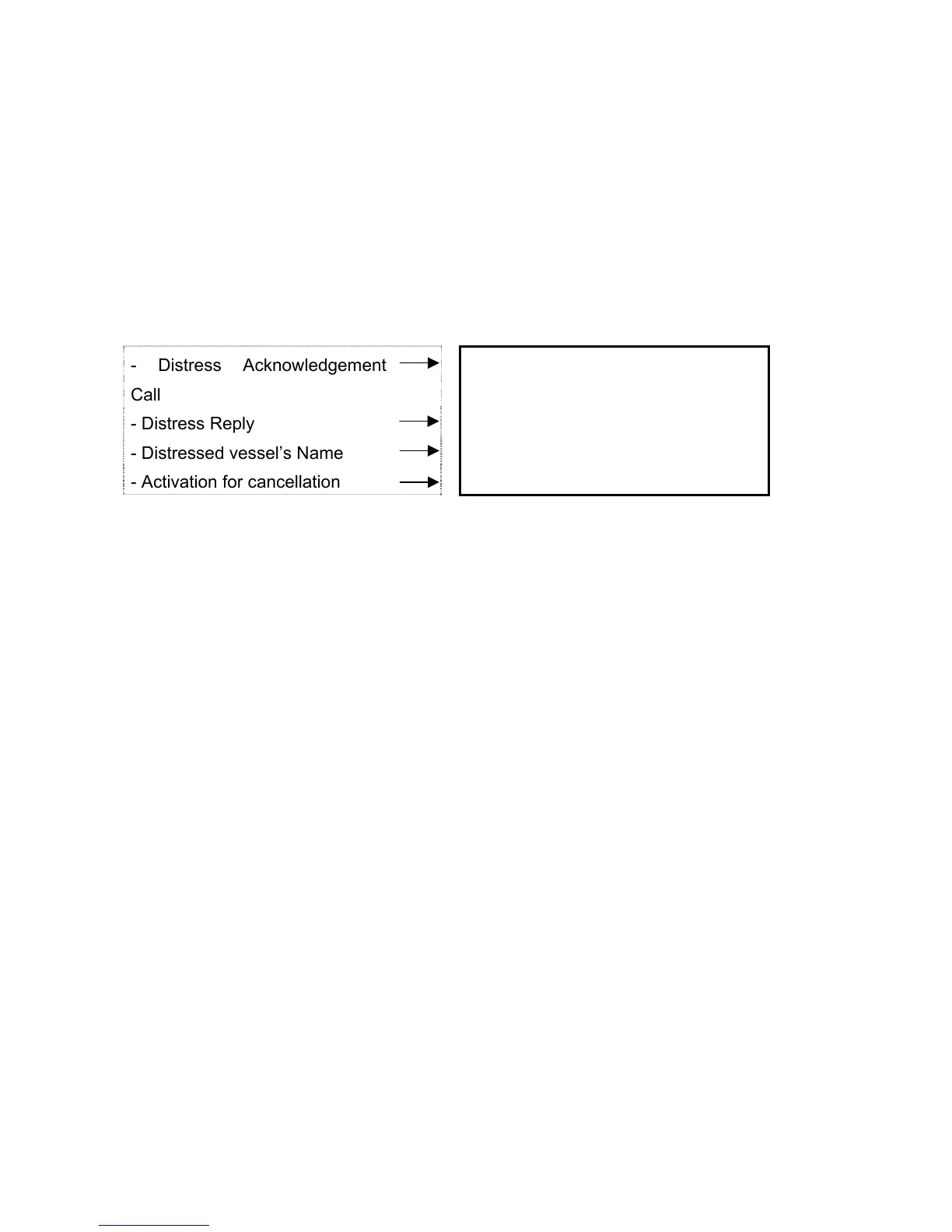
- Distress Acknowledgement
Call
R : DISTRESS ITU
- Distress Reply REPLY BSY
- Distressed vessel’s Name SAMYUNG ALL
- Activation for cancellation ESC=> EXIT
16
P
When received distress reply call, alarm is ringing. To stop alarming press any other
button except ESC and ENT, and try to call voice communication with calling vessel.
Operator should pay attention to Channel 16 constantly and get ready to support. To
distress acknowledgement call sent by coastal station, transceiver should automatically
cancel distress transmit mode and goes to Channel 16. To make voice communication
avail with coastal station, press PTT. (DISTRESS ACK)


 To Next Page