Customer Service - (888) 792-4264
11. LOCKED OUT OF YOUR SAFE
In the event you have forgoen the security code your primary acon will be to use
your backup keys in order to gain access to your safe and follow the E-Lock Security
Setup Code instrucons, starng at step 2 of acvang the reset buon.
Note: Factory pass code is “1-5-9-LOCK”
If you have lost your backup keys, you will need to contact customer service at the
number below. Proof of purchase is required to replacement keys.
8. UNLOCKING YOUR SAFE (Continued)
9. LOW BATTERY WARNING
10. E-LOCK QUIET MODE
8
Note: If 3 invalid code aempts are made in succession, this will cause 5 beeps while
the red light flashes 5 mes. The user will be locked out for 60 seconds. You can sll
use your backup key at anyme to open the safe.
If invalid code is entered again, you will hear 5 beeps while the red light flashes 5
mes and the user will be locked out for 5 minutes.
Note: 1. In the factory sengs, the sound has been turned on.
2. During the self-locking, no operaon is available.
By acvang the E-lock quiet mode, the safe will
no longer make audible sounds when interacng
with safe, allowing for silent access.
You can mute/unmute the keypad by entering
the “CLEAR” buon with 1 green light flash.
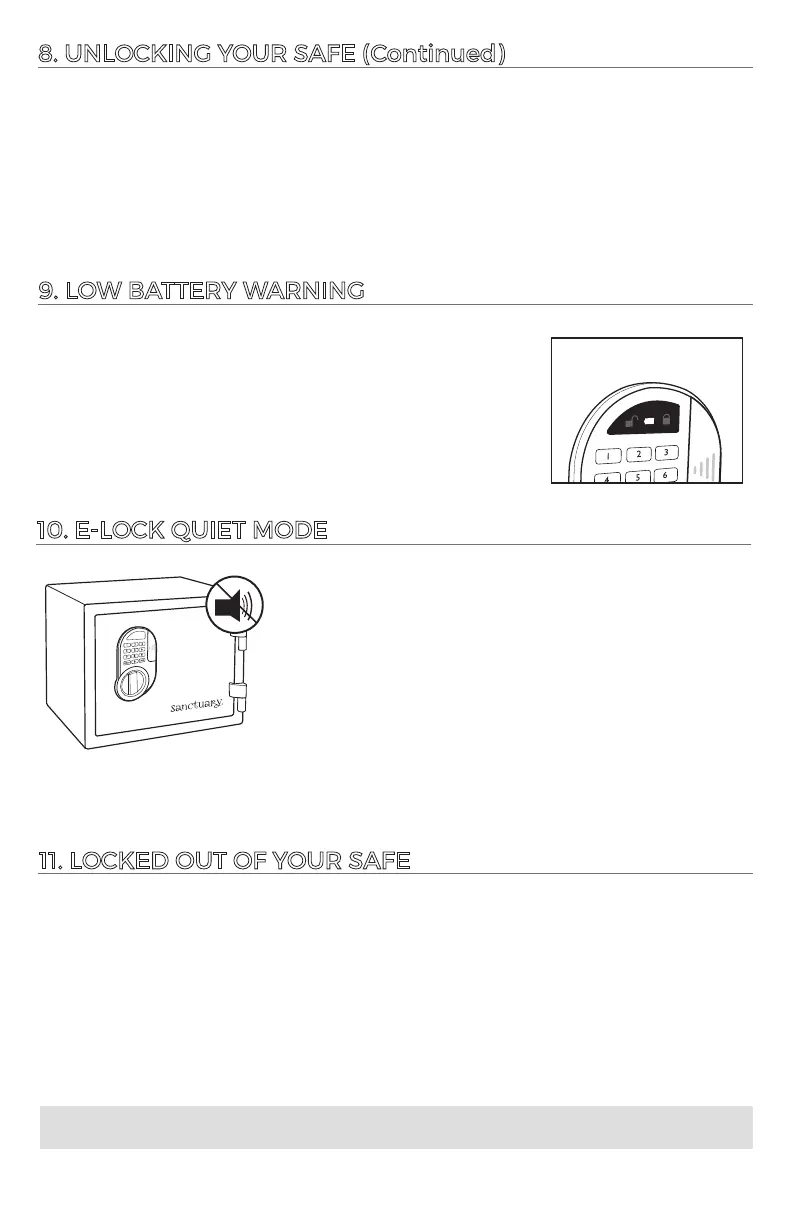
This E-Lock is equipped to alert you when the baeries are
low by illuminang the yellow light (center) on the keypad
Always test the baeries when installing or replacing. If the
yellow light comes on when a buon is pressed you know
the baeries are not fully charged.
LOW BATTERY
WARNING





 To Next Page