EasyManua.ls Logo

S&A CW-5000 - User Manual

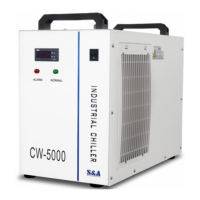
S&A CW-5000
17 pages
Print Icon
To Next Page IconTo Next Page
Loading...
TY-JS-220308-004
1
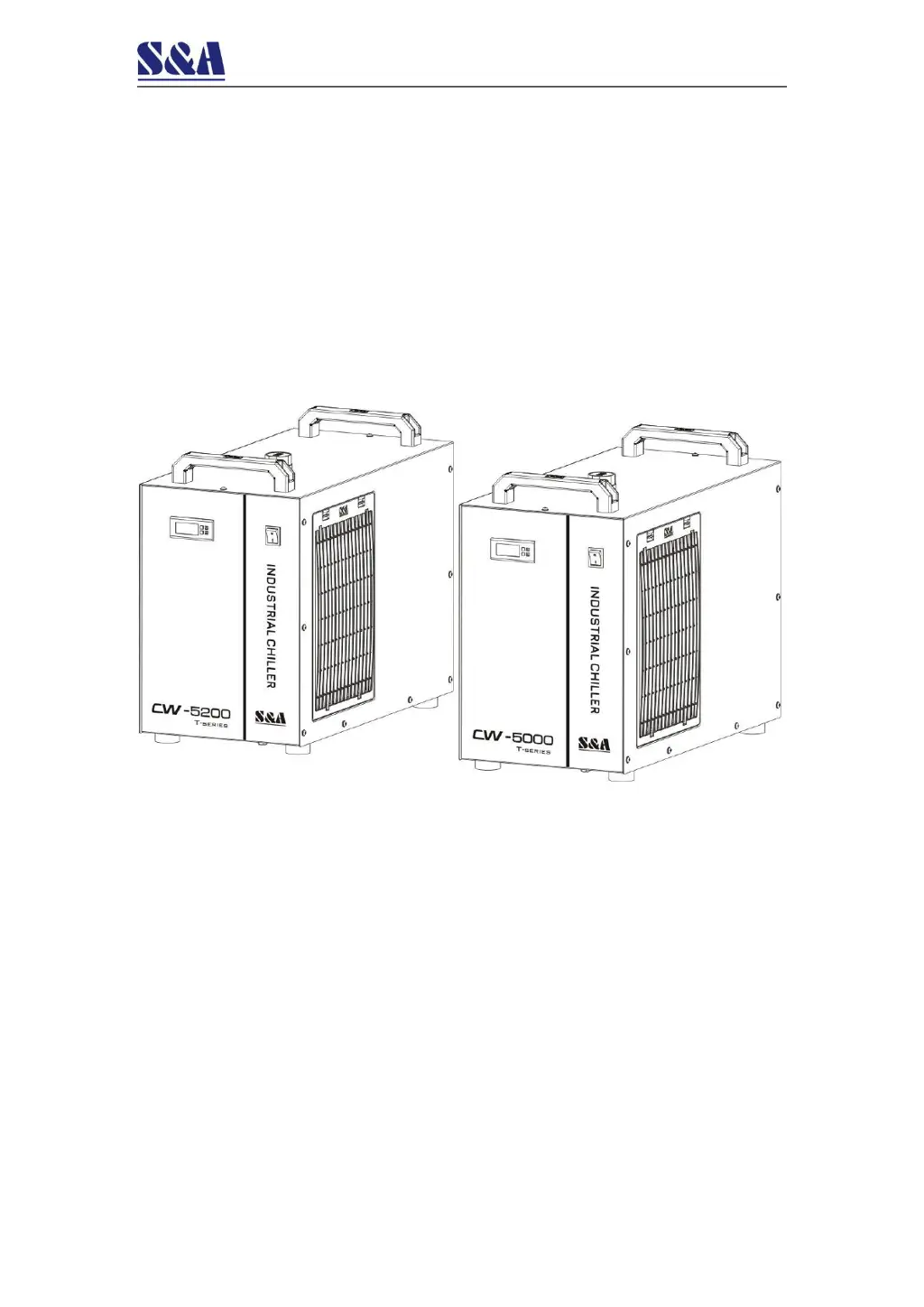
CW-5000/5200
Industrial Circulating Chiller
Installation & Operation Instructions

Other manuals for S&A CW-5000

Questions and Answers

  • M
    Monica AlexanderAug 5, 2025
    Why does my S&A CW-5000 show an ultra-high temperature alarm?
    • S
      sheila76Aug 5, 2025
      If your S&A Chiller displays an ultra-high temperature alarm, several factors could be responsible. First, the dust gauze might be blocked, hindering thermolysis; regularly clean the dust gauze. Poor ventilation for the air outlet and inlet can also cause this issue, so ensure smooth ventilation. Additionally, extremely low or unstable voltage can be a culprit; improve the power supply circuit or use a voltage regulator. Check your thermostat settings, as improper parameters can trigger the alarm; reset the controlling parameters or restore factory settings. Avoid frequent power switching, allowing sufficient refrigeration time (more than 5 minutes). Finally, excessive heat load can lead to this alarm; reduce the heat load or consider a model with larger cooling capacity.
  • K
    Kristin FletcherAug 10, 2025
    What to do if S&A CW-5000 Chiller has a flow alarm even with direct water connection?
    • S
      Scott FullerAug 10, 2025
      If your S&A Chiller's flow alarm is activated even when using a direct water pipe connection, it could be due to a few reasons. The water level in the storage tank might be too low; check the water level gauge and add water until it reaches the green area, also inspect water circulation pipes for leaks. Alternatively, the water circulation pipes could be blocked or deformed; check the water circulation pipes.
  • G
    graythomasAug 15, 2025
    How to fix S&A Chiller that turns on but isn't electrified?
    • D
      David CarrollAug 15, 2025
      If your S&A Chiller turns on but seems unelectrified, there are a couple of things to check. First, make sure the power cord is properly plugged into the power interface and that the connection is secure. Also, the fuse might have burnt out. Pull out the fuse box from the power supply interface, inspect the fuse, and replace it if necessary. Also, verify that the power supply voltage is stable.
  • H
    hamiltonbrandonAug 20, 2025
    What to do if S&A CW-5000 alarms for ultra-high room temperature?
    • D
      Desiree HendrixAug 20, 2025
      If your S&A Chiller is alarming due to ultra-high room temperature, it means the working ambient temperature is too high for the chiller. Improve the ventilation to ensure the machine runs under 40°.
  • N
    Nicholas WarrenAug 25, 2025
    Why does my S&A Chiller have a serious condensate water problem?
    • B
      Brian TurnerAug 26, 2025
      If you're experiencing a significant condensation issue with your S&A Chiller, it's likely because the water temperature is much lower than the ambient temperature, combined with high humidity. To address this, increase the water temperature or insulate the pipeline to preserve heat.
  • K
    Kevin EvansAug 30, 2025
    Why does water drain slowly from my S&A CW-5000 Chiller when changing water?
    • S
      Sharon TylerAug 30, 2025
      If water drains slowly from the outfall when you're changing the water in your S&A Chiller, the injection port might not be open. Make sure to open the injection port.

Summary

Notice

Overview

Model Illustration

Product Outlines and Parts

Installation

Equipment Installation Conditions and Requirements

Covers placement, ventilation, environmental factors, and medium requirements for chiller installation.

Electrical Connection

Guidelines for selecting power cords and ensuring proper electrical protection.

Fill Water and Exhaust Air

Procedures for filling the water tank and removing air from the system.

Operating States and Parameter Adjustment

Temperature Control Panel Introduction

Details the indicators and buttons of the temperature controller panel.

Restore to Factory Settings

Procedure to reset the controller to its default factory settings.

Alarm Function

Describes alarm display codes, causes, and how to suspend alarms.

General Settings Adjustment

Instructions for adjusting user-defined parameters and saving changes.

Alarm & Output Terminal

Alarm Output Terminals and Wiring Diagram

Illustrates the alarm output port and its electrical connection.

Alarm Causes and Working Status Table

Lists alarm conditions, display codes, buzzer status, and relay contacts.

Maintenance

Simple Troubleshooting

S&A CW-5000 Specifications

General IconGeneral
Temperature Control Range5°C to 35°C
Maximum Lift10 m
Precision±1°C
Power Supply220V/50Hz or 110V/60Hz
Voltage220V or 110V
Frequency50Hz

Related product manuals