EasyManua.ls Logo

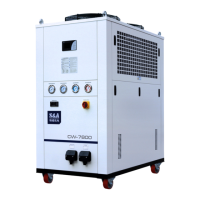
S&A CW-6100 - User Manual

S&A CW-6100
20 pages
Print Icon
To Next Page IconTo Next Page
Loading...
TY-JS-20319-003
1
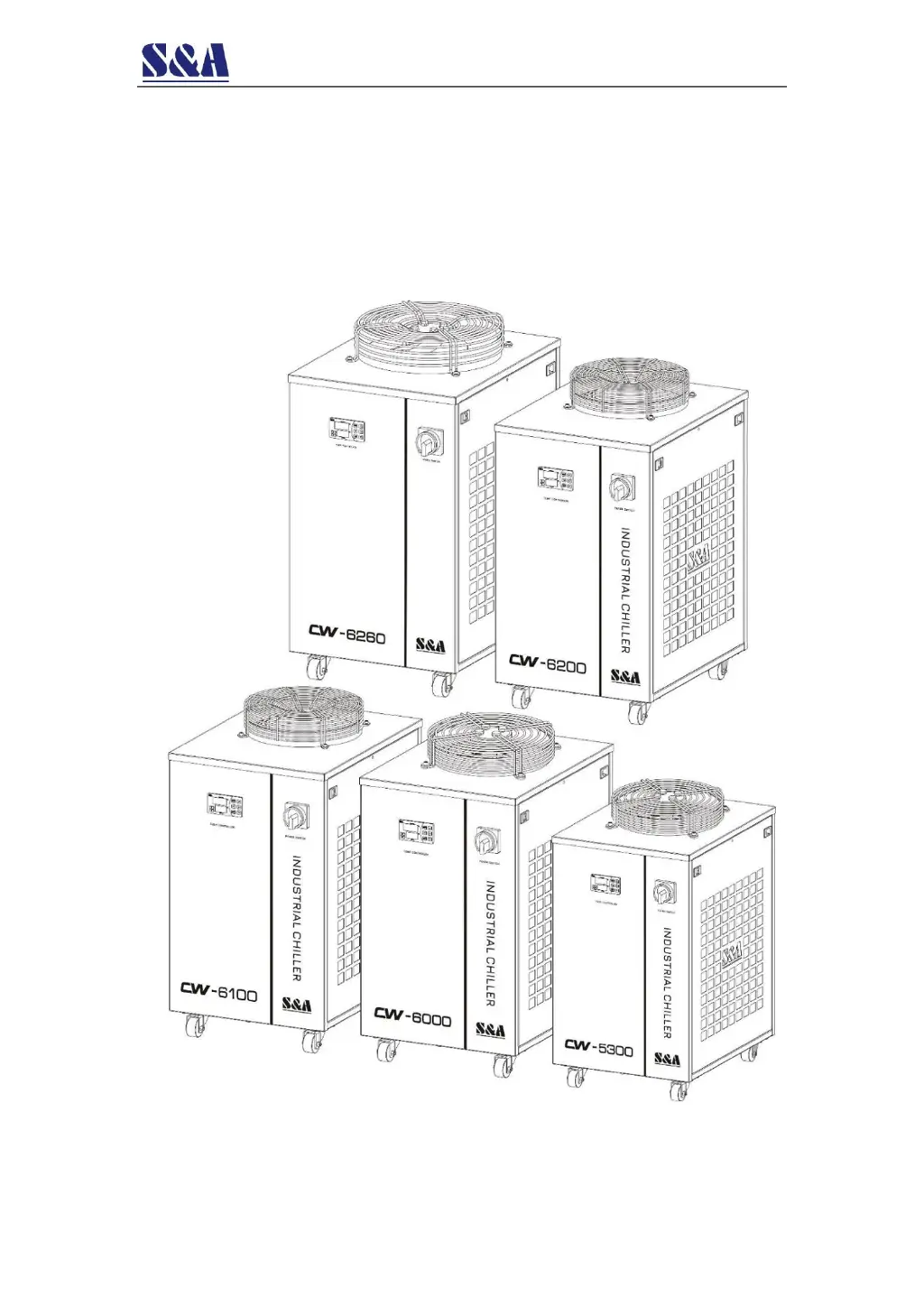
CW-5300/6000/6100/6200/6260
Industrial Circulating Chiller Installation &
Operation Instructions

Other manuals for S&A CW-6100

Questions and Answers

  • L
    Lisa MartinAug 5, 2025
    Why does my S&A CW-6100 Chiller show ultrahigh water temperature alarm?
    • C
      Cassandra SandovalAug 5, 2025
      If your S&A Chiller displays an ultrahigh water temperature alarm, several factors could be responsible: * **Blocked dust gauze:** Disassemble and clean the dust gauze regularly to ensure proper thermolysis. * **Poor ventilation:** Make sure the air outlet and inlet have good ventilation. * **Unstable voltage:** Improve the power supply circuit or use a voltage regulator if the voltage is extremely low or unstable. * **Improper thermostat settings:** Reset the controlling parameters or restore factory settings. * **Frequent power cycling:** Ensure there is sufficient time for refrigeration (more than 5 minutes) between power cycles. * **Excessive heat load:** Reduce the heat load or consider using a model with a larger cooling capacity.
  • J
    Joshua StarkAug 9, 2025
    What to do if S&A CW-6100 Chiller has flow alarm even with direct water connection?
    • K
      Kimberly WeaverAug 9, 2025
      If your S&A Chiller is showing a flow alarm, and you've connected a water pipe directly to the water outlet and inlet but still have no water flowing, the water level in the water tank might be too low. Check the water level gauge display and add water until the level shows in the green area. Also, check whether the water circulation pipe leaks.
  • A
    Aaron LopezAug 13, 2025
    How to fix ultrahigh room temperature alarm on S&A CW-6100?
    • L
      Lindsay MillerAug 13, 2025
      If your S&A Chiller displays an ultrahigh room temperature alarm, the room temperature may be too high for the chiller. Improve the ventilation to guarantee that the machine is running below 40° room temperature.
  • K
    Kyle HaneyAug 17, 2025
    What causes flow alarm in S&A CW-6100 Chiller when connected to equipment?
    • A
      andrew75Aug 18, 2025
      If you encounter a flow alarm on your S&A Chiller while it's connected to other equipment, but there's water flowing and no alarm when a water pipe is directly connected to the chiller's water outlet and inlet, the water circulation pipes may be blocked or deformed due to bending. Check the water circulation pipe.
  • A
    Andrew MooreAug 22, 2025
    How to deal with condensate water problem in S&A CW-6100 Chiller?
    • K
      Kimberly JonesAug 22, 2025
      If your S&A Chiller experiences a serious problem with condensate water, it could be because the water temperature is much lower than the ambient temperature, combined with high humidity. To address this, increase the water temperature or preserve heat for the pipeline.
  • D
    deborahwalkerAug 27, 2025
    Why does water drain slowly from S&A CW-6100?
    • A
      amandakellyAug 27, 2025
      If water drains slowly from the drain port during water changing in your S&A Chiller, the water supply inlet might not be open. Open the water supply inlet.
  • M
    Matthew BlairAug 31, 2025
    What causes startup flow alarm in S&A CW-6100 Chiller?
    • S
      Sara OneillAug 31, 2025
      If you are experiencing a startup flow alarm with your S&A Chiller, it may be due to bubbles in the water pipe. Exhaust the air from the pipe.

Summary

Foreword

Notice

Overview

Model Illustration

Product Outlines & Parts

Installation

Equipment Installation Conditions and Requirements

Specifies environmental and physical conditions needed for chiller installation.

Electrical Connection

Guidelines for power cord selection, wiring, grounding, and supply.

Fill Water & Exhaust Air

Procedures for filling the water tank and removing air from the system.

Operating States & Parameter Adjustment

Temperature Control Panel Introduction

Details the components and layout of the temperature controller panel.

Controller Working Status Indicators

Explains the meaning and function of various indicators on the controller.

Quick Temperature Setting

Instructions on how to quickly set the desired temperature using the controller.

User Parameter Setting

Guides users through setting custom parameters and managing passwords.

Restore Factory Settings

Describes the process for resetting the temperature controller to its default state.

Alarm & Output Terminal

Alarm Output Terminals and Wiring

Provides diagrams for connecting alarm output terminals and wiring configurations.

Maintenance

Simple Troubleshooting

S&A CW-6100 Specifications

General IconGeneral
BrandS&A
ModelCW-6100
CategoryChiller
LanguageEnglish

Related product manuals