TY-JS-211220-009
12
V. Operating States &Parameters Adjustment
The new T-506A intelligent temperature controller does not need to adjust the controlling
parameters under normal circumstance. It will self-adjust controlling parameters
according to room temperature for meeting equipment cooling requirements.
The new T-506B intelligent temperature controller is selected constant temperature
control mode as factory setting with water temperature at 25℃. User can adjust it as
needed.
T-506A and T-506B controllers are of same functions and structure except factory setting.
1.Temperature control panel introduction
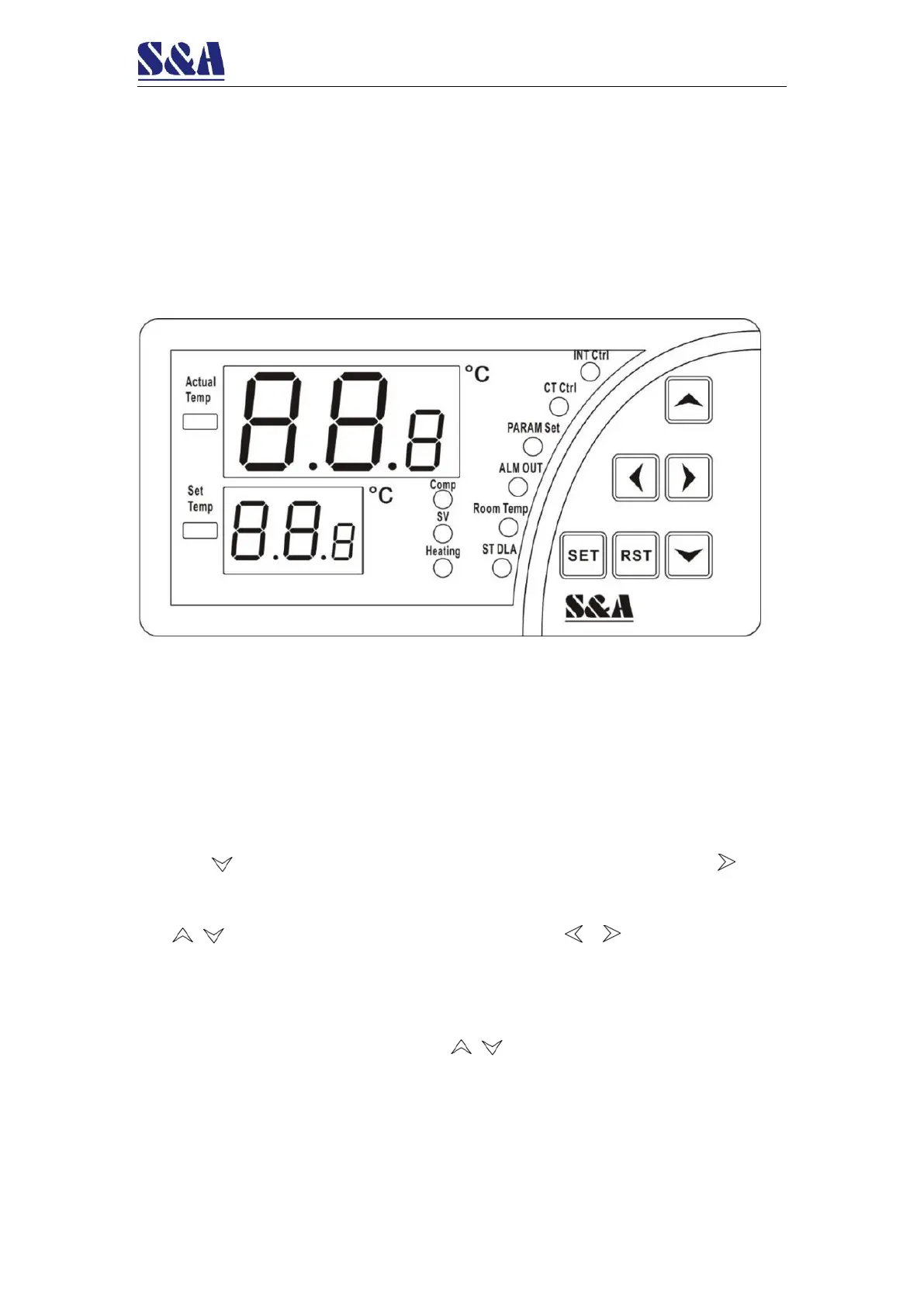
(1) Indicators of temperature controller working status:
COMP ON, compressor working
SV ON, solenoid valve working
Heating ON, heating rod working
INT Ctrl ON, controller working in intelligent control mode
CT Ctrl ON, controller working in constant temperature control mode
PARAM Set ON, controller working in parameters setting mode
ALM OUT ON, alarm output status
Room Temp ON, displaying room temperature
ST DLA ON, starting up delay status
(2) Press key to show the room temperature(Room Temp light is on), press key to
show the real-time frequency value of the flow sensor,and 6 seconds later default
display restores.
(3) keys are for modifying parameters values and keys are for switching
parameter items.
(4) RST key: confirm
(5) SET key: setting function
2.Restore to factory settings
Before machine startup, press and hold keys until the controller displays rE.6
seconds after the keys are released, the controller works in normal status. All parameters
values settings of the controller have been restored to factory settings.


 To Next Page