Operation
82010-PG, REV. F Sandel SA4550 Pilot’s Guide 2-5
The following describes each control.
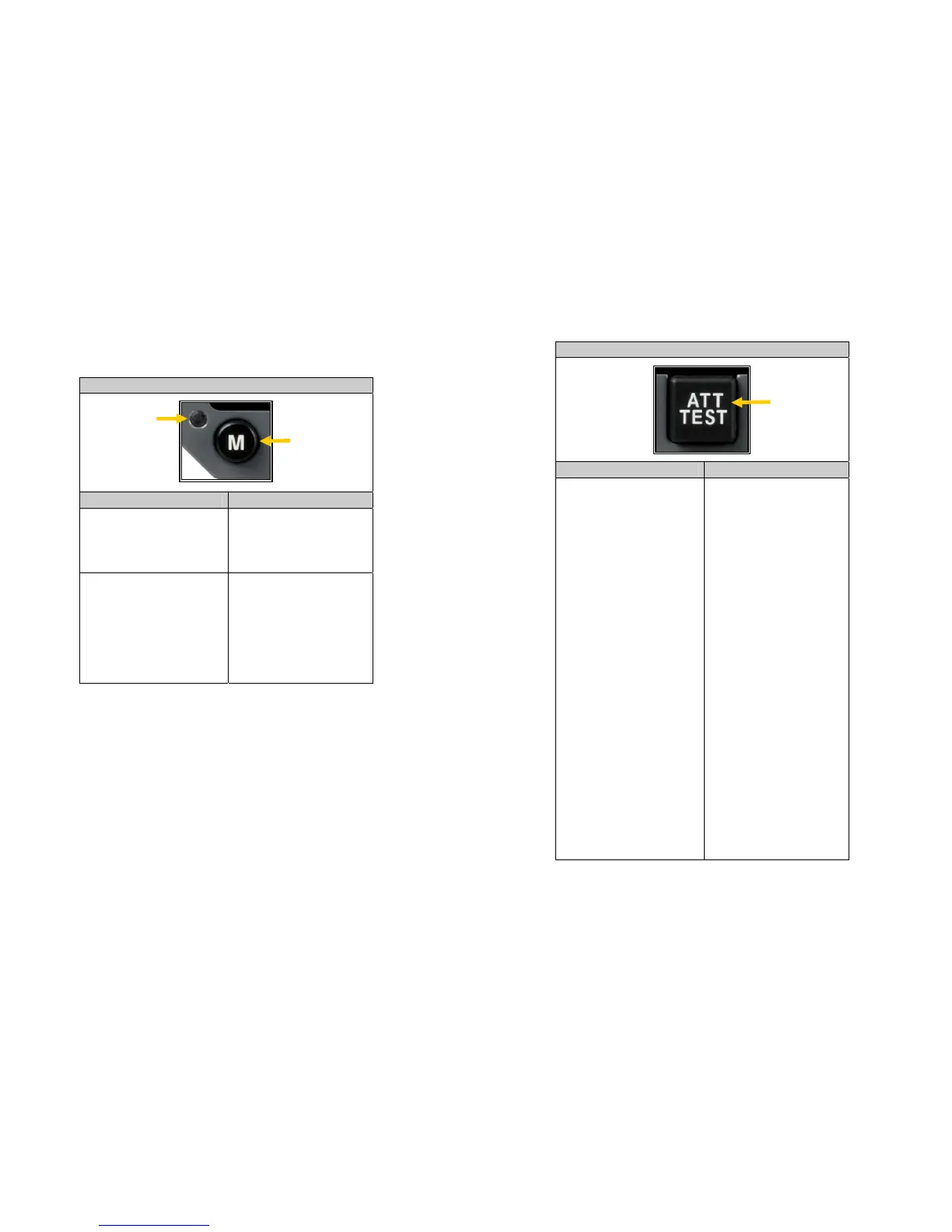
CONTROL FEATURE
FUNCTION OPERATION
DC Power LED
Indicates the presence of
DC power.
Indicator only. No pilot
interaction required.
FD Mode Select
Toggles between the
Single Cue and Dual Cue
Flight Director Mode (If
enabled during
installation)
Depress button to
alternate Flight Director
presentation.
POWER ON
LED
FLIGHT
DIRECTOR
MODE
SELECTOR
Operation
82010-PG, REV. F Sandel SA4550 Pilot’s Guide 2-6
CONTROL FEATURE
FUNCTION OPERATION
Attitude Test
Performs display self-
test.
Perform this test prior to
each flight.
NOTE: ATT TEST may
also operate the APFD
self-test which will cause
the on-screen
annunciators to
illuminate.
Depress [ATT TEST]
button and observe
display. A successful
display test will cause
the display to indicate a
10° roll to the left, a 10°
pitch up and full right
deflection of the slip skid
ball indicator. The red
ATTITUDE flag will
display with the words
“Att Test” directly below.
The words RED,
GREEN, and BLUE will
display in their
respective colors. The
display will go blank
after [ATT TEST] button
is held for 5 seconds.
If the display does not
test properly or if any of
the colors are visibly
incorrect do not fly
aircraft using the
SA4550. Maintenance is
required.
ATTITUDE
TEST
BUTTON


 To Next Page