Need help?
Do you have a question about the Sangean DPR-65 and is the answer not in the manual?
Read and understand all safety and operating instructions before use and retain for future reference.
Follow all warnings and operating instructions. Adhere to all operations and use instructions.
Avoid using the appliance near water, such as bathtubs, sinks, or wet basements.
Unplug the radio before cleaning and use only a damp cloth for the exterior.
Do not place on unstable surfaces or block ventilation openings. Ensure proper airflow.
Operate from indicated power source. Consult dealer if unsure. Handle mains adaptor carefully.
Position adaptor to avoid damage. Do not overload outlets or insert foreign objects into the radio.
Unplug when unattended for long periods to prevent damage from lightning or surges.
Remove batteries for long periods. Do not attempt self-service; refer to authorized personnel.
Never spill liquid or insert objects into the radio, as it can cause fire or electric shock.
The appliance requires servicing by qualified personnel for damage, water exposure, abnormal operation, or enclosure damage.
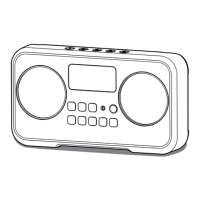
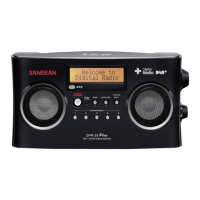
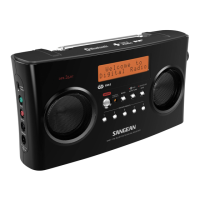
Identifies speaker, LCD display, power, indicators, tuning, select, and info buttons.
Identifies preset, autotune, band, volume, battery switch, and headphone/DC sockets.
Details the telescopic aerial, battery compartment location, and the lock switch.
Remove cover, insert batteries correctly, close door. Set battery type switch for rechargeable use.
Low battery indicator lights up; reduced power, distortion, or stuttering sound also indicate low battery.
Remove batteries for extended periods. Recommend mains adaptor for economy and primary use.
Charge batteries only when radio is off. Do not mix battery types or use damaged batteries. Do not expose to heat.
Connect the radio to mains power using the supplied adaptor. Ensure socket remains accessible.
Use the lock switch to prevent accidental operation of buttons, especially when packed.
Extend aerial, power on. Radio scans DAB channels. First station selected after scan.
If no stations are found, display shows 'No DAB station'. Relocate radio for better reception.
Scroll through available stations using tuning buttons and select with the select button. Adjust volume as needed.
Some stations have secondary services indicated by '+'. Press Select to choose them.
Cycle through seven display modes (scrolling text, program type, multiplex name, time/date, channels/frequency, bit rate, signal strength) using the Info button.
Press the Autotune button to scan for new DAB stations. Station counter increases as stations are found.
Tune directly to DAB Band III channels by entering the advanced setting menu and adjusting the channel.
Adjust DRC to enhance quieter sounds in noisy environments. Options: Off, Broadcast, or 1/2 Broadcast.
Extend aerial, power on, select FM band, use auto-tune to scan for stations. Display shows frequency and RDS info.
Scan FM band up or down. Radio recommences tuning from opposite end. Adjust volume and power off.
Tune directly to FM stations using manual tuning, adjusting frequency in 50kHz steps. Cancel by pressing Select again.
Cycle through four FM display options (Radio Text, Program Type, Time/Date, Frequency) using the Info button when RDS is available.
Store up to 5 stations for each waveband (DAB/FM) by pressing and holding the desired preset button.
Tune to a stored station by momentarily pressing the corresponding preset button.
Force mono playback for a station to reduce noise when stereo signal is weak. Access via Info button.
Select 'Local' for strong signals or 'Distant' to find weaker signals during auto-scan.
View the radio's software version number by accessing the menu and navigating to 'SW version'.
Reset the radio to factory defaults to resolve operational issues. This erases all presets and station lists.
Connect headphones to the 3.5mm socket for private listening; this mutes the internal loudspeaker.
Backlight is temporary on battery power (12s) and always on when using AC mains power.
Details power requirements, frequency coverage, loudspeaker, output power, headphone socket, and aerial system.
 Power
Power| mains power voltage | 5 V |
|---|---|
| mains power current | 0.6 A |
| battery type | 2 x LR6 (AA size) Alkaline or NiMH rechargeable |
 Circuit Features
| loudspeaker impedance | 8 ohm |
|---|---|
| output power | 0.2 Watt |
| headphone socket diameter | 3.5 mm |
Frequency Coverage| FM frequency range | 87.5 – 108 MHz |
|---|---|
| DAB frequency range | 5A 174.928 – 13F 239.200 MHz |
| aerial type | FM telescopic rod aerial |


 To Next Page